
digicom 8E4631 Boxed Defective 4G Router User Guide


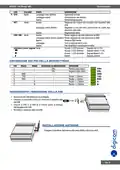


8E4631 4G Router 300
Quick Guide
•
•
•
Fill the required fields.
Save the configuration.
Reboot the device.
NOTE: To obtain an optimal connection it is suggested to disable the Auto APN function and configure the
connection using the parameters provided by the telephone company.
eng.6

| General | Details |
|---|---|
| Name | digicom 8E4631 Boxed Defective 4G Router User Guide |
| Make | digicom |
| Language | English |
| Filetype | PDF (Download) |
| File size | 0.31 MB |
 (1 votes, average: 5.00 out of 5)
 Loading...
If you have any questions regarding digicom 8E4631 Boxed Defective 4G Router User Guide, please ask here and describe the problem in detail.


Thumbnail TN1000 Master Router Instruction Manual
ALTA LABS ROUTE10 High Performance 10 Gbps Router User Guide

inseego 5G Router FG2000 User Guide

ASUS XT12 AX11000 Tri Band WiFi Router User Guide

UBIQUITI ER-6P EdgeRouter 6P Gigabit Router User Guide

GL iNet GL-B3000/Marbel AX3000 Wireless Router User Manual

Starlink Mesh Nodes wifi router User Guide

Cudy LT400 4G Wi-Fi Router Installation Guide

BEC RidgeWave 7000 R26 MaxRange Gigabit LTE Outdoor Router Owner’s Manual

CASTLENET EBM522C Mesh Wi-Fi Router Installation Guide