×
- 1. Router 4g (E4631 _ 4g Router 300 → Guida Rapida → Quick Guide)
- 2. Precauzioni (Dichiarazione Di Conformità Ue Semplificata → Assistenza E Contatti → Informazioni Sulla Sicurezza → Installazione Antenne → Installazione Del Supporto Di Alimentazione → Configurazione Base)
- 3. Precauzioni (Condizioni Ambientali → Pulizia Dell'apparato → Vibrazioni O Urti → Dichiarazione Di Conformità Ue Semplificata → Assistenza E Contatti)
- 4. Informazioni Sulla Sicurezza (Interferenze → Utilizzo In Auto → Utilizzo In Aereo → Utilizzo All'interno Degli Ospedali → Utilizzo In Prossimità Di Materiali Esplosivi → Modalità Duso)
- 5. Introduzione (Caratteristiche Tecniche → Interfaccia Ethernet → Interfaccia Seriale → Alimentazione E Consumo → Specifiche Fisiche → Installazione)
- 6. Contenuto Della Confezione (Pannello Frontale → Descrizione → Pannello Posteriore → Tasto Rst → Funzione → Azione)
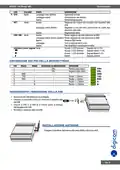
- 7. Definizione Dei Pin Della Morsettiera (Inserimento/rimozione Della Sim → Installazione Antenne)
- 8. Installazione Del Supporto Di Alimentazione (Accensione Del Router)
- 9. Accesso Alle Pagine Web (Login Alle Pagine Web → Configurazione Base)
- 10. Compilare I Campi Richiesti. (Salvare La Configurazione. → Eseguire Il Reboot Dellapparato. → Disabilitare La Funzione Auto Apn. → Configurare La Connessione Utilizzando I Parametri Forniti Dalla Compagnia Telefonica.)
- 11. Simplified Ue Declaration Of Conformity (Assistance And Contacts → Safety Warnings → Package Content → Insert / Remove Sim Card → Install Antenna → Power Supply Installation)
- 12. Preface (Environmental Conditions → Cleaning Information → Shocks Or Vibrations → Simplified Ue Declaration Of Conformity → Assistance And Contacts)
- 13. Safety Warnings (Interferences → Road Safety → Aircraft Safety → Hospital Safety → Explosive Materials → Instructions For Use)
- 14. Introduction (Technical Features → Mobile Network Type → Ethernet Interface → Serial Interface → Other Interfaces → Power Supply And Consumption)
- 15. Package Content (Front View → Description → Rear View → Button)
- 16. Insert/removesimcard (Installantenna → Powerinput → Signalstrengthindicator → Led → Usr:sim → Pindefinitionofterminalblock)
- 17. Power Supply Installation (Power On The Router)
- 18. Access To Web Page (Login To Web Page → Base Configuration)
- 19. Fill The Required Fields. (Save The Configuration. → Reboot The Device. → Note: To Obtain An Optimal Connection It Is Suggested To Disable The Auto Apn Function And Configure The Connection Using The Parameters Provided By The Telephone Company.)
- 20.
×
digicom 8E4631 Boxed Defective 4G Router User Guide
| General | Details |
|---|---|
| Name | digicom 8E4631 Boxed Defective 4G Router User Guide |
| Make | digicom |
| Language | English |
| Filetype | PDF (Download) |
| File size | 0.31 MB |
If you have any questions regarding digicom 8E4631 Boxed Defective 4G Router User Guide, please ask here and describe the problem in detail.


GRANDSTREAM GWN7062 Dual-band WiFi 6 Router Installation Guide

ZYXEL SCR 50AXE Secure Cloud-Managed Router with AXE5400 Tri-Band Wifi 6E User Guide

TP-Link Archer BE800 BE19000 Tri-Band Wi-Fi 7 Router Installation Guide

ZETTABEAM AX3000 Wi-Fi 6 Router Installation Guide

TELTONIKA Networks RUT241 LTE Router User Guide

ELPRO 641M-X Iot Connectivity 4g-Lte Router User Manual

ASUS GT-BE98 Quad Band Gaming Router User Guide

BEC MX-241NP 4G LTE CBRS Wi-Fi Router User Guide

TP-Link AX95 AX7800 Tri Band 8 Stream WiFi 6 Router User Guide

ASUS RT-BE96U Tri Band WiFi Router User Guide
Table of Contents
- 1. Router 4g - E4631 _ 4g Router 300 →
- 2. Precauzioni - Dichiarazione Di Conformità Ue Semplificata →
- 3. Precauzioni - Condizioni Ambientali →
- 4. Informazioni Sulla Sicurezza - Interferenze →
- 5. Introduzione - Caratteristiche Tecniche →
- 6. Contenuto Della Confezione - Pannello Frontale →
- 7. Definizione Dei Pin Della Morsettiera - Inserimento/rimozion... →
- 8. Installazione Del Supporto Di Alimentazione - Accensione Del... →
- 9. Accesso Alle Pagine Web - Login Alle Pagine Web →
- 10. Compilare I Campi Richiesti. - Salvare La Configurazione. →
- 11. Simplified Ue Declaration Of Conformity - Assistance And Con... →
- 12. Preface - Environmental Conditions →
- 13. Safety Warnings - Interferences →
- 14. Introduction - Technical Features →
- 15. Package Content - Front View →
- 16. Insert/removesimcard - Installantenna →
- 17. Power Supply Installation - Power On The Router →
- 18. Access To Web Page - Login To Web Page →
- 19. Fill The Required Fields. - Save The Configuration. →
- 20. Page 20 →