
digicom 8E4631 Boxed Defective 4G Router User Guide




8E4631 4G Router 300
Guida Rapida
ACCESSO ALLE PAGINE WEB
4G Router 300 dispone di un’interfaccia Web per la configurazione e gestione. Per il primo accesso al dispositivo fare riferimento
ai parametri che seguono:
LAN IP Address:
Userame:
192.168.5.1
admin
admin
Password:
DHCP Server:
Abilitato
LOGIN ALLE PAGINE WEB
•
•
Aprire un Web Bbrowser (Chrome e Internet Explorer sono raccomandati), e digitare l’IP 192.168.5.1 nella barra degli indirizzi.
Quando richiesto digitare il nome utente e la password predefiniti (admin/admin) per accedere al Router.
CONFIGURAZIONE BASE
•
•
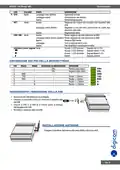
Navigare al menù Link Management e cliccare su Cellular.
Cliccare sul Tab Cellular.
•
Cliccare sull’icona
per accedere al menu di configurazione.
ita.5

| General | Details |
|---|---|
| Name | digicom 8E4631 Boxed Defective 4G Router User Guide |
| Make | digicom |
| Language | English |
| Filetype | PDF (Download) |
| File size | 0.31 MB |
 (1 votes, average: 5.00 out of 5)
 Loading...
If you have any questions regarding digicom 8E4631 Boxed Defective 4G Router User Guide, please ask here and describe the problem in detail.


TRUEFIT BAC-5051A E Airflow Measurement System Router User Guide

TP-Link Archer MR400 4G LTE 300 Mbps Router Installation Guide

HNK Flow AX1501 Dual Band Wi-Fi 6 AX1500 Router User Guide

robustel R5020 Lite 5G Router Instruction Manual

aparian A-CNTR ControlNet Router Module User Guide

ASUS ZenWiFi XD5 AX3000 Dual Band WIFi Router User Guide

Grass Valley MV-825-RTRUM Multiviewer with Integrated Router User Manual

RYOBI A99LM3 Door Latch Router Template Instruction Manual

CSG F219 5G Wi-Fi 6 Router User Guide

ASUS RT-AX57 Go AX3000 Dual Band Wi-Fi 6 Router User Guide