
Home > DIGITAL DEPP SEA > DIGITAL DEPP SEA 4GXtream Premium LTE Internet Access Router Instruction Manual
DIGITAL DEPP SEA 4GXtream Premium LTE Internet Access Router Instruction Manual
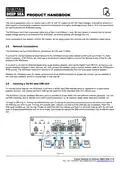
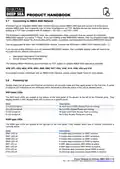
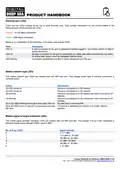
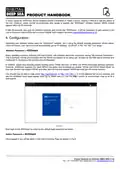
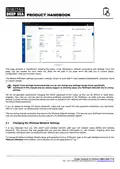
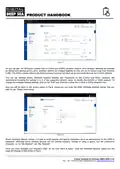
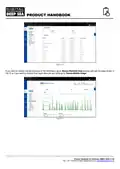


You can then turn ON the interface you want to use for internet connection and turn OFF the other two connections. The
WAN connection is the wired WAN socket on the 4GXtream and if you have one of our WL510 Long Range WiFi
systems, this is how it will be connected.
5. Normal Operation
The 4GXtream will always create its own wireless network within 50-60 seconds of being powered up and any wireless
device should be able to scan for wireless networks, select the 4GXtream and connect to it.
Assuming you are within 3G/4G coverage, then any device connected to the 4GXtream wireless network, or wired to one
of the LAN sockets should be able to access the internet. If you are using a “Pay As You Go” SIM or “Pay Monthly” SIM
with a monthly data limit, please ensure you have not used up all of your data allowance.
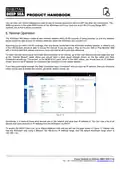
To check that you have a good 4G mobile data connection to the internet, go to the main Status>Overview page and look
at the “Internal Modem” panel where you should have a good signal strength shown on the Bar meter and Data
Connection should say “Connected”. In the MOB1S1A1 pane, which is the SIM1 status, you should have an IP Address
shown, which is the IP address the 4GXtream has received from the mobile network.
If you have good signal strength, the Data Connection says “Connected” and you have an IP address, then you should be
online and be able to browse the internet, get email, stream movies, etc.
Figure 10
Sometimes, it is useful to know what devices are on the network and what their IP address is. You can view a list of all
devices that have received an IP Address from the 4GXtream via DHCP.
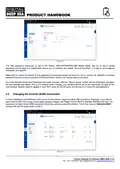
To access the DHCP Client List, go to Status>Network>LAN and you will see the page shown in Figure 11. Please note
that this 4GXtream was using a different 192.168.42.xxx IP address range, than the default 4GXtream range which is
192.168.1.xxx.
Product Handbook for 4GXtream (NMEA 2000) V1.02

| General | Details |
|---|---|
| Name | DIGITAL DEPP SEA 4GXtream Premium LTE Internet Access Router Instruction Manual |
| Make | DIGITAL DEPP SEA |
| Language | English |
| Filetype | PDF (Download) |
| File size | 0.27 MB |
 (1 votes, average: 5.00 out of 5)
 Loading...
If you have any questions regarding DIGITAL DEPP SEA 4GXtream Premium LTE Internet Access Router Instruction Manual, please ask here and describe the problem in detail.

ioGiant AX1800 Wi-Fi Router Wireless Router Installation Guide

COOSPO RC905 Router User Manual

ZTE MF296C WiFi Router User Manual

ZYXEL SCR 50AXE Secure Cloud-Managed Router with AXE5400 Tri-Band Wifi 6E User Guide

NRadio Technologies C2000 4G LTE Router Installation Guide

COMFAST CF-WR631AX Wireless Router Installation Guide

AntennaGear P5 5G Router Owner’s Manual

HUAWEI WiFi Mesh 7 Tri-Band Router User Guide

TELTONIKA Networks RUT951 4G LTE Router User Guide

D-Link M30 AQUILA PRO AI AX3000 Wi-Fi 6 Smart Mesh Router User Manual