
Home > DIGITAL DEPP SEA > DIGITAL DEPP SEA 4GXtream Premium LTE Internet Access Router Instruction Manual
DIGITAL DEPP SEA 4GXtream Premium LTE Internet Access Router Instruction Manual


3.7
Connecting to NMEA 2000 Network
4GXtream has an integrated NMEA 2000 interface that can receive NMEA 2000 data and convert it to wired and/or
wireless NMEA data, that it transmits over its Local Area Network, via TCP. Multiple devices can receive this data by
setting up a TCP data connection with IP Address = 192.168.1.1 and Port = 2000.
The 4GXtream’s integral NMEA2000 cable, has a standard Micro Male connector that can connect to a standard
NMEA2000 network via a spare “T-Piece”. If you are creating a new NMEA2000 network, then you should consider Digital
Yacht’s NMEA2000 Starter Kit, that provides all the cables, connectors and terminators for a basic NMEA2000 network.
Only enough power is taken from the NMEA2000 network, to power the 4GXtream’s NMEA 2000 interface (LEN = 1).
If you are connecting 4GXtream to a non-standard NMEA2000 network, then a suitable adaptor cable will need to be
sourced from the relevant manufacturer;
•
•
SeaTalkNG (Raymarine P/No A06045)
Simnet (Simrad P/No 24006199)
The following NMEA Sentences are transmitted via TCP, subject to suitable NMEA 2000 data being available.
APB, DPT, HDG, MDA, MTW, MWV, RMB, RMC, ROT, RSA, VHW, VLW, VDM, VDO and XTE
It is possible to have a 4GXtream with an NMEA 0183 Interface, please contact Digital Yacht for more details..
3.8
Powering Up
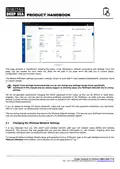
Double check that all power and Ethernet connections are correctly made and then apply power for the first time. A series
of external LED indicators on the 4GXtream which illuminate to show the status of the unit as detailed below….
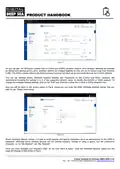
WiFi band LEDs
The WiFi band LEDs are located at the bottom of the front panel of the device, to the left of the Ethernet ports. They
display whether a WiFi Access Point (AP) is active on a specific band.
State
Description
2.4 LED turned on.
2.4 LED turned off
5 LED turned on
5 LED turned off
At least one 2.4 GHz Access Point is running.
No 2.4 GHz Access Points are running.
At least one 5 GHz Access Point is running.
No 5 GHz Access Points are running.
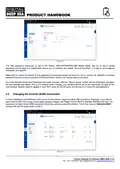
WAN type LEDs
The WAN type LEDs are located at the top-right of the front panel. They indicate which type of Internet connection is
currently active.
State
Description
SIM1 LED on
SIM1 LED off
SIM2 LED on
SIM2 LED off
WiFi LED on
WiFi LED off
ETH LED on
ETH LED off
A mobile data connection on SIM1 is active.
A mobile data connection on SIM1 is inactive.
A mobile data connection on SIM2 is active.
A mobile data connection on SIM2 is inactive.
A WiFi data connection (WiFi WAN) is active.
A WiFi data connection (WiFi WAN) is inactive.
An Ethernet data connection (wired WAN) is active.
An Ethernet data connection (wired WAN) is inactive.
Product Handbook for 4GXtream (NMEA 2000) V1.02

| General | Details |
|---|---|
| Name | DIGITAL DEPP SEA 4GXtream Premium LTE Internet Access Router Instruction Manual |
| Make | DIGITAL DEPP SEA |
| Language | English |
| Filetype | PDF (Download) |
| File size | 0.27 MB |
 (1 votes, average: 5.00 out of 5)
 Loading...
If you have any questions regarding DIGITAL DEPP SEA 4GXtream Premium LTE Internet Access Router Instruction Manual, please ask here and describe the problem in detail.

ASUS RT-ACRH18 Dual band AC WiFi Router User Guide

TP-Link Archer NX600 5G CPE Router Installation Guide

NETGEAR RS700S Tri Band WiFi 7 Router Instruction Manual

araknis NETWORKS 520 Dual WAN Multi Gigabit VPN Router Instruction Manual

xiaomi 610645 4A Mi Router Instruction Manual

Zyxel Nebula FWA510 5G LTE Modem Router User Guide

AKYPACH B0C28L468H Wood Router Instruction Manual

CaptionCall CR3 Pcs Modem And Router User Manual

Tenda 4G09V1.0 Wifi Router User Manual

D-Link DWR-930M 4G LTE Mobile Router Installation Guide