
Home > DIGITAL DEPP SEA > DIGITAL DEPP SEA 4GXtream Premium LTE Internet Access Router Instruction Manual
DIGITAL DEPP SEA 4GXtream Premium LTE Internet Access Router Instruction Manual
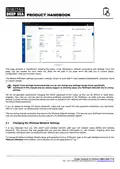
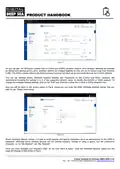
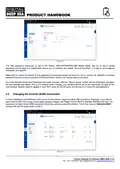
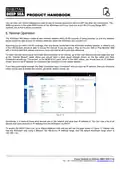


3.2
Mounting the LTE (3G/4G) Antennas
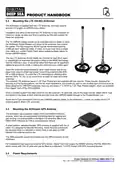
The 4GXtream is supplied with two LTE antennas, two base mounts
and two 7m lengths of LMR200 coax cables.
Installation and siting of the external LTE antennas is very important for
maximum range, so take your time in working out the best location for
these two antennas.
The 7m LMR200 cables should not be extended and it is better to move
the 4GXtream Router/Modem unit closer to the antennas than extend
the cables. The high frequency 3G/4G signals will be attenuated by
0.3dB per each additional meter of cable, so if you must have a longer
coax cable run, contact Digital Yacht about swapping these cables for
thicker LMR400 cables.
The two LTE antennas should ideally be mounted at least 40cm apart
(1 wavelength) to maximise the positive effect of the MIMO technology
that the 4GXtream uses. It should be noted that there are no significant
additional gains to be made in making the antennas even further apart.
Avoid the antennas being blocked by other metal objects and do not
place them close to other high-power transmitting antennas like VHF,
HF or SSB antennas. To avoid the LTE transmissions affecting other
devices; GPS, TV, etc. try to mount them at least 1m away from other
antennas.
The external LTE antennas have a 1.25” Pipe Thread and are supplied with two mounts. These mounts, designed for
securing to a horizontal platform, are fine for most installations, but should you wish to use another type of mount such as
those designed for VHF/GPS antennas, then you will need a 1” x 14TPI to 1.25” Pipe Thread adaptor, which are available
from Digital Yacht (P/No.ZCELN280S).
Once a suitable location has been found for the two external LTE antennas, secure the base mounts, attach the N-Type
connectors to the base of each antenna and then route the LMR200 cables through to the Router/Modem unit.
Screw the N-Type connectors from the two LMR200 antenna cables, to the 4GXtream – it does not matter which LTE
antenna goes to which LTE connector.
3.3
Mounting the 4GXtream GPS Antenna
The 4GXtream has a powerful GNSS (GPS+GLONASS+GAILEO)
receiver, which can provide position and timing data for logging and
geo-fencing. It is also possible to configure it to send this data to the
NMEA 2000 interface, but this is not enabled by default.
A small passive, adhesive backed, GPS antenna is supplied with 3m of
cable. It is designed for discrete mounting, inside the boat and should
be mounted close to a window or where there is just glass or GRP
between the antenna and the sky.
The SMA connector should be screwed into the GPS connector on the
4GXtream.
For installations that require an external GPS sensor, Digital Yacht can supply the MA800 antenna (Part/No X500.391)
which comes with 10m of cable and can be fitted on a standard 1”x14TPI thread VHF/GPS mounting bracket.
3.4
Power Requirements
Product Handbook for 4GXtream (NMEA 2000) V1.02

| General | Details |
|---|---|
| Name | DIGITAL DEPP SEA 4GXtream Premium LTE Internet Access Router Instruction Manual |
| Make | DIGITAL DEPP SEA |
| Language | English |
| Filetype | PDF (Download) |
| File size | 0.27 MB |
 (1 votes, average: 5.00 out of 5)
 Loading...
If you have any questions regarding DIGITAL DEPP SEA 4GXtream Premium LTE Internet Access Router Instruction Manual, please ask here and describe the problem in detail.

NINGBO LF300 4G Mifi Wireless Router User Guide

FRITZ!Box 6860 5G Outdoor Router User Guide

TP-Link BE550PROV2 BE9700 Tri-Band Wi-Fi 7 Router Installation Guide

Trueview T18168-AE Wireless Router 4G 5G Mobile Sim Based Router User Guide

ATEL WB550 5G Fixed Wireless Access Router User Guide

inseego 5G Router FG2000e User Guide

FALCON technology 4G Combo Combined Antenna and Router User Manual

ASUS RT-AX53U Dual Band Wi-Fi Router User Guide

acer 952483 WAVE 7 Wi-Fi Mesh Router User Guide

CONNECTIZE G6 AC2100 Dual Band Gigabit WiFi Router Installation Guide