
Home > DIGITAL DEPP SEA > DIGITAL DEPP SEA 4GXtream Premium LTE Internet Access Router Instruction Manual
DIGITAL DEPP SEA 4GXtream Premium LTE Internet Access Router Instruction Manual
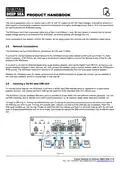
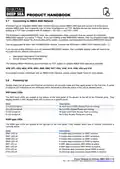
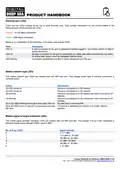
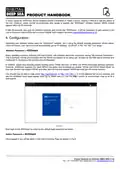
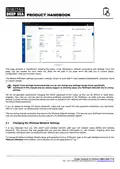
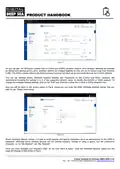
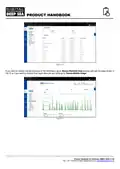


Figure 6
This page provides a “Dashboard” showing the status of the 4GXtream’s network connections and settings. From this
page, you can access the main menu bar down the left side of the page which will take you to various status,
configuration, tools and services menus.
The default 4GXtream settings have been carefully chosen to work well in most situations/installations, commonly found
on marine vessels.
Digital Yacht strongly recommend that you do not change any settings except those specifically
mentioned in this manual and we cannot support or warranty repair any 4GXtream that fails due to wrong
settings
We do not generally recommend changing the Admin password of the router, as this can be difficult to reset when
forgotten. Also, this can only be used by someone wirelessly connected to the 4GXtream, so make sure your wireless
security is good and that you trust the people you allow to connect to the network and there should be no need to change
the default Admin password.
If you do decide to change the Admin password, make sure you record the new password somewhere you can easily
refer to in the future, as resetting this involves a full factory reset.
The key setting that all customers must set are the Wireless Network settings. This secures your 4GXtream and ensures
only you and the people you want to connect, can join the 4GXtream wireless network.
4.1
Changing the Wireless Network Settings
It is very important that you “lock down” your wireless network, with your own network name (SSID) and wireless
password. This ensures that only people that you give the network information to, can connect, stopping other less
trustworthy individuals from connecting to your network and using your internet connection.
To change the default wireless network name and password of your 4GXtream, login to the web interface and click on the
Network>Wireless menu options, which will take you to the page shown in Fig 7.
Product Handbook for 4GXtream (NMEA 2000) V1.02

| General | Details |
|---|---|
| Name | DIGITAL DEPP SEA 4GXtream Premium LTE Internet Access Router Instruction Manual |
| Make | DIGITAL DEPP SEA |
| Language | English |
| Filetype | PDF (Download) |
| File size | 0.27 MB |
 (1 votes, average: 5.00 out of 5)
 Loading...
If you have any questions regarding DIGITAL DEPP SEA 4GXtream Premium LTE Internet Access Router Instruction Manual, please ask here and describe the problem in detail.

MERCUSYS MB110-4G Mbps Wireless N 4G LTE Router Installation Guide

TP-Link BE805 Archer Wi-Fi 7 Router User Guide

Cudy WR1200 AC1200 Dual Band Smart Wi-Fi Router Installation Guide

D-Link G530 5G Router Instructions

TP-Link Archer AX3200 Tri Band Wifi 6 Router Installation Guide

oppo AX5400 WiFi 6 Router User Guide

Superbox S3PRO Router User Guide

BEC MX-241NP 4G LTE CBRS Wi-Fi Router User Guide

Tenda RE6L Pro Wi-Fi 7 Router Installation Guide

TP-Link ER8411 Omada VPN Router with 10G Ports Installation Guide