
Home > DIGITAL DEPP SEA > DIGITAL DEPP SEA 4GXtream Premium LTE Internet Access Router Instruction Manual
DIGITAL DEPP SEA 4GXtream Premium LTE Internet Access Router Instruction Manual


Ethernet port LEDs
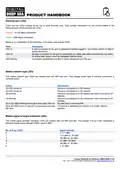
There are two LEDs located at the top of each Ethernet port. They provide information on the current states of the
Ethernet ports. Each port has two LEDs:
Orange - 10/100 Mbps connection
Green - 1000 Mbps connection
Below is an explanation of the behaviour of the green and orange LEDs.
State
Description
LED on
A data connection on the port is operational (cable plugged in, end device visible, no data is
being transferred).
LED off
No data connection on the port is operational (no cable, bad cable or end device not visible
for some other reason (such as damaged network card)).
LED blinking
Connection established and data is being transferred over this port.
Mobile network type LEDs
The mobile network type LEDs are located near the SIM card slot. They display which type of Internet connection is
currently active.
Action
Description
3G LED turned on
4G LED turned on
3G blinking
Device is connected to a 3G network.
Device is connected to a 4G network.
Device is connected to a 3G network but hasn't received an IP
address.
4G blinking
Device is connected to a 4G network but hasn't received an IP
address.
3G & 4G LEDs blinking at the same time every 500 ms No SIM card or incorrect PIN.
3G & 4G LEDs turns on and off in a sequence one after The device is attempting to connect to a mobile network
the other
operator.
Mobile signal strength indication LEDs
The mobile signal strength indication LEDs are located near the SIM card slot. The number of lit up LEDs represents a
different mobile signal strength (RSSI) value in dBm.
No. of lit up LEDS
Signal strength
≤ -111 dBm
0
1
2
3
4
5
-110 dBm to -97 dBm
-96 dBm to -82 dBm
-81 dBm -67 dBm
-66 dBm to -52 dBm
≥ -51 dBm
Product Handbook for 4GXtream (NMEA 2000) V1.02

| General | Details |
|---|---|
| Name | DIGITAL DEPP SEA 4GXtream Premium LTE Internet Access Router Instruction Manual |
| Make | DIGITAL DEPP SEA |
| Language | English |
| Filetype | PDF (Download) |
| File size | 0.27 MB |
 (1 votes, average: 5.00 out of 5)
 Loading...
If you have any questions regarding DIGITAL DEPP SEA 4GXtream Premium LTE Internet Access Router Instruction Manual, please ask here and describe the problem in detail.

QNAP QMiroPlus-201W Router Installation Guide

TP-Link G36 Gigabit VPN Router Installation Guide

MAGNADYNE RV2458 Router User Guide

verizon CR100A Wireless Router User Guide

KEENETIC Hero KN-1012 Mesh Wi-Fi 6 Multi-Gigabit Router User Guide

HUAWEI Outdoor CPE B2368 CAT12 LTE Router with Antenna User Guide

ZTE MF937 4G Mobile WiFi Router User Guide

CP PLUS CP-XR-DE21-S 4G Router Installation Guide

Beijer ELECTRONICS MAEN327 Cloud VPN Router User Guide

TP-Link MR600 4G Cat6 Wireless Dual Band Gigabit Router User Manual