
FALCON 450-V2 4G 450 Router User Manual


ICON DESCRIPTION
Icon
Description
Signal
Strength
5 bars Excellent
1 bar Low level
4G An LTE network is available
H+ DC-HSPA+ HSPA+/DC HSPA
H HSPA
Network
Type
3G UMTS
Outline Connected
Solid Sending or receiving
None Not connected
Traffic
Battery
Level
5 bars Fully charged
1 bar Battery low
SETTING UP WI-FI
You can change the Wi-Fi name (SSID) and Wi-Fi password (security
key) by tapping the Wi-Fi icon on the screen or online via web browser
at Go to http://Optus.AC800S.
Quick tips
Default Wi-Fi name (SSID)
Displayed on the home screen
when turned on, and also under
the battery.
Default Wi-Fi password (security Displayed on the home screen
key)
when turned on. Please note that
passwords are case sensitive.
Web page
http://Optus.AC800S
password
Web page password
5

| General | Details |
|---|---|
| Name | FALCON 450-V2 4G 450 Router User Manual |
| Make | Falcon |
| Language | English |
| Filetype | PDF (Download) |
| File size | 0.27 MB |
 (1 votes, average: 5.00 out of 5)
 Loading...
If you have any questions regarding FALCON 450-V2 4G 450 Router User Manual, please ask here and describe the problem in detail.

FALCON 150 Mbps 4G LTE Portable Router User Manual

FALCON MU5001 5G Router User Manual

FALCON 1800 5G Ready Omni Directional Antenna Plus Router User Manual

FALCON 1800 EVO 5G Ready Omni-Directional Antenna Plus Router User Manual

FALCON 4G 150 Router User Manual

Falcon FN-4G-300P 4G LTE Portable 300MBPS Router User Manual


vodafone PlusBox 340 SipTrunk Router User Guide

TP-Link AXE7800 Tri-Band Wi-Fi 6E Router Installation Guide

robustel R1510 4G LTE Router User Manual

ATEL WB550 5G Fixed Wireless Access Router User Guide

D-LINK DIR-827 HD 2000 Media Router Installation Guide
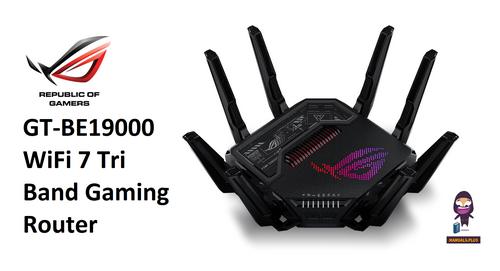
REPUBLIC OF GAMERS GT-BE19000 WiFi 7 Tri Band Gaming Router User Guide

NETGEAR NIGHTHAWK BE6500 Tri Band Wi-Fi 7 Router User Guide

DrayTek Vigor2862 VDSL2 Router Instructions

SDMC NE1611B WiFi Cable Modem Router User Manual

ASUS GT-AX6000 Dual-Band WiFi 6 Gaming Router User Guide