
LINKSYS AX3200 Dual-Band Gigabit Wi-Fi 6 Router User Guide

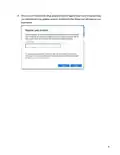
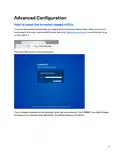
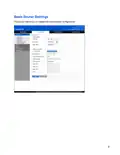
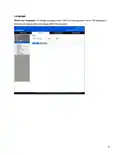

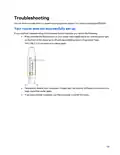
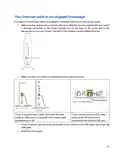
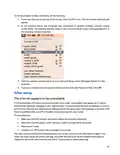

To restart your router using the power cord, do the following:
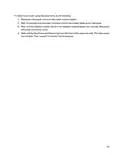
1. Disconnect the power cord from the router and the modem.
2. Wait 10 seconds and reconnect the power cord to the modem. Make sure it has power.
3. Wait until the modem’s online indicator has stopped blinking (about two minutes). Reconnect
the power cord to the router.
4. Wait until the blue Power and Internet lights on the front of the router are solid. This takes about
two minutes. Then, connect to internet from a computer.
20

Specifications
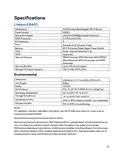
Linksys E8420
Model Name
AX3200 Dual-Band Gigabit WiFi 6 Router
Model Number
Switch Port Speed
Radio Frequency
# of Antennas
Ports
E8420
10/100/1000Mbps (Gigabit Ethernet)
2.4 GHz and 5 GHz
4
Ethernet (1-4), Internet, Power
Wi-Fi Protected Setup, Reset, Power Switch
Power, Internet, Ethernet (1-4)
Supported
Buttons
LEDs
UPnP
Security Features
WPA2 Personal, WPA3 Personal, WPA2/WPA3
Mixed Personal, WPA2 Enterprise, and WPA3
Enterprise
Security Key Bits
Up to 192-bit encryption
Storage File System Support
FAT, FAT32, NTFS, HFS+
Environmental
Dimensions
156mm (L) x 77.11mm (W) x 220mm (H)
Unit Weight
Power
635 g
12V/2A
Certifications
FCC, IC, CE, Wi-Fi (IEEE 802.11 a/b/g/n/ac)
Operating Temperature
Storage Temperature
32° to 104°F (0° to 40°C)
-4° to 140°F (-20° to 60°C)
Operating Humidity
Storage Humidity
10% to 80% relative humidity, non-condensing
5% to 90% non-condensing
Notes:
For regulatory, warranty, and safety information, see the CD that came with your router or go to
Linksys.com/support/E8420.
Specifications are subject to change without notice.
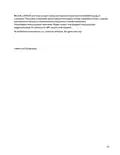
Maximum performance derived from IEEE Standard 802.11 specifications. Actual performance can
vary, including lower wireless network capacity, data throughput rate, range and coverage.
Performance depends on many factors, conditions and variables, including distance from the access
point, volume of network traffic, building materials and construction, operating system used, mix of
wireless products used, interference and other adverse conditions.
21

| General | Details |
|---|---|
| Name | LINKSYS AX3200 Dual-Band Gigabit Wi-Fi 6 Router User Guide |
| Make | Linksys |
| Language | English |
| Filetype | PDF (Download) |
| File size | 0.33 MB |
 (1 votes, average: 5.00 out of 5)
 Loading...
If you have any questions regarding LINKSYS AX3200 Dual-Band Gigabit Wi-Fi 6 Router User Guide, please ask here and describe the problem in detail.

LINKSYS EA7500 AC1900 Max Stream Wifi Router User Guide

Linksys WRT300N Wireless-N Broadband Router User Guide

LINKSYS MX4200 Router Installation Guide

LINKSYS N600 Dual Band Router User Guide

LINKSYS WRT54G Wireless G Router Instructions

LINKSYS E2500 Dual Band Router User Guide

LINKSYS FGW5500 5G WiFi 6 Router User Guide

LINKSYS AX1800 Dual-Band WiFi 6 Router E7350 User Guide

LINKSYS 750MR7500 Hydra Pro 6E Mesh Router User Guide

LINKSYS E900 Wi-Fi Router User Manual


TP-Link Archer AX55 Wi-Fi 6 Router Installation Guide

TP-Link MR505 Wireless 4G LTE Router Installation Guide

ASUS WL500W Wireless Router Instructions

Tenda Wi-Fi 6 Router Installation Guide

Newland NL-81 Router User Manual

CHIMA SAX3000 EasyMesh WiFi 6 Router Owner’s Manual

Actiontec WF-815 Tri-Band Wi-Fi6E Router Owner’s Manual

UTR-231 Starlink Router User Manual

Shanghai Notion Information Technology M271T LTE Wireless Router User Guide

ASUS TUF-AX4200 Dual Band WiFi Router User Guide