×
- 1. Linkstar-h68k C/d/f Series Quick Start Guide
- 2. Quick Start Guide (Model Versions → Target Audience → Document Version)
- 3. Quick Start Guide (Symbolic Conventions → Versions → Revision Of Records → Date Of Revision → Document Version)
- 4. Introduction To Linkstar-h68k Routing Basics (Linkstar-h68k Router Out Of The Box → Open Box Inspection → Plug-in Check → Back Office Access → Firmware Upgrade → About Power Supply And Cooling)
- 5. Product Description (Routing Basics → Quick Start Guide)
- 6. Interface Description (Model Routing → Quick Start Guide)
- 7. Plug-in Check (Connection Method → Test Instructions → Normal Conditions → Warning: Some Other Open Source Firmware May Not Have The Same Control Over The Lights → The Default Built-in Android Firmware Is Only Boot Tf Card Boot → Some Tf Cards (with Burned Firmware) Are Not Compatible With H68k And Will Start Up)
- 8. Quick Start Guide (Installation → Configuration → Setup → Troubleshooting → Power Management → Card Replacement)
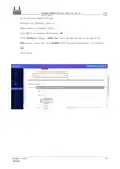
- 9. Backstage Access (Step 1: Insert The Card, Power On And Self-start → Step 2: Connect One End Of The Cable To The H68k Eth1 → Step 3: Type 192.168.100.1 Into Your Computer's Browser)
- 10. Full Text Linkstar-h68k-cdf Model Routing - Quick Start Guide Document Version 20220901 8 Translator: Github@icingtomato
- 11. Device Connection Topology Diagram (Distribution Methods → Step 1: Connect The Wire Sequence → Step 2: Back Office Login → Step 3: Set Up Pppoe Dialing)
- 12. Quick Start Guide (Basic Settings → Pppoe Settings → Pap/chap Username → Pap/chap Password)
- 13. Device Connection Topology Diagram (Distribution Methods → Back Office Login → Setting Up The Dhcp Protocol)
- 14. Quick Start Guide (Basic Settings → Dhcp Client → Wired Configuration → Wifi Hotspot Configuration)
- 15. G Wifi Hotspot Setup (4g Wifi Hotspot Setup → Bandwidth Selection → Channel Configuration → Auto Mode Warning → Default Settings)
- 16. Quick Start Guide (Access Point (ap) Mode → Basic Settings → Essid Configuration → Network Settings → Wireless Security → Save & Apply)
- 17. Wireless Bridges And Network Distribution Methods (Device Connection Topology Diagram → Distribution Methods → Step 1: Plug In The Card, Power On And Self-start → Step 2: Click The [wireless] Button To Enter The Wifi Configuration Page)
- 18. Step 3: Find The Main Route Wifi (Step 4: Networking The Main Route Wifi)
- 19. Quick Start Guide (Routing Configuration → Network Setup → Radio Power Configuration → Save & Apply Settings)
- 20. Step 5: Add And Set Up The H68k Hotspot (Quick Start Guide)
- 21. Basic Settings (Radio Power → Mode → Essid → Network Configuration → Save)
- 22. Wireless Security (Encryption → Wpa2-psk → Password → Save & Apply)
- 23. Firmware Upgrades (Tf Card Boot Principle → Advantages And Disadvantages Of Tf-boot And Emmc-boot → Tf Boot (card Swipe) → Emmc Boot (wire Brush) → Document Version → Translator)
- 24. Tool Preparation For Card Brushing (Tf Card Swipe Operation Procedure)
- 25. Step 2: Firmware Write Card (Do Not Write To Other Disk Drives By Mistake, Irreversible Damage Can Occur.)
- 26. Tool Preparation For Emmc Wire Brush (Emmc Wire Brush Operation Procedure → Install The Driver)
- 27. Step 2: Erase The Firmware (Upgrade Firmware → Firmware Selection → Connecting The Typc-c Cable → Pressing The Upgrade Button → Erasing Process → Document Version)
- 28. Step 3: Upgrade The Firmware (Click On The Boot Bar → Select [h68k-boot-loader.bin] → Click On The System Bar → Select [opxxx.img] → Click On The [execute] Button → Document Version 20220901)
- 29. Android/ubuntu Firmware Upgrade (Preparing The Emmc Wire Brush With Tools → Erase The Firmware → Upgrade Firmware)
- 30. Plug One End Of The [typc-c Cable] Into Your Computer Usb (Insert The [card Picker Thimble] Into The H68k [spanner Hole] → Click On [erase Flash] And Wait For It To Finish Erasing → Click On The [upgrade] Button, The Right Window Will Show The Progress Of The Download → Wait For The Successful Boot Up (indicator 1 Blinking) → The Download Tool Will Pop Up [found An Adb Device] → Keep The Button Pressed During Power-up)
- 31. About Powersupply And Cooling (Dc12v Adapter Option)
- 32. Model Routing (Quick Start Guide → Maximum Input Voltage → Deployment Guidelines → Power Indicator)
- 33. Usb Adapter Options (Heat Dissipation)
×
Linuxiac LinkStar-H68K Portable WiFi Pocket Router User Guide
| General | Details |
|---|---|
| Name | Linuxiac LinkStar-H68K Portable WiFi Pocket Router User Guide |
| Make | Linuxiac |
| Language | English |
| Filetype | PDF (Download) |
| File size | 0.99 MB |
If you have any questions regarding Linuxiac LinkStar-H68K Portable WiFi Pocket Router User Guide, please ask here and describe the problem in detail.


TP-Link Deco X50-PoE Router User Guide

Tenda RX27 Pro AX5700 Tri Band Gigabit WiFi 6E Router Installation Guide

ARISTA 7220R Series Enterprise WAN Router Instruction Manual

GL iNet GL-B3000 Marble AX3000 Wireless Router User Guide

TELTONIKA Networks RUT951 4G LTE Router User Guide

TP-Link AX21 Wi-Fi 6 Router Installation Guide

QUARK-ELEC QK-R041 Wireless 4G LTE Router User Guide

ASUS XD4S AX1800 Dual Band WiFi Router User Guide

DrayTek Vigor2762 Series ADSL2-2+ and VDSL2 Router User Guide

ZTE MF920U 4G MiFi Modem Router User Guide
Table of Contents
- 1. Linkstar-h68k C/d/f Series Quick Start Guide →
- 2. Quick Start Guide - Model Versions →
- 3. Quick Start Guide - Symbolic Conventions →
- 4. Introduction To Linkstar-h68k Routing Basics - Linkstar-h68k... →
- 5. Product Description - Routing Basics →
- 6. Interface Description - Model Routing →
- 7. Plug-in Check - Connection Method →
- 8. Quick Start Guide - Installation →
- 9. Backstage Access - Step 1: Insert The Card, Power On And Sel... →
- 10. Full Text Linkstar-h68k-cdf Model Routing - Quick Start Guid... →
- 11. Device Connection Topology Diagram - Distribution Methods →
- 12. Quick Start Guide - Basic Settings →
- 13. Device Connection Topology Diagram - Distribution Methods →
- 14. Quick Start Guide - Basic Settings →
- 15. G Wifi Hotspot Setup - 4g Wifi Hotspot Setup →
- 16. Quick Start Guide - Access Point (ap) Mode →
- 17. Wireless Bridges And Network Distribution Methods - Device C... →
- 18. Step 3: Find The Main Route Wifi - Step 4: Networking The Ma... →
- 19. Quick Start Guide - Routing Configuration →
- 20. Step 5: Add And Set Up The H68k Hotspot - Quick Start Guide →
- 21. Basic Settings - Radio Power →
- 22. Wireless Security - Encryption →
- 23. Firmware Upgrades - Tf Card Boot Principle →
- 24. Tool Preparation For Card Brushing - Tf Card Swipe Operation... →
- 25. Step 2: Firmware Write Card - Do Not Write To Other Disk Dri... →
- 26. Tool Preparation For Emmc Wire Brush - Emmc Wire Brush Opera... →
- 27. Step 2: Erase The Firmware - Upgrade Firmware →
- 28. Step 3: Upgrade The Firmware - Click On The Boot Bar →
- 29. Android/ubuntu Firmware Upgrade - Preparing The Emmc Wire Br... →
- 30. Plug One End Of The [typc-c Cable] Into Your Computer Usb - ... →
- 31. About Powersupply And Cooling - Dc12v Adapter Option →
- 32. Model Routing - Quick Start Guide →
- 33. Usb Adapter Options - Heat Dissipation →