
TP-Link 5G AX3000 deco Whole Home Mesh Wi-Fi 6 Router User Guide


• Do not attempt to disassemble, repair, or modify the device. If you need service, please contact us.
• Do not use damaged charger or USB cable to charge the device.
• Do not use any other chargers than those recommended.
• Do not use the device where wireless devices are not allowed.
• Adapter shall be installed near the equipment and shall be easily accessible.
• Use only power supplies which are provided by manufacturer and in the original packing of this product. If you have any questions, please don’t
hesitate to contact us.
• Operating Temperature: 0°C~40°C (32°F~104°F)
• This product uses radios and other components that emit electromagnetic fields. Electromagnetic fields and magnets may interfere with
pacemakers and other implanted medical devices. Always keep the product and its power adapter more than 15 cm (6 inches) away from any
pacemakers or other implanted medical devices. If you suspect your product is interfering with your pacemaker or any other implanted medical
device, turn off your product and consult your physician for information specific to your medical device.
Please read and follow the above safety information when operating the device. We cannot guarantee that no accidents or damage will occur due to
improper use of the device. Please use this product with care and operate at your own risk.
Explanation of the symbols on the product label
Symbols may vary from products.
Note: The product label can be found at the bottom of the product and its I.T.E. power supply.
Symbol
Explanation
Class II equipment
Class II equipment with functional earthing
Alternating current
DC voltage
21

| General | Details |
|---|---|
| Name | TP-Link 5G AX3000 deco Whole Home Mesh Wi-Fi 6 Router User Guide |
| Make | TP-Link |
| Language | English |
| Filetype | PDF (Download) |
| File size | 0.58 MB |
 (1 votes, average: 5.00 out of 5)
 Loading...
If you have any questions regarding TP-Link 5G AX3000 deco Whole Home Mesh Wi-Fi 6 Router User Guide, please ask here and describe the problem in detail.

TP-Link VR300 Archer Modem Router User Guide

TP-Link T150500-2-DT WiFi Router Instruction Manual

TP-Link Archer AX55 Wi-Fi 6 Router Installation Guide

TP-Link Omada ER8411 VPN Router Instructions

TP-Link Configure VDSL Router User Guide

TP-Link Archer BE805 BE19000 Tri-Band Wi-Fi 7 Router User Manual

TP-Link VR600 Wireless DSL Modem Router Installation Guide

TP-Link AX58 Dual Band Gigabit Wi-Fi 6 Router Installation Guide

TP-Link AC750 Wireless Dual Band Router Owner’s Manual

TP-Link AX6000 8-Stream Wi-Fi 6 Router Installation Guide

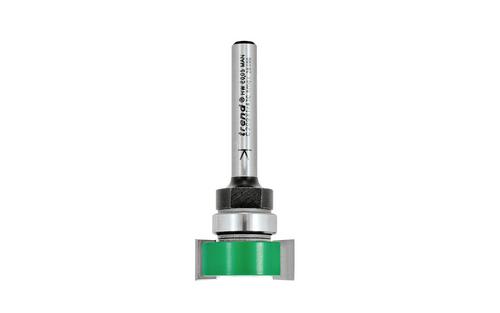
trend Router Cutter Safety Instructions

NORDIC M1R-DH2-12 Corded Router User Manual

peplink BR1 Mini 100 Mbps 4G LTE Router User Manual

Juniper NETWORKS SSR120 Router User Guide

UBIQUITI ER-6P EdgeRouter 6P Gigabit Router User Guide

APRISM MI12 Wi-Fi 6 Dual Radio Router User Guide

D-Link DIR-X6080Z Multi Gigabit Wi-Fi 6 Router Instruction Manual

Montersi ATE-G1CH 4G Router User Manual

TP-Link TLMR6400 Wireless 4G LTE Router Installation Guide

MEIG SRT838iPro 5G CPE WiFi Router User Manual