
TP-Link AX1800 Wireless Router User Manual

















Chapter 13
Customize Your Network Settings
2. Go to Advanced > Wireless > Statistics page.
3. You can view the detailed information of the wireless clients, including its connection
type and security option as well as the packets transmitted.
Tips: You can also see the wireless details by clicking the Online Devices icon on Basic> Network Map.
13. 6. 3. Advanced Wireless Settings
Advanced wireless settings are for those who want more network controls. If you are
not familiar with the settings on this page, it’s strongly recommended that you keep the
provided default values; otherwise it may result in lower wireless network performance.
1. Visit http://tplinkwifi.net, and log in with the password you set for your router.
2. Go to Advanced > Wireless > Advanced Settings.
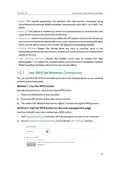
ꢀ Beacon Interval: Enter a value between 100 and 1000 in milliseconds to determine the
duration between which beacon packets are broadcast by the router to synchronize
the wireless network. The default is 100 milliseconds.
ꢀ RTS Threshold: Enter a value between 1 and 2346 to determine the packet size of
data transmission through the router. By default, the RTS (Request to Send) Threshold
size is 2346. If the packet size is greater than the preset threshold, the router sends
Request to Send frames to a particular receiving station and negotiates the sending
of a data frame, or else the packet will be sent immediately.
ꢀ DTIM Interval: Enter a value between 1 and 255 to determine the interval of the
Delivery Traffic Indication Message (DTIM). 1 indicates the DTIM Interval is the same
as Beacon Interval.
ꢀ Group Key Update Period: Enter the number of seconds to control the time interval
for the encryption key automatic renewal. The default is 0, indicating no key renewal.
69

| General | Details |
|---|---|
| Name | TP-Link AX1800 Wireless Router User Manual |
| Make | TP-Link |
| Language | English |
| Filetype | PDF (Download) |
| File size | 1.49 MB |
 (1 votes, average: 5.00 out of 5)
 Loading...
If you have any questions regarding TP-Link AX1800 Wireless Router User Manual, please ask here and describe the problem in detail.

TP-Link VR300 Archer Modem Router User Guide

TP-Link T150500-2-DT WiFi Router Instruction Manual

TP-Link Archer AX55 Wi-Fi 6 Router Installation Guide

TP-Link Omada ER8411 VPN Router Instructions

TP-Link Configure VDSL Router User Guide

TP-Link Archer BE805 BE19000 Tri-Band Wi-Fi 7 Router User Manual

TP-Link AX6000 8-Stream Wi-Fi 6 Router Installation Guide

TP-Link VR600 Wireless DSL Modem Router Installation Guide

TP-Link AX58 Dual Band Gigabit Wi-Fi 6 Router Installation Guide

TP-Link AC750 Wireless Dual Band Router Owner’s Manual


LANCOM 1781-4G VPN Router User Guide

EAE Technology IPR200 KNX IP Router User Guide

mikrotik RB960PGS Hex PoE 5-Port Router User Manual

LINOVISION IoT-R32L Router User Guide
wildanet SDG 800 Series Broadband Router User Guide

TCL HH130VM Home Station Router User Guide

DrayTek Vigor2927 Dual-WAN VPN Firewall Router User Manual
Ubiquiti UMR-Ultra Mobile Router Installation Guide

PHILIPS R1878 Mi-Fi Router User Manual

LINOVISION IOT-R41 Mini 4G LTE Router User Manual