
Home > WaterWorld > WaterWorld AX3000 Wireless Dual Band Gigabit Router User Manual
WaterWorld AX3000 Wireless Dual Band Gigabit Router User Manual







4. Interface/button description
interface
illustrate
Press 1-3s to start MESH networking
MESH/WPS button
After turning off the MESH function, press briefly for
1-3 seconds to start WPS
RESET button
WAN port
Press and hold the device RESET for more than 5s
Used to connect to the Internet
LAN1~3 ports
Used to connect wired devices
5.Go online with a home gateway
*Before setting up, make sure that your home broadband device is successfully
connected to the Internet.
The router's default wireless network information can be viewed on its bottom
shell sticker.
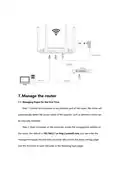
Step 1: Connect the power adapter in the box to the router's power LED indicator
blue light is solid.

| General | Details |
|---|---|
| Name | WaterWorld AX3000 Wireless Dual Band Gigabit Router User Manual |
| Make | WaterWorld |
| Language | English |
| Filetype | PDF (Download) |
| File size | 0.46 MB |
 (1 votes, average: 5.00 out of 5)
 Loading...
If you have any questions regarding WaterWorld AX3000 Wireless Dual Band Gigabit Router User Manual, please ask here and describe the problem in detail.


Cudy LT18 4G LTE Dual Band WiFi 6 Gigabit Cellular Hotspot Router Installation Guide

LANCOM Systems 1780EW-4G+ High Performance Mobile VPN Router User Guide

Kibosh MT6000 Wireless Router User Manual

LINKSYS MX4200 Router Installation Guide

Synology WRX560 Wifi Router User Manual

NETGEAR MR7500 M7 Ultra Mobile Router Owner’s Manual

Keep Your Home IP MA-B256 Router Owner’s Manual

Juniper NETWORKS ACX Series Paragon Automation Router User Guide

TRANSLITE GLOBAL TL-HWR-13 Dual Band Wireless Router Owner’s Manual

Grass Valley MV-825-RTRUM Multiviewer with Integrated Router User Manual