
Home > WaterWorld > WaterWorld AX3000 Wireless Dual Band Gigabit Router User Manual
WaterWorld AX3000 Wireless Dual Band Gigabit Router User Manual



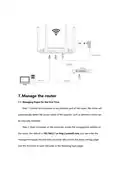




Step 3: If you need to enter the login username and password, the default login
information can be viewed on the router bottom shell sticker.
Step 4: Start the quick setting, start to configure the WAN port access mode,
please configure it in the way provided by your ISP (misconfiguration will not be
able to go online), and click the "Next" button to configure wirelessly after the
configuration is completed
Step 5: Start to configure wireless information and login password,
configure wireless SSID, password, login password according to your preferences,
if you forget the login password, you can only restore it through factory operation.

| General | Details |
|---|---|
| Name | WaterWorld AX3000 Wireless Dual Band Gigabit Router User Manual |
| Make | WaterWorld |
| Language | English |
| Filetype | PDF (Download) |
| File size | 0.46 MB |
 (1 votes, average: 5.00 out of 5)
 Loading...
If you have any questions regarding WaterWorld AX3000 Wireless Dual Band Gigabit Router User Manual, please ask here and describe the problem in detail.


TCL HH515V 5G Home Station Router User Guide
SKYWORTH GN543V GPON ONT WiFi Router Installation Guide

JuniPer ACX7024 Cloud Metro Router User Guide

DrayTek Vigor2763 VDSL2 Security Router User Guide

HUAWEI EG8147X6-10 OptiXstar WiFi Router Instruction Manual

DIGITAL DEEP SEA 5G Xtream 5G/4G Router Instruction Manual

Juniper NETWORKS PTX10004 Ultra-Compact Modular Router User Guide

Juniper NETWORKS MX304 Universal Router User Guide

casa systems NTC-500 AurusXT 5G IoT Router Instructions

JUNIPER SSR1400 Session Router User Guide