
WESTMANN GigaSpire BLAST U6 Router User Guide

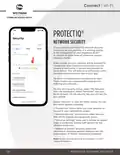


MAIN DASHBOARD
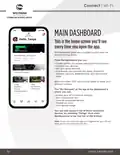
This is the home screen you’ll see
every time you open the app.
The dashboard gives you complete control over the
devices in your home.
From the dashboard you can:
• Create profiles for people and places in your home
• Connect new devices
• Set up a guest network
• And enable new services like Alexa, ProtectIQ
Network Security, ExperienceIQ, Arlo Secure and
more
After you select “OK” you may be asked to enter your
account number.
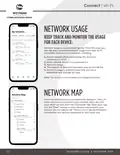
The “My Network” at the top of the dashboard is
where you can:
• Access your Wi-Fi network settings
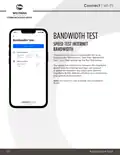
• Run a bandwidth test
• View all connected devices
• Disable services
• View device usage
You can also access a list of these connected
devices, by selecting “Things” from main
dashboard or in the tool bar at the bottom.
Note: If you are using the app on a GigaCenter you will not
have access to the bandwidth test.
06
MAIN DASHBOARD

| General | Details |
|---|---|
| Name | WESTMANN GigaSpire BLAST U6 Router User Guide |
| Make | WESTMANN |
| Language | English |
| Filetype | PDF (Download) |
| File size | 1.02 MB |
 (1 votes, average: 5.00 out of 5)
 Loading...
If you have any questions regarding WESTMANN GigaSpire BLAST U6 Router User Guide, please ask here and describe the problem in detail.


neptronic RPB11 BACnet Router Installation Guide

RANGEXTD RJ45 WIFI Router User Guide

ASUS GT-BE98 Quad Band Gaming Router User Guide

ADDAC System ADDAC809 Chain Router User Guide

Draytek Vigor2136 Series Gigabit Broadband Router User Guide

MERCUSYS EU2_16 Wireless Router Installation Guide

ExpressVPN AXG1800 Wi-Fi 6 VPN Router User Manual

NETGEAR XR300 Nighthawk Gaming Router User Guide

Netcomm NF18MESH Upgraded WiFi Router User Guide

UniFi WiFi 6 Router User Manual