
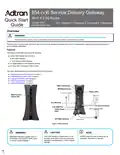
Adtran 854-(v)6 Service Delivery Gateway WiFi 6 2.5G Router User Guide


Installing the 854-(v)6 2.5G Router
854-(v)6 2.5G Router QSG
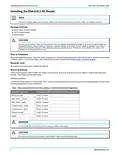
Installing the 854-(v)6 2.5G Router
NOTE
g
Refer to the national, state and local electrical codes for the requirements for power, grounding, wiring, and installation methods.
Package Contents
■ Adtran’s 854-(v)6 Wi-Fi 6 Router
■ 12V DC power adapter
■ Ethernet cable
CAUTION!
f
The product is intended for indoor use only. Ethernet, Voice, and attached equipment are intended for use within the same building with
equipotential bonding, and not intended to be placed in separate buildings or structures. Failure to deploy as described could result in
permanent damage from lightning or other electrical events and voids the warranty. Furthermore, all connections from outside of the
building must be disconnected prior to use.
Prior to Installation
Before installing the equipment, inspect the device. If damage has occurred during shipping, file a claim with the carrier, and then contact Adtran
Customer Support. For more information, refer to the product warranty available online at http://adtran.com/warranty-terms.
Required Tools
No special tools are required for installing the 854-(v)6.
Mounting Options
There are two options to install the 854-(v)6: desktop and wall mount. Be sure to route and secure the cables in a manner that will prevent
damage. These options are described below.
Desktop Installation
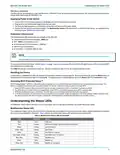
The 854-(v)6 can be placed on a desk or table. Table 1 shows the recommended minimum distance (in feet and meters) between the device and
household appliances to reduce interference.
Table 1: Recommended Minimum Distance Between the SDG and Household Appliances
Household Appliance
Microwave ovens
Recommended Minimum Distance (in feet and meters)
30 feet / 9 meters
Baby monitor – analog
Baby monitor – digital
Cordless phone – analog
Cordless phone – digital
Bluetooth devices
20 feet / 6 meters
40 feet / 12 meters
20 feet / 6 meters
30 feet / 9 meters
20 feet / 6 meters
ZigBee
20 feet / 6 meters
WARNING!
f
Ensure that the 854-(v)6 does not come in contact with water or other liquids.
CAUTION!
f
Ensure that the 854-(v)6 is not located in direct sunlight or next to any thermal obstructions.
2
6SDG8546V6-13A

| General | Details |
|---|---|
| Name | Adtran 854-(v)6 Service Delivery Gateway WiFi 6 2.5G Router User Guide |
| Make | ADTRAN |
| Language | English |
| Filetype | PDF (Download) |
| File size | 0.78 MB |
 (1 votes, average: 5.00 out of 5)
 Loading...

Adtran SDG-8610 Service Delivery Gateway WiFi 6 Gigabit Router Instruction Manual

Adtran 834-5 SDG PlumeOS Dual-Band Wi-Fi 5 Plume Enabled Ethernet Router User Manual

ADTRAN 17600021F1 834-5 Service Delivery Gateway Wi-Fi 5 Gigabit Router User Guide

ADTRAN 1200824G1 Netvanta 3458 Access Router User Guide


Wi-Tek WI-LTE300 Wireless 4G LTE Router Installation Guide

ADVANTECH ICR-2431 LTE Router User Manual

D-Link M60 AX6000 Wi-Fi 6 Smart Mesh Router Installation Guide

verizon CR1000 Router Instructions

hoymiles DTU-Pro-S Wifi Router Installation Guide

ASUS RT-BE92U BE9700 Tri Band WIFI 7 Router User Guide

AKYPACH B0C28L468H Wood Router Instruction Manual

Ruijie E4 Networking Router Instruction Manual

EWON EC71330 Cosy 131 Ethernet router Installation Guide

ASUS XT8 ZenWiFi Tri Band WiFi Router User Guide