
Adtran SDG-8610 Service Delivery Gateway WiFi 6 Gigabit Router Instruction Manual


Adtran
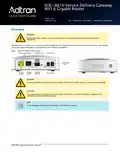
Supplying Power to the device
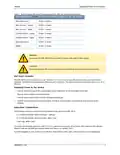
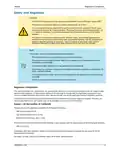
Table 1: Recommended Minimum Distance Between the SDG and Household Appliances
Household Appliance
Recommended Minimum Distance (in feet and meters)
Microwave ovens
30 feet / 9 meters
20 feet / 6 meters
40 feet / 12 meters
20 feet / 6 meters
30 feet / 9 meters
20 feet / 6 meters
20 feet / 6 meters
Baby monitor – analog
Baby monitor – digital
Cordless phone – analog
Cordless phone – digital
Bluetooth devices
ZigBee
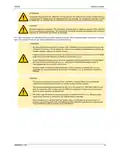
WARNING!
Ensure that the SDG-8610 does not come in contact with water or other liquids.
CAUTION!
Ensure that the SDG-8610 is not located in direct sunlight or next to any thermal obstructions.
Wall Mount Installation
The SDG-8610 can be mounted on a wall. Two #6x1 in. (3.5x25 mm) screws with plastic anchors are required (not
supplied). Install mounting hardware per Manufacturer’s directions. The distance between mounting screws is 3 5/32 in.
(80 mm).
Supplying Power to the device
1.
Connect the barrel plug of the power adapter to the Power port on the back panel of the SDG.
Plug the power adapter into the wall outlet.
2.
3.
4.
Turn the power switch to ON. The SDG will begin powering up.
Confirm that the power is connected properly. The Multi-function Status LED should be lit on the front of the
gateway.
Subscriber Connections
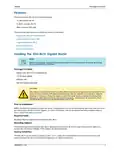
The following subscriber connections are available on the back of the SDG-8610:
1x 1G Ethernet interface (RJ45 Connector) – LAN port
1x 1G Ethernet interface (RJ45 Connector) -WAN-
1x SFP cage -WAN-2 port
1
port
To connect the Ethernet interfaces, refer to Features and insert a Category 5E (or better) RJ45 cable into the LAN port
(labeled LAN) and the WAN port (labeled WAN) until there is an audible “click”.
If an SFP pluggable is used, insert it in the SFP port. Now connect a fiber-optic cable according to your cabling plan.
6SDG8610-13A
3

| General | Details |
|---|---|
| Name | Adtran SDG-8610 Service Delivery Gateway WiFi 6 Gigabit Router Instruction Manual |
| Make | ADTRAN |
| Language | English |
| Filetype | PDF (Download) |
| File size | 0.23 MB |
 (1 votes, average: 5.00 out of 5)
 Loading...
If you have any questions regarding Adtran SDG-8610 Service Delivery Gateway WiFi 6 Gigabit Router Instruction Manual, please ask here and describe the problem in detail.

Adtran 834-5 SDG PlumeOS Dual-Band Wi-Fi 5 Plume Enabled Ethernet Router User Manual

Adtran 854-(v)6 Service Delivery Gateway WiFi 6 2.5G Router User Guide

ADTRAN 17600021F1 834-5 Service Delivery Gateway Wi-Fi 5 Gigabit Router User Guide

ADTRAN 1200824G1 Netvanta 3458 Access Router User Guide


xiaomi AX1500 Router User Manual

Cudy WR300 Multi Mode WiFi Router Installation Guide

HUAWEI B818-263 4G Prime Router User Guide

TIANZHI LNN788 Dual Band Wireless Router Installation Guide

NETGEAR RAXE500 WiFi 6E Router User Guide

GL iNet GL-XE300 Puli 4G LTE Wireless Router User Manual

ASUS RTAX6P00 ZenWiFi Hybrid MoCA Mesh Router User Manual

LANCOM SYSTEMS 1930EF Gigabit Ethernet Black Wired Router User Guide

MikroTik wAP ac Wireless Router User Manual

inseego 5G Router FG2000 User Guide