
Enertex KNX IP Secure Router User Manual


1164-EnertexKNXIPSecureRouter_US-6.odt, 2023-02-22
Seite 15 von 19
Telnet
Telnet can be used to request additional information from the IP router. Telnet access is factory-
protected with the password "knxsecure".
Once the router is in secure mode, the telnet interface is disabled.
Although it can be enabled for developer purposes prior to programming the secure mode, this is
a security risk.
Displays all available commands
help
Displays network parameters
ifconfig
IP mode.......: DHCP
IP............: 192.168.33.142
Subnet mask...: 255.255.0.0
Gateway.......: 192.168.33.1
NTP server....: 192.53.103.108
Sys multicast.: 224.0.23.12
RT multicast..: 224.0.23.12
Hardware addr.: 00:50:c2:79:3f:ff
Sys multicast: Multicast address for System telegrams
RT multicast: Multicast address für routingt telegrams
Set network parameters via the telnet interface.
Expamples
ifconfig [help|dhcp|ip
|mask]
Setting IP Addresse with DHCP:
ifconfig dhcp
Statically set the IP address to 192.168.1.2 (in this case, the gateway and mask should also be
adapted, see below)
ifconfig ip 192.168.1.2
Set the gateway to 192.168.1.1:
ifconfig gw 192.168.1.1
Set the mask to 255.255.255.0:
ifconfig mask 255.255.255.0
Show KNX parameters
tpconfig
KNX bus state.: up
KNX address...: 15.15.000
Serial number.: 00-a6-00-00-00-01
Set KNX parameters via the telnet interface.
tpconfig [help|set]
Set the TP address to 1.1.0:
tpconfig set 1.1.0
Coupler type..: line coupler
IP -> KNX:
lcconfig
GA 0-13......: route
GA 14-15......: filter
GA 16-31......: block
Ph. addr......: filter
Broadcast.....: route
KNX -> IP:
GA 0-13......: route
GA 14-16......: filter
GA 16-31......: block
Ind.addr......: filter
Broadcast.....: route
Check IA rout.: disabled
Ind.Addr.tlg..: individually addressed telegrams are 3 times
repeated
Set certain bits in the system broadcasts so that IP routing is possible even on older devices
(e.g. Gira Homerserver). By default, this compatibility mode is turned on.
systembc [0|1]
Wrong handling of bits in system broadcasts (necessary for e.g. Gira
Homeserver) is 1 (on)
Query or change programming mode (0 = off, 1 = on)
progmode [0|1]
Enertex® Bayern GmbH – Ebermannstädter Straße 8 - 91301 Forchheim - Germany - mail@enertex.de

| General | Details |
|---|---|
| Name | Enertex KNX IP Secure Router User Manual |
| Make | Enertex |
| Language | English |
| Filetype | PDF (Download) |
| File size | 0.44 MB |
 (1 votes, average: 5.00 out of 5)
 Loading...
If you have any questions regarding Enertex KNX IP Secure Router User Manual, please ask here and describe the problem in detail.


NETGEAR RAXE290S 8 Stream Tri Band WiFi 6E Router User Guide

ASUS RT-AX57 Go AX3000 Dual Band Wi-Fi 6 Router User Guide

NETGEAR RBR20 Orbi Mesh WiFi Router User Guide
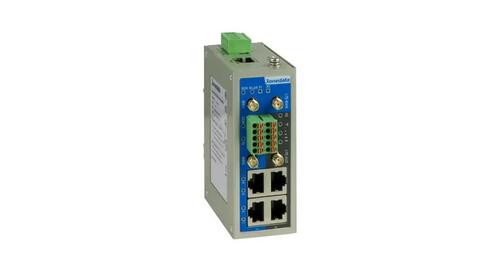
3onedata IRT5300L-5T2D-2P12_36 4G Wireless Router Installation Guide

D-Link DIR-825 Xtreme N Dual Band Gigabit Router Instruction Manual

GL iNet GL-XE300 4G LTE Mobile Router User Guide

RuiJie Reyee RG-EW Series Router User Guide

AT T 5G Mobile Router User Guide

NetComm CF40 Wi-Fi 6 Router User Guide

COOSPO RC905 Router User Manual