Home > JUNIPER NETWORKS > Juniper NETWORKS ACX710 Universal Metro Router User Guide
×
- 1. Acx710 Universal Metro Router (Quick Start Guide)
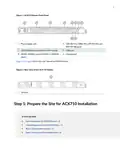
- 2. Step 1: Prepare The Site For Acx710 Installation (Step 2: Install The Acx710 Chassis In The Rack → Step 3: Connect The Grounding Cable → Step 4: Connect To Power → Step 5: Connect External Devices And Cables → Step 6: Perform Initial Software Configuration → Safety Warnings)
- 3. Acx710 Description (Installation Instructions → Configuration Overview → Power Supply And Cooling → Port Configuration → Features And Capabilities → Network Management Support)
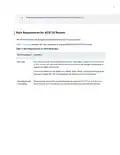
- 4. Tools And Parts Required To Prepare The Acx710 Router For Installation (Rack Requirements For Acx710 Routers → Rack Type → Mounting Bracket Hole Spacing)
- 5. Rack Requirements For Acx710 Routers (Rack Connection To Building Structure → Cabinet Requirements For Acx710 Routers)
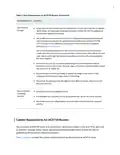
- 6. Cabinet Requirements For Acx710 Routers (Cabinet Size And Clearance → Cabinet Airflow Requirements → Router Clearance Requirements)
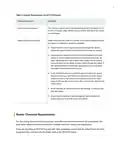
- 7. Router Cooling And Airflow Requirements
- 8. Tools And Parts Required To Prepare The Acx710 Router For Installation
- 9. Step 2: Install The Acx710 Chassis In The Rack (Warning: Esd Grounding Strap Usage → Align The Holes In The Front-mounting Brackets → Secure The Mounting Brackets To The Chassis → Lift The Chassis To Align With Rack Rails → Slide The Chassis Onto The Rack Rails → Install Mounting Screws Into Front-mounting Bracket Holes)
- 10. Align The Holes In The Cable Bar With The Holes At The Top Of The Mounting Bracket, And Tighten The Screws To Attach The Cable Bar.
- 11. To Ground The Acx710 Router (Step 4: Connect To Power → Prevention Of Electrostatic Discharge Damage)
- 12. Caution (Ensure That You Have The Following Parts And Tools Available → Dc Power Source Cables → To Connect Dc Power To An Acx710 Router)
- 13. Connect The Power Cord To The Power Source Outlet (Insert The Power Cord Firmly Into The Inlet → Route The Power Cord Appropriately → Power On The Source Power Supply → Connect External Devices And Cables → Connect An Acx710 Router To A Network For Out-of-band Management → Connect An Acx710 Router To A Management Console)
- 14. Ensure That You Have An Ethernet Cable That Has An Rj-45 Connector At Either End.
- 15. Connecting The Acx710 Router To A Management Console (Using An Rj-45 Cable And Adapter → Console Port Connection Instructions)
- 16. Enterconfigurationmode (Configureuseraccountsandpasswords → Configuresystemattributes → Committheconfiguration)
- 17. Log In As The Root User (Start The Cli → Enter Configuration Mode → Configure User Accounts And Passwords → Configuring The Root Password → Add A Password To The Root Administration User Account → Create A Management Console User Account)
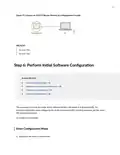
- 18. Configure System Aributes (Configure The Name Of The Router → Configure The Domain Name Of The Router → Configure The Ip Address And Prefix Length For The Routers Management Interface → Configure The Ip Address Of A Backup Router → Configure The Ip Address Of A Dns Server → (oponal) Configure The Stac Routes To Remote Subnets That Have Access To The Management Port)
- 19. Configurethetelnetserviceatthe[editsystemservices]hierarchylevel. (Committheconfiguraon Toacvateitontherouter. → Whenyouhavefinishedconfiguringtherouter,exitconfiguraonmode. → Committheconfiguraon → (oponal)displaytheconfiguraontoverifythatitiscorrect.)
- 20. Commit The Configuration To Activate It On The Router. ((optional) Configure Additional Properties By Adding The Necessary Configuration Statements. → When You Have Finished Configuring The Router, Exit Configuration Mode. → Safety Warnings → See Installation Instructions Before Connecting The Router. → Certain Ports On The Device Are Designed For Use As Intrabuilding Interfaces Only.)
- 21. Caution (Installation Instructions → Site Preparation Guidelines → Cooling System Requirements → Router Installation Procedures → Lifting And Handling Instructions → Rack Mounting Guidelines)
- 22. Installation Guidelines (Ground Connection Procedure → Dc Power Supply Wiring → Safety Precautions → Ac Power Cable Warning → Compliance Statements For Emc Requirements)
- 23. This Is A Class A Product. In A Domestic Environment, This Product Might Cause Radio Interference In Which Case The User Might Be Required T…
- 24. Contactcustomersupport
- 25. Type Of Activity Being Performed On The Device When The Problem Occurred (Configuration Data Displayed By One Or More Show Commands → Your Name, Organization Name, Telephone Number, Fax Number, And Shipping Address → The Support Representative Validates Your Request And Issues An Rma Number For Return Of The Component)
×
Juniper NETWORKS ACX710 Universal Metro Router User Guide
| General | Details |
|---|---|
| Name | Juniper NETWORKS ACX710 Universal Metro Router User Guide |
| Make | JUNIPER NETWORKS |
| Language | English |
| Filetype | PDF (Download) |
| File size | 0.28 MB |
If you have any questions regarding Juniper NETWORKS ACX710 Universal Metro Router User Guide, please ask here and describe the problem in detail.

Juniper NETWORKS SSR120 Router User Guide

Juniper NETWORKS SSR1300 Router User Guide

Juniper NETWORKS ACX Series Paragon Automation Router User Guide

Juniper NETWORKS PTX10003 Fixed Packet Transport Router User Guide

Juniper NETWORKS PTX10004 Ultra-Compact Modular Router User Guide

Juniper NETWORKS PTX10001-36MR Packet Transport Router User Guide

Juniper NETWORKS SSR1300 Smart Router User Guide

Juniper NETWORKS ACX7024 Cloud Metro Router User Guide
JUNIPER NETWORKS PTX10004 Packet Transport Router User Guide

Juniper NETWORKS ACX7509 Cloud Metro Router User Guide

MobileMark TX54-A106 LTE Advanced Cellular Router User Manual

HALNY HLE-3GM Router Installation Guide

ASUS BT6 Tri Band WiFi Router User Guide
TP-Link TL-WR3002X Wi-Fi 6 Portable Router Installation Guide

toob Wifi Router User Guide
ASUS RT-BE88U Dual Band WiFi 7 Gaming Router User Guide

D-Link DIR-836L Wireless N750 Dual Band Gigabit Router Installation Guide

TP-Link OC200 4G Plus Gigabit VPN Router Installation Guide
LANCOM SYSTEMS LANCOM OAP-830 Wireless Router User Guide
GlocalMe U5 Numen Air 5G Mobile WiFi Router User Guide
Table of Contents
- 1. Acx710 Universal Metro Router - Quick Start Guide →
- 2. Step 1: Prepare The Site For Acx710 Installation - Step 2: I... →
- 3. Acx710 Description - Installation Instructions →
- 4. Tools And Parts Required To Prepare The Acx710 Router For In... →
- 5. Rack Requirements For Acx710 Routers - Rack Connection To Bu... →
- 6. Cabinet Requirements For Acx710 Routers - Cabinet Size And C... →
- 7. Router Cooling And Airflow Requirements →
- 8. Tools And Parts Required To Prepare The Acx710 Router For In... →
- 9. Step 2: Install The Acx710 Chassis In The Rack - Warning: Es... →
- 10. Align The Holes In The Cable Bar With The Holes At The Top O... →
- 11. To Ground The Acx710 Router - Step 4: Connect To Power →
- 12. Caution - Ensure That You Have The Following Parts And Tools... →
- 13. Connect The Power Cord To The Power Source Outlet - Insert T... →
- 14. Ensure That You Have An Ethernet Cable That Has An Rj-45 Con... →
- 15. Connecting The Acx710 Router To A Management Console - Using... →
- 16. Enterconfigurationmo... - Configureuseraccount... →
- 17. Log In As The Root User - Start The Cli →
- 18. Configure System Aributes - Configure The Name Of The Router →
- 19. Configurethetelnetserviceatthe[editsystemservices]hierarchyl... →
- 20. Commit The Configuration To Activate It On The Router. - (op... →
- 21. Caution - Installation Instructions →
- 22. Installation Guidelines - Ground Connection Procedure →
- 23. This Is A Class A Product. In A Domestic Environment, This P... →
- 24. Contactcustomersuppo... →
- 25. Type Of Activity Being Performed On The Device When The Prob... →