
NEXXT Nyx1200-AC Plus Dual Band AC Wireless Router User Guide


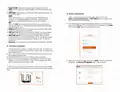


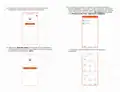



4. In order to access your router from a remote location you will have
to register an account. Click on Login to continue.
Once you receive the email, click on the confirmation link.
7. Your account is now active. Type in again your email address and
password followed by Login.
5. Click on Register on the right-hand side corner of the screen. Enter
the email address you wish to register and assign a password. Click
on Register once again.

| General | Details |
|---|---|
| Name | NEXXT Nyx1200-AC Plus Dual Band AC Wireless Router User Guide |
| Make | NEXXT |
| Language | English |
| Filetype | PDF (Download) |
| File size | 1.18 MB |
 (1 votes, average: 5.00 out of 5)
 Loading...
If you have any questions regarding NEXXT Nyx1200-AC Plus Dual Band AC Wireless Router User Guide, please ask here and describe the problem in detail.

NEXXT AX18DO Dual Band Mesh Router Instruction Manual

NEXXT NCM-C1200 Bolt AC 1200 Router User Guide

NEXXT NCM-X3000 Bolt AX3000 Router User Guide

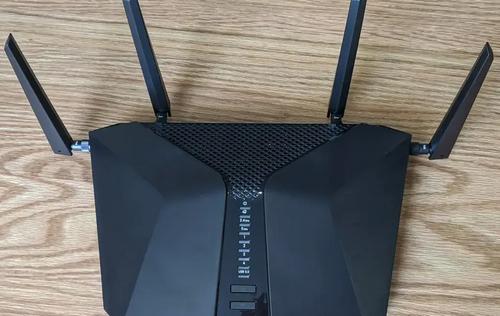
NETGEAR Nighthawk 6-Stream AX5200 WiFi Router RAX48 User Guide

NETGEAR LBR20 ORBI LTE Router Instructions

more eero 6+ TrueMesh Wi-Fi 6 Dual-Band Router User Guide

ASUS RT-AX92U Wireless AX6100 Tri band Gigabit Router User Guide

TELTONIKA RUTC50 5G Router User Guide

HALNY HLE-3GM Router Installation Guide
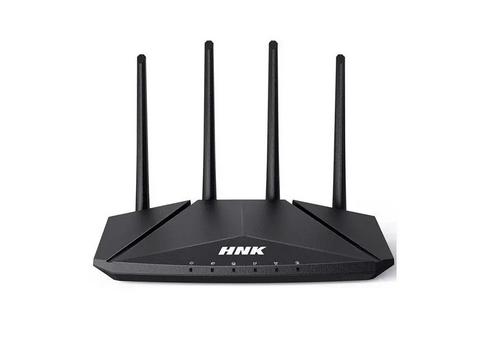
HNK RAX1810 Smart Wi-Fi Router User Manual

NETGEAR RS600 Nighthawk WiFi 7 Tri-Band Router User Manual

LANCOM SYSTEMS 1790-4G+ High-Performance VPN Router Installation Guide

Ronix 7112 Electric Router User Guide