
Home > OptConnect > OptConnect neo 4 Cellular Router User Manual
OptConnect neo 4 Cellular Router User Manual


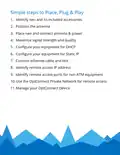


2. Position the antenna
• Avoid placing the antenna inside equipment constructed
entirely or mostly of metal
• Position the antenna’s magnetic base on a metal surface
3-5 inches from any edge – location on a metal surface
can improve signal strength
• Orient the antenna
1. Point vertically upward (best)
2. Point vertically downward, routing antenna cable
away from antenna shaft (next best)
3. Point horizontally (least preferred)
• The position and orientation of the antenna can be
optimized in Step 4

| General | Details |
|---|---|
| Name | OptConnect neo 4 Cellular Router User Manual |
| Make | OptConnect |
| Language | English |
| Filetype | PDF (Download) |
| File size | 0.12 MB |
 (1 votes, average: 5.00 out of 5)
 Loading...
If you have any questions regarding OptConnect neo 4 Cellular Router User Manual, please ask here and describe the problem in detail.

OptConnect neo2 dura 4 Multi Carrier Cellular Router User Guide


TP-Link AX1800 Wi-Fi Gigabit Dual Band Wireless Router Installation Guide

D-Link M30 AQUILA PRO AI AX3000 Wi-Fi 6 Smart Mesh Router User Manual

Amped Wireless R10000 High Power Wireless N 600mW Smart Router User Guide

TCL HH40L1 Linkhub Router User Manual

ASUS BE6500 Dual Band Wi-Fi 7 Router User Guide

Zetronix WiFi Network Router User Manual

SPARK TECHNOLOGY RM40 Wifi Router User Manual

Dynalink DL-WRX36 WiFi 6 AX3600 Router User Guide

ALFA HaLow-R WiFi 4 IoT Router User Guide

STARLINK Mini Kit Dish With Router User Guide