
Home > OptConnect > OptConnect neo 4 Cellular Router User Manual
OptConnect neo 4 Cellular Router User Manual


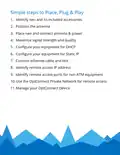


5. Configure your equipment for DHCP
If you wish to initiate a remote connection to your
equipment from your host, do not use DHCP. Got to Step 6
to set up a Static IP.
• Set your equipment to obtain an IP address through
DHCP
• Special case for ATMs
• Configure your ATM according to your processor’s
setup guide as if you were connecting it to a LAN,
DSL modem, or other landline Internet connection.
Use the host addresses, host ports, protocols, and
TLS encryption settings exactly as your processor
instructs. (Note: this may be different from other
OptConnect products.)
• IMPORTANT – OptConnect strongly recommends
that you enable TLS encryption and SSL Certificate
Verification on your ATM to prevent attacks such
as “man in the middle.” Enabling SSL Certificate
Verification may require later ATM software versions
from your equipment’s manufacture.

| General | Details |
|---|---|
| Name | OptConnect neo 4 Cellular Router User Manual |
| Make | OptConnect |
| Language | English |
| Filetype | PDF (Download) |
| File size | 0.12 MB |
 (1 votes, average: 5.00 out of 5)
 Loading...
If you have any questions regarding OptConnect neo 4 Cellular Router User Manual, please ask here and describe the problem in detail.

OptConnect neo2 dura 4 Multi Carrier Cellular Router User Guide


Juniper NETWORKS SSR1300 Smart Router User Guide

ASUS DSL-N66U Dual Band Wi-Fi ADSL VDSL Modem Router User Manual

ERICSSON R980-5GD Mobile Router User Manual

TELTONIKA RUT956 Cellular Router Instructions

HUAWEI WiFi AX3 WS7100 WiFi 6 Plus Dual Core Router User Guide

hitron CODA5x1xQ Series Cable Modem Router User Guide

TELTONIKA Networks QSG RUT951 Wi-Fi Dual SIM Router Instruction Manual

HUAWEI H122-373 5G CPE PRO 2 Router User Manual

MetaBlox MBWF-P100 WiFi Router User Guide

STARLINK LJ439RBIV3M5 Mini Router Installation Guide