
Home > OptConnect > OptConnect neo 4 Cellular Router User Manual
OptConnect neo 4 Cellular Router User Manual


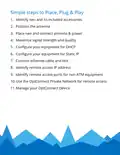


3. Place neo, connect antenna & power
• Place neo in your equipment
• Route antenna leads to neo
• Connect both antenna leads to neo and fully tighten
• Route power adapter’s cord from power source to neo
• Connect power cord to neo – ensure the green LED next
to the power port glows
• After 10-60 seconds, ensure the middle green LED glows
or flashes
IMPORTANT – when neo powers on the first time it may
download a software update. This is indicated by a rapidly
flashing middle green LED light for 1-2 minutes followed by
the LED going dark while neo reboots. You must allow this
process to complete.

| General | Details |
|---|---|
| Name | OptConnect neo 4 Cellular Router User Manual |
| Make | OptConnect |
| Language | English |
| Filetype | PDF (Download) |
| File size | 0.12 MB |
 (1 votes, average: 5.00 out of 5)
 Loading...
If you have any questions regarding OptConnect neo 4 Cellular Router User Manual, please ask here and describe the problem in detail.

OptConnect neo2 dura 4 Multi Carrier Cellular Router User Guide


EE HH10E 4G Hub 2 WiFi Router User Guide

TP-Link E4 deco Router Installation Guide

D-Link G415 4G Router Instructions

perle IRG5410 Router User Guide

Amped Wireless R10000 High Power Wireless N 600mW Router User Guide

MILLITRONIC MG360 Wireless WiGig Router User Manual

ASUS ET12 ZenWiFi Pro AXE11000 Tri Band WiFi Router User Guide

Tenda RX2L Wi-Fi 6 Router Installation Guide

Ibex-RT-630-5G Series EN 50155 5G and WLAN Router User Manual

TP-Link MR600 4G Cat6 Wireless Dual Band Gigabit Router User Manual