
Home > OptConnect > OptConnect neo 4 Cellular Router User Manual
OptConnect neo 4 Cellular Router User Manual


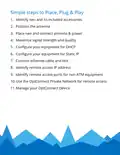


6. Configure your equipment for Static IP
Skip this step if you do not need to initiate a connection
from your host to your equipment through neo
• Set your equipment as follows:
IP address
192.168.1.11
255.255.255.0
192.168.1.90
192.168.1.90
8.8.8.8
Subnet mask
Gateway
DNS server 1
DNS server 2
• Special case for ATMs
• Follow the instructions immediately above, but set
your ATM’s IP Address to 192.168.1.91
• If you require outbound RMS, enter your RMS server’s
protocols, and TLS encryption settings exactly as
your processor instructs. For proper security, enable
SSL Certificate Verification.

| General | Details |
|---|---|
| Name | OptConnect neo 4 Cellular Router User Manual |
| Make | OptConnect |
| Language | English |
| Filetype | PDF (Download) |
| File size | 0.12 MB |
 (1 votes, average: 5.00 out of 5)
 Loading...
If you have any questions regarding OptConnect neo 4 Cellular Router User Manual, please ask here and describe the problem in detail.

OptConnect neo2 dura 4 Multi Carrier Cellular Router User Guide


D-Link DIR-2660 AC2600 Mesh Wifi Router Installation Guide

SENWA VOLTE 2AZYA 4G LTE CPE Router User Manual

ASUS EBR63 Wireless AX3000 Dual Band Router User Guide

H3C Magic NX15 Wireless Router Installation Guide

peplink P1MT08 MAX BR1 Classic Automatic Failover 4G LTE Mobile Router User Manual

verizon CR100A Wireless Router User Guide

TP-Link AX95 AX7800 Tri Band 8 Stream WiFi 6 Router User Guide

SIEMENS PXG3.L BACnet Router Instruction Manual

SWAGTEK M1C 4G LTE Mobile Router Installation Guide

WESTMANN GigaSpire BLAST U6 Router User Guide