
Home > OptConnect > OptConnect neo 4 Cellular Router User Manual
OptConnect neo 4 Cellular Router User Manual


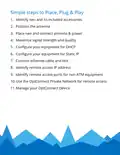


4. Maximize signal strength and quality
neo may work well at this point. However, this step is
strongly recommended to avoid potential future issues.
1. Log in to the OptConnect Summit portal at
2. Click Total Devices link
3. Locate serial number on neo and scroll to find it or type
it in Search/Filter box and press Enter
4. Click neo’s link to view Signal Strength in On Demand
Info section
5. Adjust antenna position by an inch or two
6. Click Refresh on Demand Info button – Important: neo
can take 15 seconds to update
7. Repeat steps 5-6 until signal strength is maximized and
signal quality is maximized
8. If it is not possible to maximize both signal strength and
quality, maximize quality
9. Recommended: enter your device’s identifier and
description

| General | Details |
|---|---|
| Name | OptConnect neo 4 Cellular Router User Manual |
| Make | OptConnect |
| Language | English |
| Filetype | PDF (Download) |
| File size | 0.12 MB |
 (1 votes, average: 5.00 out of 5)
 Loading...
If you have any questions regarding OptConnect neo 4 Cellular Router User Manual, please ask here and describe the problem in detail.

OptConnect neo2 dura 4 Multi Carrier Cellular Router User Guide


Tenda MF6V1.0 4G LTE Mobile Wi-Fi Router Installation Guide

robustel R2010 Dual SIM VPN IoT Router Instruction Manual

TP-Link TL-MR110 Outdoor Router Installation Guide

D-Link G403C 4G LTE N300 Wi-Fi Router User Guide

D-Link DWR-M930 Wireless 4G LTE Router User Guide

GL Technologies 2AFIW-X2000 Wi-Fi 6 4G LTE CAT 12 Router User Guide

TP-Link ER707-M2 Omada Multi-Gigabit VPN Router Installation Guide

WAVLINK 575A3 Dual Band WiFi Extender Repeater Access Point Router Instruction Manual

SKYWORTH GN630 GPON ONT Wi-Fi Router Installation Guide

NOKIA ONT G-1426G-A Dual Band Wi-Fi 6 Mesh Router User Guide