
Taiko Audio Extreme Router User Guide





USB drive sharing
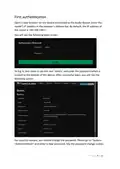
Please insert your USB drive into the USB port. Go to “System->Mount Points”,
scroll down to “Mount Points” and click on the “Add” buꢀon. See the
screenshot below:
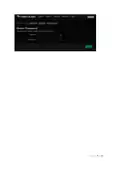
In the new window, you must select your USB drive and enter the name of the
directory to mount and then click the “Save” buꢀon. For example, you can type
“/vault” directory. See the screenshot below:
P a g e 11 | 14

| General | Details |
|---|---|
| Name | Taiko Audio Extreme Router User Guide |
| Make | Taiko |
| Language | English |
| Filetype | PDF (Download) |
| File size | 0.2 MB |
 (1 votes, average: 5.00 out of 5)
 Loading...
If you have any questions regarding Taiko Audio Extreme Router User Guide, please ask here and describe the problem in detail.

Taiko TAP0016 Audio Extreme Router User Manual


DrayTek Vigor2927ac Dual WAN Security Router User Guide

NETGEAR RS300S Nighthawk Tri Band WiFi 7 Router Instructions

NETGEAR RS100 Nighthawk Dual Band WiFi 7 Router User Guide

COMFAST M0304517 Wireless Router Installation Guide

Tenda Wi-Fi 6 Router Installation Guide

DrayTek Vigor2865 Series VDSL2 Gigabit Ethernet WAN Router Owner’s Manual

Cudy WR1300 Gigabit Dual Band Wi-Fi Router Installation Guide

Tenda 4G185 4G/3G Portable Mobile Hotspot Router User Guide

NETGEAR Orbi RBR350 WiFi 6 Dual-band Mesh Router User Manual

Juniper NETWORKS PTX10004 Ultra-Compact Modular Router User Guide