
Taiko Audio Extreme Router User Guide



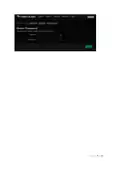


Then, you must scroll down and click the “Save & Apply” buꢀon.
P a g e 12 | 14

Firmware update
To ensure the highest level of security we strongly advise always keeping the
router soſtware up to date. To indicate the availability of updates in the user
interface, there is a “FIRMWARE” buꢀon in the upper right corner. If it is green,
then a new update is available. If it is grey, then the system has the latest
updates installed and no acꢁon is required.
To update the firmware, click on the “FIRMWARE” buꢀon or go to “System-
>Firmware Update” and click on the “Check Update” buꢀon. If the update is
present, you can click the “Install” buꢀon. See the screenshot below:
P a g e 13 | 14

| General | Details |
|---|---|
| Name | Taiko Audio Extreme Router User Guide |
| Make | Taiko |
| Language | English |
| Filetype | PDF (Download) |
| File size | 0.2 MB |
 (1 votes, average: 5.00 out of 5)
 Loading...
If you have any questions regarding Taiko Audio Extreme Router User Guide, please ask here and describe the problem in detail.

Taiko TAP0016 Audio Extreme Router User Manual


TP-Link Archer MR505 Wireless Dual Band Gigabit Router Installation Guide

TP-Link TL-R470T Load Balance Broadband Router Installation Guide

DrayTek Vigor2762 VDSL2 Modem Router User Guide

HIRSCHMANN NB2810 NetModule Router User Manual

HUAWEI B636-336 4G LTE Portable Broadband Router User Guide

NIGHTHAWK Router User Manual

TP-Link Archer C86 AC1900 MU MIMO Wi-Fi Router Installation Guide

LANCOM SYSTEMS 1800EFW-5G Router Installation Guide

SWAGTEK M1C 4G LTE Mobile Router Installation Guide

trend T1ETS Electric Trim Router Instruction Manual