
Taiko TAP0016 Audio Extreme Router User Manual


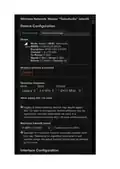


The two things that changed were "Source zone" and "Source address". Under Source address you
have to put the IP address of your "main PC". That is "192.168.1.125" in the case above. So just
replace "192.168.1.125" with the IP address of your main PC.
Also, make sure the IP address of your main PC does not change. It will stop working if the IP
addresses changes.
This will restrict VNC, so only your main PC can connect. We highly recommend that first you get it
working without that restriction, and then apply the restriction.
If you want to do the same for file transfer / SMB, modify the second firewall traffic rule the exact
same away - change the "Source zone" and "Source address" to the same values as explained above.

| General | Details |
|---|---|
| Name | Taiko TAP0016 Audio Extreme Router User Manual |
| Make | Taiko |
| Language | English |
| Filetype | PDF (Download) |
| File size | 0.95 MB |
 (1 votes, average: 5.00 out of 5)
 Loading...
If you have any questions regarding Taiko TAP0016 Audio Extreme Router User Manual, please ask here and describe the problem in detail.

Taiko Audio Extreme Router User Guide


TP-Link TL-WR841N 300Mbps Wireless N Router Installation Guide

ufiSpace S9600-72XC Router Installation Guide

D Link DIR-822 AC1200 WiFi Router User Guide

ZYXEL 1WSM20 Multy M1 Router Instructions

ASUS GT-AX11000 Pro ROG Rapture Pro Tri-band Gaming Router User Guide

Newland NL-81 Router User Manual

DrayTek Vigor3912 Series Security VPN Router User Guide

Zbtlink AX1800 Wi-Fi 6 4G LTE Router User Manual

Harvilon MT6833 5G Portable Wi-Fi Hotspot Esim Router User Guide

netgate 6100 MAX Secure Router User Manual