
Taiko TAP0016 Audio Extreme Router User Manual




SFP = 1G
SFP+ = 10G
We supply SFP+. We did not compare the two but the expectation is that they will perform the
same.
What is the master clock frequency of the Taiko router and switch?
25MHz.
Since routers and Access Points generate noise, polluting our home electrical grid network no
matter how many audiophile routers/switches we use for our hi-fi system, I wonder if you could
share some configurations or experience that can reduce this type of interference.
Unfortunately, we cannot provide fixed recommendations as this highly varies between routers,
environment, and connected devices. In general, modern routers automatically adjust parameters
while they attempt to provide good quality connections to all devices. They can for example
automatically increase transmission power to increase the connection quality to a distant device
which can in turn can generate more noise. So, the situation could occur where 2 APs with good
combined coverage sum to less noise than a single one struggling to maintain good quality
connections.
Why is there no power indicator LED on the Router?
Alas, we cannot add a power LED or a network status LED to the Router because they negatively
affect the noise spectrum and the shielding.
Can you recommend a router for the general home network?
It is my understanding you still need a main network router from which the Taiko router will get
its data.
Fritzbox has great routers but there are more good routers. At Taiko HQ, we use a Unifi Dream
machine pro and are satisfied with that, but this has no integrated wifi. Unifi also has cheaper
models with integrated wifi.
Have you found that running Qobuz was better on a different DNS than comcast (75.75.75.75)?
Some members on WBF are also mentioning improved sound with certain modems. The intent is
to maximize the sound quality through streaming.
The router really creates an isolated secondary network where all parameters are controlled by it.
We have not managed to find any meaningful differences with preceding equipment, modems,
routers etc. However, they can still "pollute" your mains over their power supplies which is not
something we can solve.
Wifi Antenna Experiments
We’re currently experimenting with different antennas with some interesting results. Where
conventional audiophile "wisdom" would have you think a smaller antenna is better, that is in fact
not necessarily true, as what happens is that a smaller antenna may need more transmitter power
which in turn increases noise. The same really goes for 2.4G vs 5G Wi-Fi, 5G needs more transmitter
power due to its shorter range which is most likely the actual cause of the notion that 5G is bad for
SQ. Evidence currently points towards SQ being mainly impacted by a combination of antenna to
device connection quality and the transmitter power this requires. We're going to optimize this for
optimal in room performance.
What about antenna size and signal strength?
I don't know much about the subject, but shouldn't the antenna be a fraction of the wavelength (1/2,
1/4, etc.)? The wavelength corresponding to 2.4 Ghz is roughly 12 cm, which would give antennas of
6, 3, 2 cm. And so on. There also seems to be a relation between antenna length and directivity, not
to mention impedance. In short, I can imagine that it won't be easy to choose, as all this will
ultimately have an impact on sound. It'll be interesting to hear how you arrived at your final choice.
Purely by listening or/and on more practical criteria?
The antenna will be very low power as it now consumes less power than a single RJ45 network port.
We expect minimal differences as the radio transmitter power is set to manual and there will be only
one Wi-Fi device. But we’ll see!
Did you try a non-omni directional antenna, like a beam antenna?
We have a few tests left to perform, but yes clearly there is some directivity involved.
Have you evaluated any sound quality difference between the F connector and a BNC connector?
We did not try BNC and should add that due to this particular Wi-Fi solution being virtually inaudible
already, especially when able to stick to the lowest possible transmission power, might make
discerning differences in connectors used near impossible.
Wifi versus Wired or Cable versus Wireless
We have come to believe that there will not be a general consensus because of differing sensitivities
to different types of noise and/or noise bands an individual may have, and to complicate this
further, the sensitivity of their system setup and components to this. Another aspect related to Wi-Fi
is we don't allow the transmitter to automatically increase transmission power.
Are jitter and latency a result of, or related to, power consumption?
Although lower latency equipment can use more power, we believe there is no real correlation.
Is Airplay functionality support via the Extreme Router still in the cards?
Yes, but further down the road.
What does the Router do that the Switch does not?
Our Switch and Router perform different functions and they are not interchangeable. One thing that
a Switch cannot do is isolate your "audio-only network". A Router can create an isolated audio
network. Also, the Router provides an isolated wireless connection for control.
In general, Routers operate on a software level based on IP addresses while a switch works on a
hardware level based on MAC addresses. A Switch can reduce traffic to a device by learning and
storing which MAC address is connected to which port so it can send data to that device specifically
addressed to it, while sending data for other devices over its other ports, reducing the amount of
traffic on the port your device uses. This does not do anything to reduce broadcast traffic which is
sent to all devices on the network. Perhaps a superfluous addition but there’s no such thing as a
switch for Wi-Fi so using Wi-Fi means the more devices, the more traffic is “seen” by all devices
automatically.
A Router can control the traffic which is sent and broadcast on your network.
Talking in reduction terms, a router can reduce the amount of traffic on the entire network while a
Switch can reduce the amount of traffic on a segment of that network.
What is the difference between connecting a Router and Switch and daisy Chaining two Switches?
A router and a switch are two different devices that have different tasks. In essence, a switch is used
to connect devices to each other within a network while a router allows networks to communicate
with each other.
In general, Routers operate on a software level based on IP addresses while a switch works on a
hardware level based on MAC addresses.
A Switch can reduce traffic to a device by learning and storing which MAC address is connected to
which port so it can send data to that device specifically addressed to it, while sending data for other
devices over its other ports, reducing the amount of traffic on the port your device uses. This does
not do anything to reduce broadcast traffic which is sent to all devices on the network. Perhaps a
superfluous addition but there’s no such thing as a switch for Wi-Fi so using Wi-Fi means the more
devices, the more traffic is “seen” by all devices automatically.
A Router can control the traffic which is sent and broadcast on your network.
Talking in reduction terms, a router can reduce the amount of traffic on the entire network while a
Switch can reduce the amount of traffic on a segment of that network.
From a data processing amount view, the Music Server does not benefit from daisy-chaining 2
Switches, as it will “see” the same network traffic. The Switch closest to the server will, however, see
less network traffic and will have less data processing as that will all be performed by the switch
preceding it.
Daisy chaining a Router and a Switch is similar in a way, as the network ports on a router are
typically switched as well. So you basically have daisy-chained Switches, with the additional
reduction of (broadcast) data and control over network parameters on a software level.
In short:
-
-
2 Switches only control traffic on a hardware level.
A Router and a Switch control traffic on a hardware and software level and can lower traffic
to a larger degree than 2 switches can.
How is the channel selected by the router and how to avoid interference with other wifi devices?
You can just select a channel manually; we don’t expect this to cause issues due to being both
relatively close and in the same room.
Can the Router be configured in a personalized (non-standard) manner?
While the Router hardware allows customization, for instance, you could configure one of the router
ports as a separate network with its own DHCP, NAT, Firewall, etc., we cannot support non-standard
scenarios like this. We have kept the price of the Router low by supporting only standard settings.
However, there’s a reset to factory defaults button, so feel free to experiment.
Can we boost the power of the Router’s Wi-Fi?

You can boost transmission power and/or mount a larger antenna or even switch to 5G but we find
the factory settings work well for us, even in a very busy network.
The Antenna is a screw on device:
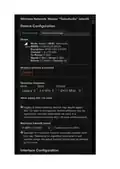
The Wi-Fi operating mode, band and maximum transmitter power can be set in the interface:

| General | Details |
|---|---|
| Name | Taiko TAP0016 Audio Extreme Router User Manual |
| Make | Taiko |
| Language | English |
| Filetype | PDF (Download) |
| File size | 0.95 MB |
 (1 votes, average: 5.00 out of 5)
 Loading...
If you have any questions regarding Taiko TAP0016 Audio Extreme Router User Manual, please ask here and describe the problem in detail.

Taiko Audio Extreme Router User Guide


cradlepoint E110 Enterprise Branch Router User Manual

NETGEAR MR6110 5G WiFi 6 Mobile Router User Guide

NETGEAR BE17000 Nighthawk WiFi 7 Tri-Band Router Owner’s Manual

NETGEAR AX1800 WiFi 6 Router User Guide

CHIMA SAX3000 EasyMesh WiFi 6 Router Owner’s Manual

BEC AirConnect 8112 5G Enterprise Router User Guide

ZYXEL NR5307 5G NR Router Owner’s Manual

LANCOM SYSTEMS 1790VAW GmbH Performance Router User Guide

ADVANTECH ICR-2531 LTE Router User Manual

TP-Link Archer VR600 Wireless DSL Modem Router Installation Guide