
Taiko TAP0016 Audio Extreme Router User Manual


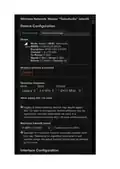


click save; click Save & Apply
3 - Go to your computer on your main router (wifi or wired) and open VNC.
Create a new connection or edit an existing one.
The IP address is the Taiko Router's IP address on your main router. In my case it was 192.168.1.180.
This is not the Taiko Router IP default gateway of 192.168.100.1.
You should now be able to VNC to the Extreme using your main network.
File Sharing
1 - On the Taiko Router to go Network-> Traffic Rules -> click on Add at the bottom

| General | Details |
|---|---|
| Name | Taiko TAP0016 Audio Extreme Router User Manual |
| Make | Taiko |
| Language | English |
| Filetype | PDF (Download) |
| File size | 0.95 MB |
 (1 votes, average: 5.00 out of 5)
 Loading...
If you have any questions regarding Taiko TAP0016 Audio Extreme Router User Manual, please ask here and describe the problem in detail.

Taiko Audio Extreme Router User Guide


TP-Link TL-WR902AC Mbps Wireless Portable Mini Travel Router Owner’s Manual

KMC CONTROLS BAC-5051AE BACnet Router Owner’s Manual

HNK Flow AX1501 Dual Band Wi-Fi 6 AX1500 Router User Guide

WYZE Pro WiFi 6E Mesh Router Instruction Manual

COOSPO RC905 Router User Manual

verizon CR100A Wireless Router User Guide

TELTONIKA RUTM30 Compact 5G Router User Guide

NETGEAR BE17000 Nighthawk WiFi 7 Tri-Band Router Owner’s Manual

Cudy WR3600 Gigabit Mesh Wi-Fi 7 Router Installation Guide

SUNVOT GC600 5G CPE WiFi Router User Guide