
Taiko TAP0016 Audio Extreme Router User Manual


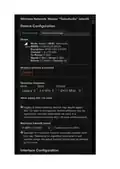


2,4gHz versus 5gHz
If Wi-Fi channel selection does not obtain a stable connection, one thing you can also try to obtain
the most stable connection with the Extreme Router's Wi-Fi is disabling 2,4 gHz WiFi on your home
router and use 5 gHz only, if all your devices are capable of this, of course. Modern iPhones and
tablets, as well as most laptops are.
How to turn on or off Wireless Broadcast
The antenna, connector and internal wiring are fully shielded from the copper chassis and PCB, the
SFP cables are fully shielded as well, combined with the obviously very heavy shielding of the solid
copper chassis means there’s no reception without an Antenna.
For those experimenting with disabling Wi-Fi in software, that’s actually unnecessary, as simply
removing the Antenna accomplishes the same thing, and is a much quicker/easier way to perform
A/B comparisons.
The remaining SSID broadcast itself has no impact on the Sound Quality. Activity from connected
devices could have an impact, but without an Antenna, there are no connected devices.
“Traffic processing” on the Wi-Fi receiver creates less noise than on a RJ45 (wired) connection due
the lower power consumption. However, the audibility of this can be debated.
A full function operating system’s connectivity polls can indeed cause harm but it doesn’t apply to
the router’s Wi-Fi which will only broadcast its SSID, which is a continuous process, which is key to
low audibility. Thus, there are no “spread spectrum” “benefits” from for example stacking switches.
In order of “traffic-caused” noise the ranking from lowest to highest is:
1) DAC
2) Wi-Fi
3) RJ45
4) Fiber
Please note that we cannot provide further support for non-standard procedures such as this one.
The below information is provided as is. In case of arising issues, please be aware there’s always the
option to return the Router to factory settings.
Log into the Taiko router admin control panel.

Across the top of most pages are pull-down tabs, "Status", "System", "Services", etc. Click on the
pull-down tab "Network"
Click on "Wireless" on the pull-down menu. On the window that opens, Click on "Edit" (circled in
red):

| General | Details |
|---|---|
| Name | Taiko TAP0016 Audio Extreme Router User Manual |
| Make | Taiko |
| Language | English |
| Filetype | PDF (Download) |
| File size | 0.95 MB |
 (1 votes, average: 5.00 out of 5)
 Loading...
If you have any questions regarding Taiko TAP0016 Audio Extreme Router User Manual, please ask here and describe the problem in detail.

Taiko Audio Extreme Router User Guide


Cudy RT02 Router Installation Guide

TELTONIKA Networks QSG RUT956 Cellular Router Instruction Manual

cradlepoint R2100 Series 5G Ruggedized Router User Guide

TP-Link TD-W9970 300Mbps Wireless N VDSL ADSL Modem Router User Guide

TP-Link Omada Network Router Installation Guide

DIGI WR21-M52A-DE1-TB TransPort WR21 Cellular Router User Guide

Prana Air Ambient Lite GSM Router Instruction Manual

eero Max 7 Mesh Wifi Router Owner’s Manual

ZYXEL LTE5388-M804 4G LTE-A Pro Router User Guide

ASUS ExpertWiFi EBR63 Wireless AX3000 Dual-Band Router User Guide