
Taiko TAP0016 Audio Extreme Router User Manual


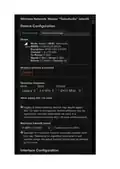


Please note that the Extreme Router is designed to be used only with the Taiko Server. The idea is to
only have 1 device connected to this network, your Roon or XDMS remote control device which is
exclusively used for that purpose. If you start adding more devices all bets are off and you will
absolutely need a larger antenna, more transmission power and probably switch to 5G.
How can I increase the Router Wi-Fi speed?
You can change the wireless mode / transmission power, it does change the sound a bit. I get
15Mbps up/down from it here with the default settings and my Roon remote is fast. You could
change the channel, perhaps you have some interference from other Wi-Fi networks. A Wi-Fi
analyzer would tell you, usually included with windows.

| General | Details |
|---|---|
| Name | Taiko TAP0016 Audio Extreme Router User Manual |
| Make | Taiko |
| Language | English |
| Filetype | PDF (Download) |
| File size | 0.95 MB |
 (1 votes, average: 5.00 out of 5)
 Loading...
If you have any questions regarding Taiko TAP0016 Audio Extreme Router User Manual, please ask here and describe the problem in detail.

Taiko Audio Extreme Router User Guide


TP-Link C5400X Wireless Router Installation Guide

prolink DL-7306 4G LTE Wireless Router Installation Guide

D-Link R95 BE9500 Wi-Fi 7 Router User Guide

verizon CR1000 Router Instructions

ASUS RT-AC86U AC2900 WiFi Gaming Router User Guide

Grass Valley MV-825-RTRUM Multiviewer with Integrated Router User Manual

LANCOM SYSTEMS LANCOM OAP-830 Wireless Router User Guide

mikrotik RB960PGS Hex PoE 5-Port Router User Manual

peplink P1MT08 MAX BR1 Classic Automatic Failover 4G LTE Mobile Router User Manual

NETGEAR BE12000 Tri-Band WiFi 7 Router Owner’s Manual