
TP-Link AC1900 Archer AC1900 MU-MIMO Wi-Fi Router User Guide






Chapter 12
Customize Your Network Settings
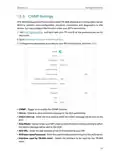
• WMM - WMM function can guarantee the packets with high-priority messages being
transmitted preferentially.
• Short GI - It is recommended to enable this function, for it will increase the data
capacity by reducing the guard interval time.
• AP Isolation - This function isolates all connected wireless stations so that wireless
stations cannot access each other through WLAN. This function will be disabled if
WDS/Bridge is enabled.
• Airtime Fairness - This function can improve the overall network performance by
sacrificing a little bit of network time on your slow devices.
• Beacon Interval - Enter a value between 40 and 1000 in milliseconds to determine the
duration between beacon packets that are broadcasted by the router to synchronize
the wireless network. The default value is 100 milliseconds.
• RTS Threshold- Enter a value between 1 and 2346 to determine the packet size of
data transmission through the router. By default, the RTS (Request to Send) Threshold
size is 2346. If the packet size is greater than the preset threshold, the router will send
RTS frames to a particular receiving station and negotiate the sending of a data frame.
• DTIM Interval - The value determines the interval of DTIM (Delivery Traffic Indication
Message). Enter a value between 1 and 15 intervals. The default value is 1, which
indicates the DTIM Interval is the same as Beacon Interval.
• Group Key Update Period - Enter a number of seconds (minimum 30) to control the
time interval for the encryption key automatic renewal. The default value is 0, meaning
no key renewal.
66

| General | Details |
|---|---|
| Name | TP-Link AC1900 Archer AC1900 MU-MIMO Wi-Fi Router User Guide |
| Make | TP-Link |
| Language | English |
| Filetype | PDF (Download) |
| File size | 1.9 MB |
 (1 votes, average: 5.00 out of 5)
 Loading...
If you have any questions regarding TP-Link AC1900 Archer AC1900 MU-MIMO Wi-Fi Router User Guide, please ask here and describe the problem in detail.

TP-Link VR300 Archer Modem Router User Guide

TP-Link T150500-2-DT WiFi Router Instruction Manual

TP-Link Archer AX55 Wi-Fi 6 Router Installation Guide

TP-Link Omada ER8411 VPN Router Instructions

TP-Link Configure VDSL Router User Guide

TP-Link Archer BE805 BE19000 Tri-Band Wi-Fi 7 Router User Manual

TP-Link VR600 Wireless DSL Modem Router Installation Guide

TP-Link AX58 Dual Band Gigabit Wi-Fi 6 Router Installation Guide

TP-Link AC750 Wireless Dual Band Router Owner’s Manual

TP-Link AX6000 8-Stream Wi-Fi 6 Router Installation Guide


TELTONIKA RUT850 E-mark approved LTE Router User Guide
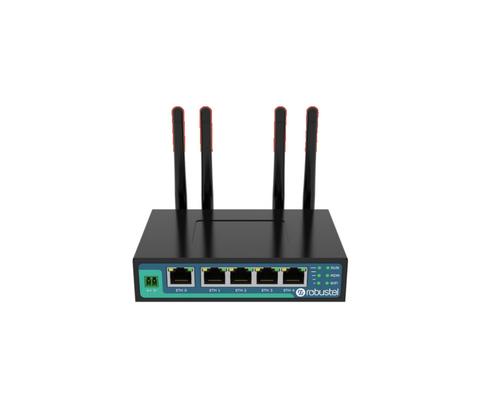
robustel R2011 Cellular Router Instruction Manual

TELTONIKA RUT301 Router User Guide

ASUS RT-AX57 Dual Band WiFi Router User Guide

ADVANTECH ICR-3200 Cellular Router Instruction Manual

D-Link R95 BE9500 Wi-Fi 7 Smart Router User Guide

ZYXEL NBG6615 AC1200 MU MIMO Dual Band Wireless Gigabit Router User Guide

Connect Tech Inc Xtreme 10G Managed Ethernet Switch Router User Guide

acer W6M W-Fi 6E Mesh Router User Manual

Ruijie RG-EW1800GX(PRO) Wi-Fi 6 Dual Band Router Installation Guide