
TP-Link T150500-2-DT WiFi Router Instruction Manual




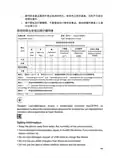


Note: The manufacturer is not responsible for any radio or TV interference
caused by unauthorized modifications to this equipment. Such modifications
could void the user’s authority to operate the equipment.
FCC RF Radiation Exposure Statement
This equipment complies with FCC RF radiation exposure limits set forth for an
uncontrolled environment. This device and its antenna must not be co-located
or operating in conjunction with any other antenna or transmitter.
To comply with FCC RF exposure compliance requirements, this grant is
applicable to only Mobile Configurations. The antennas used for this transmitter
must be installed to provide a separation distance of at least 20 cm from all
persons and must not be co-located or operating in conjunction with any other
antenna or transmitter.
FCC regulations restrict operation of this device to indoor use only. The
operation of this device is prohibited on oil platforms, cars, trans, boats, and
aircraft, except that operation of this device is permitted in large aircraft while
flying above 10000 feet. Operation of transmitters in the 5.925-7.125 GHz band
is prohibited for control of or communications with unmanned aircraft systems.
FCC compliance information statement
Product Name: I T E Power Supply
Model Number: T150500-2-DT
Responsible party:
TP-Link USA Corporation
Address: 10 Mauchly, Irvine, CA 92618
Tel: +1 626 333 0234
Fax: +1 909 527 6804
E-mail: sales.usa@tp-link.com
This equipment has been tested and found to comply with the limits for a Class
B digital device, pursuant to part 15 of the FCC Rules. These limits are designed
to provide reasonable protection against harmful interference in a residential
installation. This equipment generates, uses and can radiate radio frequency
energy and, if not installed and used in accordance with the instructions, may
cause harmful interference to radio communications. However, there is no
guarantee that interference will not occur in a particular installation. If this
equipment does cause harmful interference to radio or television reception,
which can be determined by turning the equipment off and on, the user is
encouraged to try to correct the interference by one or more of the following
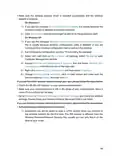
measures:
142

| General | Details |
|---|---|
| Name | TP-Link T150500-2-DT WiFi Router Instruction Manual |
| Make | TP-Link |
| Language | English |
| Filetype | PDF (Download) |
| File size | 0.54 MB |
 (1 votes, average: 5.00 out of 5)
 Loading...
If you have any questions regarding TP-Link T150500-2-DT WiFi Router Instruction Manual, please ask here and describe the problem in detail.

TP-Link VR300 Archer Modem Router User Guide

TP-Link Archer AX55 Wi-Fi 6 Router Installation Guide

TP-Link Omada ER8411 VPN Router Instructions

TP-Link Configure VDSL Router User Guide

TP-Link Archer BE805 BE19000 Tri-Band Wi-Fi 7 Router User Manual

TP-Link VR600 Wireless DSL Modem Router Installation Guide

TP-Link AX58 Dual Band Gigabit Wi-Fi 6 Router Installation Guide

TP-Link AC750 Wireless Dual Band Router Owner’s Manual

TP-Link AX6000 8-Stream Wi-Fi 6 Router Installation Guide

TP-Link TD-W9970 300Mbps Wireless N VDSL ADSL Modem Router User Guide


HALNY HLE-3GM Router Installation Guide

ADTRAN 17600021F1 834-5 Service Delivery Gateway Wi-Fi 5 Gigabit Router User Guide

MikroTik RBwAPG-5HacD2HnD Wireless Router User Guide

GL iNet GL-B2200 Tri-Band Wireless Gigabit Router User Manual

TP-Link BE11000 Tri Band Wi-Fi 7 Gaming Router User Guide

TP-Link TL-R470T Load Balance Broadband Router Installation Guide

TP-Link TL-WR3002X AX3000 Wi-Fi 6 Portable Router User Guide

TP-Link Archer MR600 Wireless 4G LTE Router Installation Guide

UBIQUITI AFi-HD Amplifi 4-Ports Home Wi-Fi System AFI HD Wireless Router User Guide

NETGEAR Nighthawk AX6 6-Stream WiFi Router User Guide