
triton TMNRTR Electric Router Instruction Manual






























a) Use safety equipment including safety goggles or shield,
ear protection, dust mask and protective clothing including
safety gloves
y) Ensure rating labels and safety warnings on the tool
remain clear to read and are replaced if marked or
damaged
z) When operating the router, be prepared for the router bit
cutter stalling in the workpiece and causing loss of control.
Always ensure the router is firmly held and the on/off switch is
immediately released in such circumstances
b) Cloths, cord, string etc should never be left around the
work area
c) Ensure the mains supply voltage is the same as the tool
rating plate voltage
•
After switching on the router, check the router bit is
rotating evenly (not ‘wobbling’) and there is no additional
vibration due to the router bit being incorrectly fitted.
Operating the router with an incorrectly fitted router bit can lead
to loss of control and severe injury
d) Ensure any cable extensions used with this tool are in
a safe electrical condition, and have the correct ampere
rating for the tool
e) Completely unwind cable drum extensions to avoid
potential overheating
•
•
•
EXTREME care must be taken when using cutters with a
diameter greater than 2" (50mm). Use very slow feed rates
and/or multiple shallow cuts to avoid overloading the motor
ALWAYS switch off and wait until the bit has come to a
complete standstill before removing the machine from the
workpiece
f) Use appropriate detectors to determine if utility cables or
pipes are below the surface of the work area. Consult utility
companies for assistance if necessary. Contact with electric
cables can lead to electric shock and fire. Damaging a gas pipe
can lead to explosion. Contact with water lines can lead to major
property damage
g) Ensure embedded objects such as nails and screws have
been removed from the workpiece before commencing
operation
Disconnect from the power supply before carrying out any
adjustment, servicing or maintenance
h) Handle router bits with care as they can be extremely sharp
WARNING: Dust generated by using power tools can be toxic.
Some materials may be chemically treated or coated and be a
toxic hazard. Some natural and composite materials may contain
toxic chemicals. Some older paints may contain lead and other
chemicals. Avoid prolonged exposure to dust generated from
operating a router. DO NOT allow dust to get onto skin or eyes and
do not allow the dust to enter your mouth to prevent absorption
of harmful chemicals. Where possible, work in a well-ventilated
area. Use a suitable dust mask and dust extraction system where
possible. Where there is a higher frequency of exposure, it is more
critical that all safety precautions are followed and a higher level of
personal protection is used.
i) Before use, check the bit carefully for signs of damage or
cracks. Replace damaged or cracked bits immediately
j) Ensure router cutters/bits are sharp and maintained
correctly. Dull cutting edges can lead to uncontrolled situations
including stalling, increased heat and possible injury
k) ALWAYS use both handles and maintain a firm grip on the
router before proceeding with any work
l) Keep handles and gripping surfaces dry, clean and free of
oil and grease to ensure the tool can be securely held in
use
m)Before using the tool to make a cut, switch on and let it run
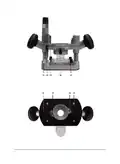
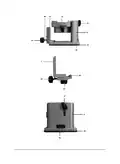
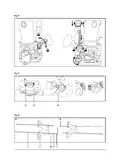
Product Familiarisation
1. Router
2. Spanner
for a while. Vibration could indicate an improperly installed bit
n) Take notice of the direction of rotation of the bit and the
direction of feed
o) Keep your hands away from the routing area and router
bit cutter. Hold the auxiliary handle or an insulated gripping
surface with your second hand
3. Collet
4. Hex Key
5. Guide Rails
p) NEVER start the router while the cutter is touching the
6. Guide Fence
7. Roller Guide
8. Trimmer Base
9. Plunge Base
10. ON/OFF Switch
11. Speed Dial
12. Brush Access Covers
13. Motor Vents
14. Power Cord
15. Power Plug
16. Spindle Lock Button
17. Collet Nut
18. Securing Hole
19. Dust Extraction Spout
20. Micro Winder
21. Micro Adjustment Guide
22. Handle
workpiece
q) Ensure the plunge spring is always fitted when using hand-
held
r) Ensure the cutter has completely stopped before plunging
to the collet lock position
s) The maximum speed of the router bit/cutter must be at
least as high as the maximum speed of the power tool
t) Parts of the router bits may become hot during operation.
Do not handle immediately after use to avoid risk of burns
u) Do not allow parts to come into contact with combustible
materials
EN
v) The shank size of the router cutter/bit must be matched
to the exact same size collet fitted to the router. Incorrectly
fitted router cutter/bits will rotate irregularly and have increased
vibration that could lead to loss of control
w) DO NOT press the spindle lock button, or attempt to switch
the tool into bit change mode while the router is operating
x) Keep pressure constant while cutting into the workpiece,
allowing the router bit cutter to dictate the speed of cut. DO
NOT force the tool and overload the motor
23. Guide Rail Slot
15

| General | Details |
|---|---|
| Name | triton TMNRTR Electric Router Instruction Manual |
| Make | TRITON |
| Language | English |
| Filetype | PDF (Download) |
| File size | 1.45 MB |
 (1 votes, average: 5.00 out of 5)
 Loading...
If you have any questions regarding triton TMNRTR Electric Router Instruction Manual, please ask here and describe the problem in detail.

triton TWX7 Router Table Module Instruction Manual


xiaomi CB0401 5G CPE Pro Router Instructions

HUAWEI WiFi AX3 WS7100 WiFi 6 Plus Dual Core Router User Guide

inseego 5G FG2000 Router User Guide

LINKSYS AX1800 Dual-Band WiFi 6 Router E7350 User Guide

eero N010001 AX1800 Dual Band Mesh WiFi 6 Router User Manual

TP-Link TL-WR3002X Wi-Fi 6 Portable Router Installation Guide

EWON EC71330 Cosy 131 Ethernet router Installation Guide

Cudy LT500 Wi-Fi 4G Router Installation Guide

REYEE AX3000 Home Wi-Fi Router Instruction Manual

DIGI WR21-M52A-DE1-TB TransPort WR21 Cellular Router User Guide