
Home > WIND telecom > WIND telecom Surf-i TD-LTE 4G Wireless Router User Manual
WIND telecom Surf-i TD-LTE 4G Wireless Router User Manual
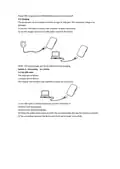
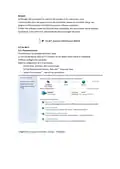
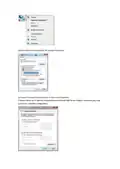
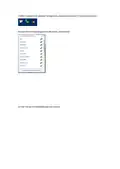

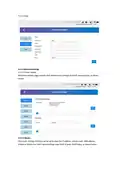

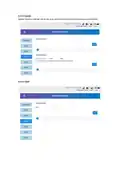


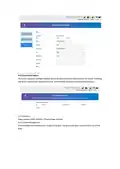
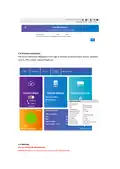


4.2.5.6 Other settings
Other settings interface, including reset and reset, shutdown, fast boot settings, PIN, SNTP code
management.
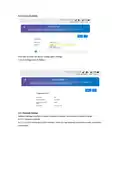
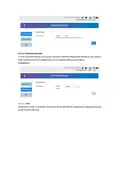
4.2.5.6.1 PIN Management
You can setup a PIN Code and enable or disable it on the security settings page.
Remark:
1) To change the PIN, please disconnect on the front page.
2) For detailed information about the SIM card, please consult the user’s network provider.
3) For the PIN, the maximum chances to enter it correctly is 3 times, PUK code number can be
entered incorrectly a maximun of 10 times.
4) Continuous input three times wrong PIN, SIM card will be locked, you need to enter the PUK to
unlock once this happens.

| General | Details |
|---|---|
| Name | WIND telecom Surf-i TD-LTE 4G Wireless Router User Manual |
| Make | WIND telecom |
| Language | English |
| Filetype | PDF (Download) |
| File size | 0.56 MB |
 (1 votes, average: 5.00 out of 5)
 Loading...
If you have any questions regarding WIND telecom Surf-i TD-LTE 4G Wireless Router User Manual, please ask here and describe the problem in detail.


ASUS RT-AX86U Pro Wireless-AX5700 Dual-Band Gigabit Router User Guide

ZTE MF296C WiFi Router User Manual

TP-Link TL-WR802N 300Mbps Wireless N Nano Router User Manual

Woodpeckers REV033122 Multi Router Instructions

LANCOM 1793VAW VPN Router User Guide

TELTONIKA RUT360100100 DIN Rail Router User Guide

TP-Link Archer AX12 Dual Band Wi-Fi 6 Router Installation Guide

D-Link DWR-933M Mobile Router Installation Guide

Synology RT6600AX Tri-Band Mesh 11ax Router Installation Guide

STARLINK Standard Gen 3 Router User Guide