
Home > WIND telecom > WIND telecom Surf-i TD-LTE 4G Wireless Router User Manual
WIND telecom Surf-i TD-LTE 4G Wireless Router User Manual
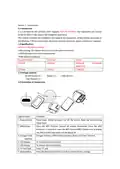
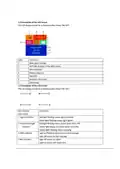
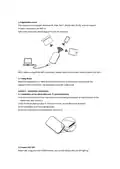
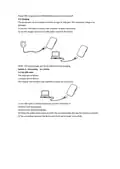
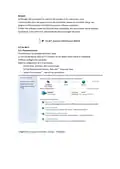
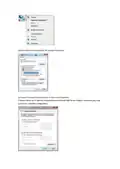
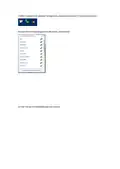
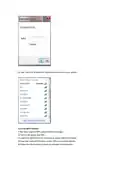
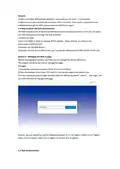

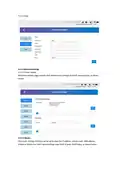

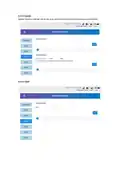


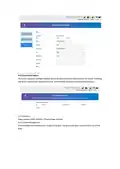
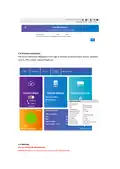
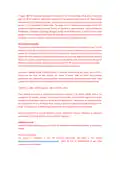


d) Click Internet Protocol (TCP/ IP), choose Properties.
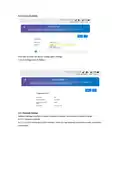
e) Choose Internet Protocol Version 4, then click Properties.
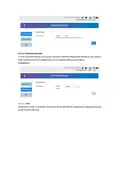
f) Select Obtain an IP Address Automatically and Obtain DNS Server Address Automatically, click
confirm to complete configuration.

| General | Details |
|---|---|
| Name | WIND telecom Surf-i TD-LTE 4G Wireless Router User Manual |
| Make | WIND telecom |
| Language | English |
| Filetype | PDF (Download) |
| File size | 0.56 MB |
 (1 votes, average: 5.00 out of 5)
 Loading...
If you have any questions regarding WIND telecom Surf-i TD-LTE 4G Wireless Router User Manual, please ask here and describe the problem in detail.


mafell LO65EC Wood Carving Hand Router Instruction Manual

alhua DH-AX18 Wireless Router User Manual

HUAWEI AX3 WiFi Pro Quad-Core WiFi 6 Router User Guide

MikroTik C52iG-5HaxD2HaxD-TC Wireless Router User Guide

ASUS AX7800 Tri Band WiFi Router User Guide

Tenda AC19 Dual Band Gigabit WiFi Router Installation Guide

inseego FW2000e Wavemaker 5G Outdoor CPE Router Owner’s Manual

cradlepoint S5A245A Router User Guide

Roam-ON R10 MiFi 4G LTE WiFi Mobile Hotspot Router User Manual

CNC3D QB2 CNC Router User Guide