
Home > WIND telecom > WIND telecom Surf-i TD-LTE 4G Wireless Router User Manual
WIND telecom Surf-i TD-LTE 4G Wireless Router User Manual
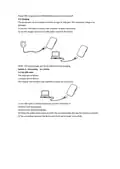
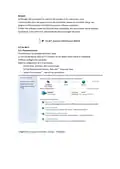
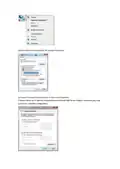
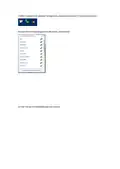

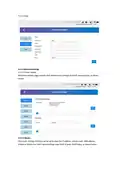

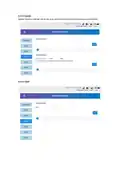


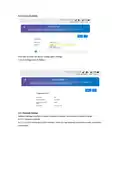
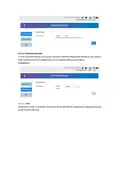
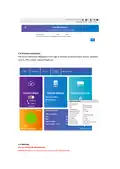


1.6 Application Scene
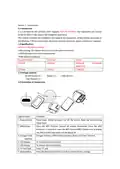
This equipment can support Windows XP, Vista, Win7, Win10, Mac OS etc, and can support
multiple connections via WIFI or
USB at the same time. Below diagram is only for reference.
NOTE: Before using of the WIFI connection, please make sure the client device supports the WiFi.
1.7 Sleep Mode
When the equipment is in WAN and battery mode and no devices are connected to the
equipment for certain time, the equipment will enter sleep mode.
Section 2 - Installation Instructions:
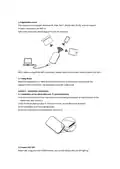
2.1 Installation of the Micro-SIM card, TF card and Battery
1) At the arrow position of the indentation on the drawing below,push to open the back of the
equipment, and remove it.
2) Put the Micro-SIM card and TF card into the slot, be mindful of the direction.
3) Put the battery in as the drawing shows.
4) Put the cover back on the equipment and close it.
2.2 Power ON/ OFF
Power ON: Long press the POWER Button, turn on the device, the LCD will light up

| General | Details |
|---|---|
| Name | WIND telecom Surf-i TD-LTE 4G Wireless Router User Manual |
| Make | WIND telecom |
| Language | English |
| Filetype | PDF (Download) |
| File size | 0.56 MB |
 (1 votes, average: 5.00 out of 5)
 Loading...
If you have any questions regarding WIND telecom Surf-i TD-LTE 4G Wireless Router User Manual, please ask here and describe the problem in detail.


Taiko Audio Extreme Router User Guide

casa systems NTC-500 AurusXT 5G IoT Router Instructions

AKYPACH A2 Wood Router Tool Compact Trim Router Instruction Manual

GlocalMe G4 Pro 4G LTE Mobile WiFi Router User Guide

robustel R2010 Dual SIM VPN IoT Router Instruction Manual

SNRMD2 Wi-Fi Router User Manual

Tenda RX12V1.0 Wi-Fi 6 6E Router Installation Guide

DrayTek 2136axx Multi Gigabit Ethernet Router Owner’s Manual

DrayTek Vigor2927 Dual-WAN VPN Firewall Router User Manual

LINKSYS E900 Wi-Fi Router User Manual