
Home > LANCOM SYSTEMS > LANCOM SYSTEMS IAP-4G Plus LTE 4G Router User Guide
LANCOM SYSTEMS IAP-4G Plus LTE 4G Router User Guide


Hardware
Power supply
12 V DC, external power adapter (230 V) with bayonet connector to secure against disconnection,
alternatively via Power-over-Ethernet compliant to IEEE 802.3at
B
D
E
a
a
f
A
C
Power consumption Max. power consumption: 12 W (12 V), 12 W (PoE)
4G Main
4G Aux
LANCOM IAP-4G+
Environment
Housing
Temperature range -20 to +50 °C; humidity 0-95 %; non-condensing
Robust metal housing, IP 50 protection class, for wall, mast and top-hat rail mounting, 210 mm x
152 mm x 32 mm (length/width/depth), weighs approx. 1.1 kg (without mounting materials)
Interfaces
ETH1
10 / 100 / 1000 Mbps auto-sensing, PoE as per IEEE 802.3at
10 / 100 / 1000 Mbps, autosensing
a b cd
e
ETH2
External antenna
connectors
Two SMA connectors
Config
ETH2
ETH1 (PoE)
a ETH1, ETH2
Off
d 4G
Config (Com)
Serial configuration interface / COM port (10-pin connector): 19,200 - 115,000 baud
Wall mounting
Use the supplied screws to fix the back plate to the
wall using the holes A, C and E.
Top-hat rail mounting*
Off
Cellular interface disabled
Connection to cellular network active
Cellular data transfer
No networking device attached
b
c
d
e
Declaration of Conformity
Using the supplied screws, attach the two top-hat
rail clips to the holes A and C. Do not yet tighten
the screws completely; leave some play to adjust the
alignment of the clips.
Green, permanently
Green, flickering
Green, permanently* Connection to network device operational,
no data traffic
LTE-/ 4G antennas
Screw the supplied antennas onto the terminals 4G Main and
4G Aux.
Hereby, LANCOM Systems GmbH | Adenauerstrasse 20/B2 | D-52146 Wuerselen, declares that this device is in compliance
with Directives 2014/30/EU, 2014/53/EU, 2014/35/EU, 2011/65/EU, and Regulation (EC) No. 1907/2006. The full text of the
EU Declaration of Conformity is available at the following Internet address:
a
b
Green, flickering
Data transmission
Orange, permanently Logon to cellular network
successful
1x green inverse
blinking*
Connection to the LMC active, pairing OK,
device not claimed
Orange, blinking
Red, permanently
Red / green, blinking
Logging on to cellular network
Hardware error/module unavailable
SIM card error (PIN)
Package content
Pole mounting*
For mast mounting, use the supplied screws to fix
the clamp profile through the holes B and D.
Power
2x green inverse
blinking*
Pairing error, resp.
LMC activation code not available
Documentation
Cable**
Quick Reference Guide(DE/EN)
After connecting the cable to the device, turn the connector 90°
clockwise to prevent it from accidental unplugging.
Use only the supplied power adapter.
Ethernet cable, 3m
3x green inverse
blinking*
LMC not accessible, resp.
communication error
Red / orange, blinking Uploading module firmware
Antennas
Two 2 dBi dipole UMTS / LTE antennas (850-960 Mhz and 1700-2200 Mhz)
Power adapter**
External power supply adapter (230 V) 12 V / 2 A DC/S; barrel / bayonet (EU),
LANCOM item no. 111303 (not for WW devices)
e Power
b VPN
Serial configuration interface
Configuring the device via the serial interface requires a serial
configuration cable (available as an accessory).
c
d
Off
Device switched off
Device operational
Off
VPN connection inactive
VPN connection active
VPN connecting
** Not included with bulk items
Green, permanently
Green, permanently
Green, flashing
Green / orange,
blinking
Configuration password not set. Without a
configuration password, the configuration
data in the device is unprotected.
Reset button
LANCOM IAP-4G+
Quick Reference Guide
c Signal
Pressed up to 5 seconds: device restart
Pressed until first flashing up of all LEDs:
configuration reset and device restart
Red, blinking
Charge or time limit reached
Off
No cellular reception
Green, permanently
Good signal strength,
greater than or equal to -70 dB
Ethernet interfaces
Use the Ethernet cable to connect one of the interfaces ETH1 or
ETH2 to your PC or a LAN switch. Alternatively, you can connect
one of the ETH interfaces to the PoE Injector’s ‘Power Out’ connec-
tor.
Orange, permanently Medium signal strength,
field strength between -86 and -71 dB
Low signal strength,
field strength less than -87 dB
e
f
Orange, blinking
SIM card slot
Slide the SIM card into the slot of the SIM card holder. Please note
the marking for the correct position of the card.
Align the four openings on the rear of the device housing with the clips on the base plate and snap-fit the
device.
Top-hat rail mounting only
Snap the two top-hat rail clips onto the required position on the top-hat rail.
SIM
Cloud-ready
Mast mounting only
Insert the supplied worm-drive clip (or one suitable for your pole diameter) around the mounting clamp profile.
Finally, adjust the worm-drive clip to fix the device in the desired position on the mast.
To prevent the device from overvoltage damage, an overvoltage-protected power supply is strongly
recommended.
Antennas are only to be attached or exchanged when the device is switched off. Mounting or demounting
antennas while the device is switched on may cause the destruction of the Wi-Fi module!
6
5
Optional: Secure with a Kensington lock
The left side of the device features a slot for a Kensington lock. The Kensington lock securely fixes the device to
the mounting plate.
Before initial startup, please make sure to take notice of the information regarding the intended use in the
enclosed installation guide!
Operate the device only with a professionally installed power supply at a nearby power socket that is
freely accessible at all times.
This product contains separate open-source software components which are subject to their own licenses, in particular the
General Public License (GPL). The license information for the device firmware (LCOS) is available on the device‘s WEBconfig
interface under “Extras > License information“. If the respective license demands, the source files for the corresponding
software components will be made available on a download server upon request.
*) The additional power LED statuses are displayed in 5-seconds
rotation if the device is configured to be managed by the LANCOM
Management Cloud.
* With the IAP Mount (item no. 61647), available separately


| General | Details |
|---|---|
| Name | LANCOM SYSTEMS IAP-4G Plus LTE 4G Router User Guide |
| Make | LANCOM SYSTEMS |
| Language | English |
| Filetype | PDF (Download) |
| File size | 1.31 MB |
 (1 votes, average: 5.00 out of 5)
 Loading...
If you have any questions regarding LANCOM SYSTEMS IAP-4G Plus LTE 4G Router User Guide, please ask here and describe the problem in detail.

LANCOM SYSTEMS 1800EF-4G High Availability Networking Via Fiber Router Owner’s Manual

LANCOM SYSTEMS 1930EF Gigabit Ethernet Black Wired Router User Guide

LANCOM SYSTEMS 1790-4G+ High-Performance VPN Router Installation Guide

LANCOM SYSTEMS 1790VAW GmbH Performance Router User Guide

LANCOM SYSTEMS 1800EFW-5G Router Installation Guide

LANCOM Systems 1780EW-4G+ High Performance Mobile VPN Router User Guide

LANCOM Systems 1793VA VDSL Voip VPN Router User Guide

LANCOM SYSTEMS LANCOM OAP-830 Wireless Router User Guide

LANCOM SYSTEMS LANCOM 1790-4G Plus High-Performance VPN Router Instruction Manual

LANCOM SYSTEMS VPN 1900EF Router Instruction Manual


KEENETIC KN-1310 Wireless Router User Guide

Cudy LT700 4G LTE CAT 6 Wi-Fi Router Installation Guide

Spectrum RAC2V1S WiFi 5 Wave 2 Router User Guide

LINOVISION IOT-R32 Wholesale Rugged and Versatile Cellular Router User Guide

AKYPACH 15PCS Wood Router Instruction Manual

DrayTek Vigor 1000B Multi WAN Load Balancing Router User Guide

Cudy WR3000E Gigabit Mesh WiFi 6 Router Installation Guide

MERCUSYS MB110-4G LTE Router User Guide
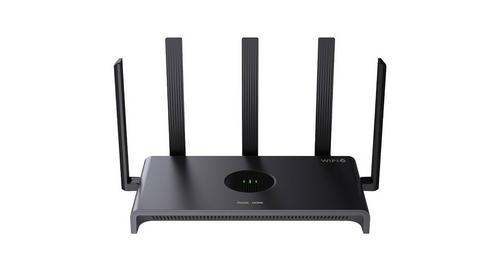
REYEE AX3000 Home Wi-Fi Router Instruction Manual

atop Technologies AWR5805, AWR5805P Wireless Router Installation Guide