
Prana Air Ambient Lite GSM Router Instruction Manual



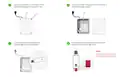





Your device is added successfully. You can
see your added device under the "My Devices"
section of the AQI App. Check the device's online
status after 5 minutes. If offline, verify the power
source, and WiFi connection.
Click on your device card in "My Devices" to
get a detailed view of the monitored data.
Click on the “Edit button” to edit the details
of the device.
7
8
N
O
T
E
:
Please ensure the device is
successfully added to the AQI
app and has established
an online connection.
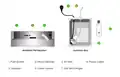
Ambient PM
PM2.5 : 81
Ambient PM
Status :
Device Online
PM2.5 : 81
Ambient PM
PM2.5 : 81
Status :
Device Offline
NOTE : The device will continue to display as online for 30 minutes even after going offline.

| General | Details |
|---|---|
| Name | Prana Air Ambient Lite GSM Router Instruction Manual |
| Make | Prana Air |
| Language | English |
| Filetype | PDF (Download) |
| File size | 2.74 MB |
 (1 votes, average: 5.00 out of 5)
 Loading...
If you have any questions regarding Prana Air Ambient Lite GSM Router Instruction Manual, please ask here and describe the problem in detail.


REYEE RG-E6 WiFi 6 Router Installation Guide

ASUS RTAX6P00 ZenWiFi Hybrid MoCA Mesh Router User Manual

TP-Link TL-ER7206 Omada Gigabit VPN Router Installation Guide

Tenda AC9 AC1200 Dual Band Gigabit WiFi Router Installation Guide

mikrotik RB750UPr2 hEX PoE Lite is a Router User Guide

SIEMENS PXG3.L BACnet Router Instruction Manual

Netcomm NF18MESH Upgraded WiFi Router User Guide

Juniper NETWORKS SSR1300 Smart Router User Guide

TP-Link C5400X Wireless Router Installation Guide

UBIQUITI ER-X-SFP Edge Router User Guide