
UfiSpace S9501-28SMT Gateway Router Installation Guide













6 Installing Fan Modules
The fan modules are hot swappable field replaceable units (FRUs), which can be replaced while the
router is operating as long as all the remaining modules are installed and in operation. The fans
come pre‐installed and the following steps are instructions on how to install a new fan module.
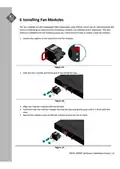
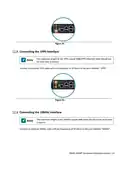
1. Loosen the captive screw located on the fan module.
Figure 13.
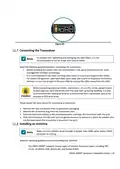
2. Grip the fan's handle and firmly pull it out of the fan bay.
Figure 14.
3. Align the new fan module with the fan bay.
4. Carefully slide the new fan module into the fan bay and gently push until it is flush with the
case.
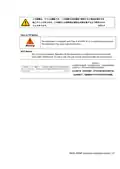
5. Secure the captive screw on the fan module to lock the fan in place.
Figure 15.
S9501‐28SMT Hardware Installation Guide | 11

| General | Details |
|---|---|
| Name | UfiSpace S9501-28SMT Gateway Router Installation Guide |
| Make | UfiSpace |
| Language | English |
| Filetype | PDF (Download) |
| File size | 0.77 MB |
 (1 votes, average: 5.00 out of 5)
 Loading...
If you have any questions regarding UfiSpace S9501-28SMT Gateway Router Installation Guide, please ask here and describe the problem in detail.

UfiSpace S9500-30XS Gateway Router Installation Guide

ufiSpace S9600-72XC Router Installation Guide

UfiSpace S9600-64X 100G Aggregation Router Installation Guide

UfiSpace S9600-32X 100G Aggregation Router Installation Guide


ZTE MC888 Ultra 5G Router Instruction Manual

D-Link M30 AQUILA PRO AI AX3000 Wi-Fi 6 Smart Mesh Router User Manual

Harvilon MT6833 5G Portable Wi-Fi Hotspot Esim Router User Guide

LINKSYS EA7500 AC1900 Max Stream Wifi Router User Guide

TP-Link AC1200 Wireless Dual Band Router Installation Guide

TCL HH512LV Linkhub 5G WLAN Router User Guide

MikroTik RB750r2 hEX Lite Router User Guide

TP-Link VR2100v Wireless Mu Mimo VDSL ADSL Modem Router Instruction Manual

Ridgid R860443 18-VOLT CORDLESS COMPACT ROUTER User Guide

mine media M4 4g LTE Bonding Router User Manual