
UfiSpace S9501-28SMT Gateway Router Installation Guide


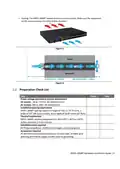


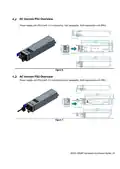
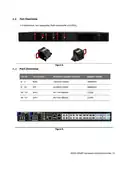

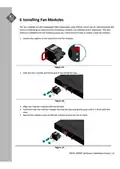
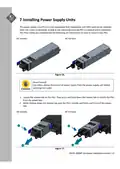

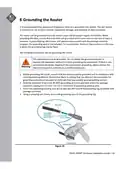


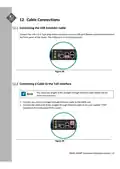
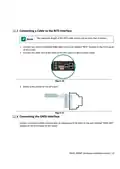
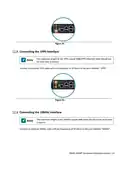
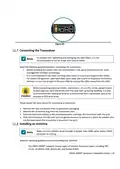





Figure 34.
Connecting the Transceiver
To prevent over tightening and damaging the optic fibers, it is not
recommended to use tie wraps with optical cables.
Read the following guidelines before connecting the transceiver:
• Before installing the router, take into consideration rack space requirements for cable
management and plan accordingly.
• It is recommended to use hook‐and‐loop style straps to secure and organize the cables.
• For easier management, label each fiber‐optic cable and record its respective connection.
• Maintain a clear line of sight to the port LEDs by routing the cables away from the LEDs.
Before connecting anything (cables, transceivers, etc.) to the router, please ensure
to discharge any static electricity that may have built up during handling. It is also
recommended the cabling be done by a professional who is grounded, such as by
wearing an ESD wrist strap.
Please follow the steps below for connecting a transceiver.
1. Remove the new transceiver from its protective packaging.
2. Remove the protective plug from the transceiver port.
3. Place the bail (wire handle) in the unlocked position and align the transceiver with the port.
4. Slide the transceiver into the port and use gentle pressure to secure it in place. An audible click
can be heard when the transceiver is secured in the port.
Installing an Antenna
Make sure the satellite signal strength is greater than 30db, when using a GNSS
simulator for testing.
Read the following guidelines before installing your antenna.
•
The S9501‐28SMT supports various types of receiver frequency types, including GPS
L1C/A, GLONASS L1OF, BeiDou B1, and Galileo E1B/C.
S9501‐28SMT Hardware Installation Guide | 24

| General | Details |
|---|---|
| Name | UfiSpace S9501-28SMT Gateway Router Installation Guide |
| Make | UfiSpace |
| Language | English |
| Filetype | PDF (Download) |
| File size | 0.77 MB |
 (1 votes, average: 5.00 out of 5)
 Loading...
If you have any questions regarding UfiSpace S9501-28SMT Gateway Router Installation Guide, please ask here and describe the problem in detail.

UfiSpace S9500-30XS Gateway Router Installation Guide

ufiSpace S9600-72XC Router Installation Guide

UfiSpace S9600-64X 100G Aggregation Router Installation Guide

UfiSpace S9600-32X 100G Aggregation Router Installation Guide


Winext GW5000 A Grade Gateway Router Instructions

SIEMENS PXG3.L BACnet Router Instruction Manual

NETGEAR RS280S Nighthawk WiFi 7 Tri-Band Router Owner’s Manual

TP-Link Archer AX55 Pro AX3000 Multi-Gigabit Wi-Fi 6 Router Installation Guide

cradlepoint S5A245A Router User Guide

airlive XG-XGS OLT MESH Router User Guide

NETGEAR MR6450 Nighthawk M6 5G Wi-Fi 6 Mobile Router User Guide
NETGEAR Nighthawk AXE11000 Tri-Band WiFi 6E Router RAXE500 User Manual

TRUEFIT BAC-5051A E Airflow Measurement System Router User Guide

D-Link EXO AX AX1800 Wi-Fi Router User Guide