
ELTEC CYBOX RT 2-A Wireless Automotive Router Installation Guide
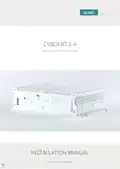








CYBOX RT 2-A
DISCLAIMER
Copyright
© 2021 ELTEC Elektronik AG. The information, data, and figures in this document including respective
references have been verified and found to be legitimate. In particular in the event of error they may,
therefore, be changed at any time without prior notice. The complete risk inherent in the utilization of this
document or in the results of its utilization shall be with the user; to this end, ELTEC Elektronik AG shall not
accept any liability. Regardless of the applicability of respective copyrights, no portion of this document
shall be copied, forwarded or stored in a data reception system or entered into such systems without the
express prior written consent of ELTEC Elektronik AG, regardless of how such acts are performed and what
system is used (electronic, mechanic, photocopying, recording, etc.). All product and company names are
registered trademarks of the respective companies.
Our General Business, Delivery, Offer, and Payment Terms and Conditions shall otherwise apply.
SAFETY INFORMATION
Electrical safety
WARNING
The device can be operated with voltages up to 32 V DC.
Incorrect handling risks causing a fatal electrical shock.
Before connecting the power supply, connect the device to protective earth.
General advice
•
•
•
•
Only qualified personnel is allowed to install, operate and maintain the devices.
Please take safety precautions against electrostatic discharge (ESD).
Access to the devices may only be granted to qualified personnel.
To prevent the risk of electric shock, turn off the external power supply and remove the power
supply cable from the electrical outlet before handling or disassembling the system.
•
•
•
When adding or removing devices to or from the system, ensure that the power cables for the
devices are unplugged before the signal cables are connected.
Make sure that your power supply is set to the correct voltage in your area. If you are not sure about
the voltage of the electrical outlet you are using, contact your local power company.
If the power supply is broken, do not try to fix it by yourself. Contact a qualified service technician or
your retailer.
III

| General | Details |
|---|---|
| Name | ELTEC CYBOX RT 2-A Wireless Automotive Router Installation Guide |
| Make | ELTEC |
| Language | English |
| Filetype | PDF (Download) |
| File size | 0.29 MB |
 (1 votes, average: 5.00 out of 5)
 Loading...
If you have any questions regarding ELTEC CYBOX RT 2-A Wireless Automotive Router Installation Guide, please ask here and describe the problem in detail.

ELTEC CYBOX RT 2-A Automotive Wireless Router Instructions


Kajeet 975 SmartSpot Network Router User Guide

NETGEAR PR460X Multi-Gigabit Dual WAN Pro Router Installation Guide

SEI ROBOTICS SEI540 ATV STB + Wireless Router User Manual

NETGEAR NIGHTHAWK RS Series Dual Band Wi-Fi 7 Router Instruction Manual

TP-Link Archer AX55 Pro AX3000 Multi-Gigabit Wi-Fi 6 Router Installation Guide

Edge-corE AS9947-36XKB AC Ethernet Switch and Router User Guide

peplink MAX BR1 Pro 5G Cellular WiFi Router User Manual

DBIT AC1200 Dual Band WiFi Router Instructions

FiberHome SR120CC Smart Router User Manual

mafell LO65EC Wood Carving Hand Router Instruction Manual