
UfiSpace S9500-30XS Gateway Router Installation Guide












6 Installing Fan Modules
The fan modules are hot swappable field replaceable units (FRUs), which can be replaced while the
router is operating as long as all the remaining modules are installed and in operation. The fans
come pre‐installed and the following steps are instructions on how to install a new fan module.
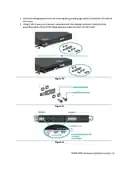
1. Loosen the captive screw located on the fan module.
Figure 13.
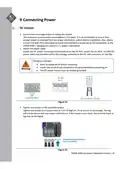
2. Grip the fan's handle and firmly pull it out of the fan bay.
Figure 14.
3. Align the new fan module with the fan bay.
4. Carefully slide the new fan module into the fan bay and gently push until it is flush with the
case.
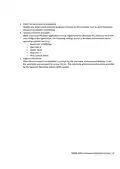
5. Secure the captive screw on the fan module to lock the fan in place.
Figure 15.
S9500‐30XS Hardware Installation Guide | 11

| General | Details |
|---|---|
| Name | UfiSpace S9500-30XS Gateway Router Installation Guide |
| Make | UfiSpace |
| Language | English |
| Filetype | PDF (Download) |
| File size | 0.75 MB |
 (1 votes, average: 5.00 out of 5)
 Loading...
If you have any questions regarding UfiSpace S9500-30XS Gateway Router Installation Guide, please ask here and describe the problem in detail.

ufiSpace S9600-72XC Router Installation Guide

UfiSpace S9600-64X 100G Aggregation Router Installation Guide

UfiSpace S9600-32X 100G Aggregation Router Installation Guide

UfiSpace S9501-28SMT Gateway Router Installation Guide


Siretta GPS 5G NR Router User Guide

PRISMXR P1411 Streaming Link Air Bridge WiFi6 Router User Guide

westermo MRD-405 4G LTE Router User Guide

Helmholz LTE11 Router Owner’s Manual

TP-Link TL-WR3002X Wi-Fi 6 Portable Router Installation Guide

LANCOM SYSTEMS LANCOM OAP-830 Wireless Router User Guide

Tenda 5G03 Wi-Fi 6 5G NR Router Installation Guide

HITRON CODA-4582 Cable Modem Router User Guide

TELTONIKA Networks RUT950 Cellular Router User Guide

Cisco RV160 Router User Guide