
Home > FALCON technology > FALCON technology 4G Combo Combined Antenna and Router User Manual
FALCON technology 4G Combo Combined Antenna and Router User Manual



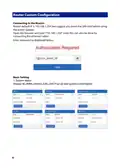




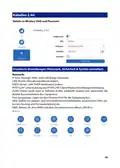


WAN
Options to choose DHCP, Static (fixed IP) or PPPoE
DHCP is the standard in this devise and may change over time depending on your
ISP. Static is fixed and will never change. PPPoE allows the modem to be a part of
the network that multiple users can utilize instead of being connected directly to
the computer. We suggest not changing these settings.
8

| General | Details |
|---|---|
| Name | FALCON technology 4G Combo Combined Antenna and Router User Manual |
| Make | FALCON technology |
| Language | English |
| Filetype | PDF (Download) |
| File size | 0.63 MB |
 (1 votes, average: 5.00 out of 5)
 Loading...
If you have any questions regarding FALCON technology 4G Combo Combined Antenna and Router User Manual, please ask here and describe the problem in detail.


Tenda 4G05 Wi-Fi N300 4G LTE Router Installation Guide

VEVOR 0700C Wood Router User Manual

mine media M4 4g LTE Bonding Router User Manual

NRadio Technologies CC 4G LTE Router Installation Guide

GUBIA CPE 4G LTE Wireless Router User Manual

Draytek Vigor C410 Series VPN Router User Guide

TP-Link Archer MR505 Wireless Dual Band Gigabit Router Installation Guide

MERCURY RT-N10E Wireless N150 Router Instructions

D-LINK DWR-978 5G AC2600 Wi-Fi Router User Guide

Woodline DadoRight Dado Jig for Router Instructions