
×
- 1. Ax1800 Dual-band Wi-fi 6 Router (Installation → Setup → Configuration → Network Settings → Troubleshooting → Safety Information)
- 2. About This Guide (Connect The Hardware → Log In To Your Router → Set Up Internet Connection → Use Quick Setup Wizard → Manually Set Up Your Internet Connection → Set Up The Router As An Access Point)
- 3. Maximum Wireless Signal Rates (Use Of 802.11ax (wi-fi 6) → Standardized Modifications To Ieee 802.11 → ,000 Mbps Internet Speeds → Use Of Wpa3 → Router Compatibility With Ieee 802.11ax)
- 4. Get To Know About Your Router (Product Overview → Appearance → Top Panel)
- 5. Get To Know About Your Router (The Back Panel → Button And Port Explanation)
- 6. Get To Know About Your Router (Reset Button → Wps/wi-fi Button → Antennas)
- 7. Connect The Hardware (Position Your Router → Connect Your Router)
- 8. Connect The Hardware (Position Your Router → Connect Your Router)
- 9. Connect The Hardware (Method 1: Wired → Method 2: Wirelessly → Method 3: Use The Wps Button)
- 10. Log In To Your Router
- 11. Log In To Your Router (Set Up The Tcp/ip Protocol → Visit Http://tplinkwifi.net → Create A Login Password → Refer To The Faq Section → Tp-link Id And Cloud Router Login)
- 12. Set Up Internet Connection (Use Quick Setup Wizard → Quick Setup Via Tp-link Tether App → Manually Set Up Your Internet Connection → Set Up The Router As An Access Point → Set Up An Ipv6 Internet Connection)
- 13. Set Up Internet Connection (Use Quick Setup Wizard → Set Up An Ipv6 Internet Connection → Quick Setup Via Tp-link Tether App → Tp-link Cloud Service)
- 14. Set Up Internet Connection (Manually Set Up Your Internet Connection → Connect Your Device To The Routers Wireless Network → Log In With Your Tp-link Id → Modify Internet Connection Settings → Select Your Internet Connection Type → Follow The Instructions On The Page)
- 15. Set Up Internet Connection (Static Ip → Pppoe)
- 16. Set Up Internet Connection (Secondary Connection → Dynamic Ip And Pppoe Configuration → Advanced Network Configuration → Faq Section)
- 17. Set Up Internet Connection (Set Up The Router As An Access Point → Set Up An Ipv6 Internet Connection)
- 18. Set Up Internet Connection (Enable Ipv6 → Fill In Information As Required By Different Connection Types → Static Ip → Dynamic Ip(slaac/dhcpv6) → Pppoe)
- 19. Set Up Internet Connection (Manually Set Up Your Internet Connection → To4 Tunnel → Pass-through (bridge))
- 20. Set Up Internet Connection (Configure Lan Ports → Check Ipv6 Connection → Visit The Faq Section)
- 21. Register A Tp-link Id (Change Your Tp-link Id Information → Manage The User Tp-link Ids → Manage The Router Via The Tp-link Tether App)
- 22. Register A Tp-link Id (Change Your Tp-link Id Information)
- 23. Tp-link Cloud Service (Manage The User Tp-link Ids)
- 24. Tp-link Cloud Service (Add Tp-link Id To Manage The Router → Remove Tp-link Id(s) From Managing The Router)
- 25. Manage The Router Via The Tp-link Tether App (Launch The Apple App Store Or Google Play Store → Connect Your Device To The Routers Wireless Network → Log In With Your Tp-link Id → Register A Tp-link Id)
- 26. Guest Network (Create A Network For Guests → Customize Guest Network Options)
- 27. Create A Network For Guests (Warning → Customize The Ssid → Select The Security Type)
- 28. Guest Network (Customize Guest Network Options)
- 29. Guest Network (Allow Guests To Access Your Local Network)
- 30. Usb Settings (Access The Usb Storage Device → Media Sharing → Time Machine)
- 31. Usb Settings (Access The Usb Storage Device → Access The Usb Device Locally)
- 32. Usb Settings (Access The Usb Device Remotely → To Set Up Authentication For Data Security → To Customize The Address Of The Usb Storage Device)
- 33. Usb Settings (Configure Remote Access Settings → Internet Ftp → Save)
- 34. Usb Settings (Set Up Authentication For Data Security → Customize The Access Settings → Access With The Username And Password → Set Up A Dynamic Dns Service Account → Customize The Address Of The Usb Storage Device → Use A Third-party App For Network Files Management)
- 35. Usb Settings (To Only Share Specific Content → To Set Up Authentication For Data Security)
- 36. Usb Settings (Media Sharing)
- 37. Usb Settings (Time Machine)
- 38. Usbsettings (Timemachine → Sizelimitforbackups → Save)
- 39. Parental Controls (Setting Up Access Restrictions → Monitoring Internet Usage)
- 40. Parental Controls (Setting Up Access Restrictions → Blocked Content)
- 41. Parental Controls (Set Time Restrictions On Internet Access)
- 42. Parental Controls (Monitoring Internet Usage → Setting Up Access Restrictions)
- 43. Parentalcontrols
- 44. Qos
- 45. Enableqosandsetbandwidthallocation (Go Toadvanced>qos>globalsettings → Ticktoenableqos → Inputthemaximumuploadanddownloadbandwidth → Clicksave → In Thedeviceprioritysection → Toggleonpriority)
- 46. Set Up A Onemesh Network (Manage Devices In The Onemesh Network)
- 47. Onemesh With Seamless Roaming (Same Network Name & Password → Internet → Unified Wi-fi Network → Seamless Roaming → Easy Setup And Management → Set Up A Onemesh Network)
- 48. Onemesh With Seamless Roaming (Connect A Onemesh Extender To This Router → Check Full List Of Tp-link Onemesh Devices → Set Up The Extender To Join The Onemesh Network → Find It In The Available Onemesh Devices List → Click Add To Add It To The Onemesh Network → Router And Extender Successfully Form A Onemesh Network!)
- 49. Onemesh With Seamless Roaming (Manage Devices In The Onemesh Network → View Mesh Devices And Connected Clients → Manage A Onemesh Device In The Network)
- 50. Onemesh With Seamless Roaming (Manage The Onemesh Device As Needed → Change Device Information → Click Manage Device To Redirect To The Web Management Page Of This Device → Click Leave Onemesh To Delete This Device From The Onemesh Network)
- 51. Protect The Network From Cyber Attacks (Access Control → Ip & Mac Binding)
- 52. Protect The Network From Cyber Attacks (Access Control)
- 53. Network Security (Allow Specific Device(s) → Add Connected Devices)
- 54. Network Security (Add Unconnected Devices → Ip & Mac Binding)
- 55. Network Security (Ip & Mac Binding → Bind Your Device(s) According To Your Need)
- 56. Network Security
- 57. Sharelocalresourcesontheinternetbyportforwarding (Openportsdynamicallybyporttriggering → Makeapplicationsfreefromportrestrictionbydmz → Makexboxonlinegamesrunsmoothlybyupnp)
- 58. Nat Forwarding (Share Local Resources On The Internet By Port Forwarding → Assign A Static Ip Address To Your Pc → Visit Http://tplinkwifi.net → Go To Advanced > Nat Forwarding > Port Forwarding)
- 59. Nat Forwarding (View Common Services → View Connected Devices → Device Ip Address → Save → Tips)
- 60. Nat Forwarding (Set Up A Dynamic Dns Service Account → Open Ports Dynamically By Port Triggering → Configure The Port Triggering Rules)
- 61. Natforwarding (Makeapplicationsfreefromportrestrictionbydmz → Tips)
- 62. Nat Forwarding (Assign A Static Ip Address To Your Pc → Enable Dmz → Make Xbox Online Games Run Smoothly By Upnp)
- 63. Nat Forwarding (Upnp)
- 64. Vpn Server (Use Openvpn To Access Your Home Network → Use Pptp Vpn To Access Your Home Network)
- 65. Useopenvpntoaccessyourhomenetwork (Setupopenvpnserveronyourrouter → Configuredynamicdnsservice → Generateacertificate → Selectservicetype → Entervpnserviceport → Entervpnsubnetnetmask)
- 66. Vpn Server (Configure Openvpn Connection On Your Remote Device → Use Pptp Vpn To Access Your Home Network → Set Up Pptp Vpn Server On Your Router)
- 67. Vpn Server (Enable Pptp → Dynamic Dns Service → Client Ip Address → Pptp Connection Permission → Save → Pptp Vpn Connection Account)
- 68. Vpn Server (Configure Pptp Vpn Connection On Your Remote Device → Set Up A New Connection Or Network → Connect To A Workplace)
- 69. Vpn Server
- 70. Vpn Server
- 71. Vpn Server
- 72. Customizeyournetworksettings (Change Thelansettings → Configuretosupportiptvservice → Specifydhcpserversettings → Setupadynamicdnsserviceaccount → Createstaticroutes → Specifywirelesssettings)
- 73. Change Thelansettings (Configuretosupportiptvservice)
- 74. Customizeyournetworksettings (Enableiptv/vlan → Selecttheappropriatemode → Selectbridgeifyourispisnotlisted → Selectcustomifyourispisnotlistedbutprovidesnecessaryparameters → Clicksave → Connecttheset-topboxtothecorrespondinglanport)
- 75. Customizeyournetworksettings (Specifydhcpserversettings → Visithttp://tplinkwifi.net → Go Toadvanced>network>dhcpserver → Tospecifytheipaddress → Toreserveanipaddressforaspecifiedclientdevice)
- 76. Customizeyournetworksettings (Setupadynamicdnsserviceaccount)
- 77. Customizeyournetworksettings (Createstaticroutes)
- 78. Customize Your Network Settings (Change The Routers Lan Ip Addresses → Disable Router Bs Dhcp Function → Visit Http://tplinkwifi.net → Log In With Your Tp-link Id → Go To Advanced > Network > Routing → Click Add And Finish The Settings)
- 79. Customizeyournetworksettings (Subnetmask → Defaultgateway → Interface → Description → Specifywirelesssettings)
- 80. Customizeyournetworksettings (Enableordisablewirelessfunction → Changewirelessnetworkname(ssid)andwirelesspassword → Hidessid → Usesmartconnectfunction)
- 81. Customizeyournetworksettings (Changethesecurityoption → Wpawpa2personalorwpawpa2enterprise → Wpa2wpa3personal → Transmitpower → Channelwidth → Channel)
- 82. Customizeyournetworksettings (Scheduleyourwirelessfunction)
- 83. Customizeyournetworksettings (Usewpsforwirelessconnection → Connectviatheclientspin → Connectviatherouterspin)
- 84. Customizeyournetworksettings (Pushthewpsbutton → Advancedwirelesssettings)
- 85. Customizeyournetworksettings (Wmm → Shortgi → Apisolation → Airtimefairness → Beaconinterval → Rtsthreshold)
- 86. Manage The Router (Upgrade The Firmware → Backup And Restore Configuration Settings → Change The Login Password → Password Recovery → Local Management → Remote Management)
- 87. Manage The Router (Upgrade The Firmware → Online Upgrade)
- 88. Manage The Router (Local Upgrade → Backup And Restore Configuration Settings)
- 89. Manage The Router (Restore Configuration Settings → Reset The Router Except Your Login Password And Tp-link Id → Reset The Router To Factory Default Settings)
- 90. Change The Login Password (Password Recovery)
- 91. Manage The Router (Local Management)
- 92. Manage The Router (Allow All Lan Connected Devices To Manage The Router → Allow Specific Devices To Manage The Router)
- 93. Manage The Router (Remote Management)
- 94. Manage The Router (Set Up A Dynamic Dns Service Account → Remote Management → System Log)
- 95. Manage The Router (Save Log → Send The System Log To A Mailbox)
- 96. Manage The Router (Test The Network Connectivity)
- 97. Manage The Router (Diagnostics → Ping → Traceroute → Ip Address Or Domain Name → Ping Count → Ping Packet Size)
- 98. Manage The Router (Set Up System Time → Get Time From The Internet)
- 99. Manage The Router (Set Time → Get From Managing Device → Manually Set The Date And Time → Set Up Daylight Saving Time)
- 100. Manage The Router (Set The Router To Reboot Regularly → Reboot Schedule)
- 101. Manage The Router (Control The Led → Night Mode → Led Control)
- 102. Wireless Password Recovery (Web Management Password Reset → Router Reset Instructions → Logging Into The Router's Web Management Page → Ip Address Configuration → Network Settings Verification)
- 103. Lan Settings (Advanced → Restore Advanced Settings)
- 104. Reset The Router To Factory Default Settings (Reconfigure The Router To Surf The Internet → Check Internet Status → Manually Configure The Dns Server → Enter 8.8.8.8 As Primary Dns)
- 105. Restart The Modem And The Router (Reset The Router To Factory Default Settings And Reconfigure The Router → Upgrade The Firmware Of The Router → Check The Tcp/ip Settings On The Particular Device → Make Sure The Physical Connection Between The Router And The Modem Is Proper → Clone The Mac Address Of Your Computer)
- 106. Visit Http://tplinkwifi.net, And Log In With Your Tp-link Id Or The Password You Set For The Router.
- 107. Power Off Your Modem And Router (Confirm Your Internet Connection Type → Visit Http://tplinkwifi.net → Select Your Internet Connection Type → Click Save → Restart The Modem And The Router Again → Please Upgrade The Firmware Of The Router)
- 108. Make Sure The Wireless Adapter Driver Is Installed Successfully And The Wireless Adapter Is Enabled. (On Windows 7 → On Windows Xp → Check The Wlan Led Indicator On Your Wireless Router/modem. → Make Sure Your Computer/device Is Still In The Range Of Your Router/modem. → Go To Wireless Or Advanced > Wireless > Wireless Settings.)
- 109. Check The Wireless Signal Strength Of Your Network (Change The Wireless Channel Of The Router → Re-install Or Update The Driver For Your Wireless Adapter)
- 110. Fcc Rf Radiation Exposure Statement (Compliance With Fcc Rf Exposure Requirements → Equipment Compliance Information Statement → Product Information → Installation And Use Instructions → Contact Information)
- 111. Caution (Radiation Exposure Statement → Industry Canada Statement → Korea Warning Statements → Ncc Notice & Bsmi Notice)
- 112. Safety Information (Explanations Of The Symbols On The Product Label → Recycling)
×
TP-Link Archer AX20 AX1800 WiFi 6 WiFi Router User Guide








Chapter 10
Network Security
•
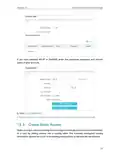
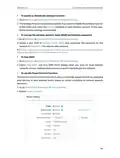
To bind the unconnected device:
1 ) Click
in the Binding List section.
2 ) Enter the MAC Address and IP Address that you want to bind.
3 ) Click SAVE.
Done!
Now you don’t need to worry about ARP spoofing and ARP attacks!
56

| General | Details |
|---|---|
| Name | TP-Link Archer AX20 AX1800 WiFi 6 WiFi Router User Guide |
| Make | TP-Link |
| Language | English |
| Filetype | PDF (Download) |
| File size | 1.24 MB |
 (1 votes, average: 5.00 out of 5)
 Loading...
If you have any questions regarding TP-Link Archer AX20 AX1800 WiFi 6 WiFi Router User Guide, please ask here and describe the problem in detail.

TP-Link VR300 Archer Modem Router User Guide

TP-Link T150500-2-DT WiFi Router Instruction Manual

TP-Link Archer AX55 Wi-Fi 6 Router Installation Guide

TP-Link Omada ER8411 VPN Router Instructions

TP-Link Configure VDSL Router User Guide

TP-Link Archer BE805 BE19000 Tri-Band Wi-Fi 7 Router User Manual

TP-Link VR600 Wireless DSL Modem Router Installation Guide

TP-Link AX58 Dual Band Gigabit Wi-Fi 6 Router Installation Guide

TP-Link AC750 Wireless Dual Band Router Owner’s Manual

TP-Link AX6000 8-Stream Wi-Fi 6 Router Installation Guide


NETGEAR PR60X Pro 10G Multi Gigabit Dual WAN Pro Router Installation Guide

digicom 8E4631 Boxed Defective 4G Router User Guide

alhua DH-AC12 Wireless Router User Guide

WAVLINK AC1200 Dual Band Wi-Fi Extender/AP User Guide

TELTONIKA Networks RUT955 Router Installation Guide

NETGEAR R6300 WiFi Router Instruction Manual

STARLINK Mini Kit Dish With Built In Router User Guide

D-Link DBR-700 Router Installation Guide

NetComm NTC-500 5G IoT Router Instructions

WAVLINK AC1200 WiFi Router Instructions
Table of Contents
- 1. Ax1800 Dual-band Wi-fi 6 Router - Installation →
- 2. About This Guide - Connect The Hardware →
- 3. Maximum Wireless Signal Rates - Use Of 802.11ax (wi-fi 6) →
- 4. Get To Know About Your Router - Product Overview →
- 5. Get To Know About Your Router - The Back Panel →
- 6. Get To Know About Your Router - Reset Button →
- 7. Connect The Hardware - Position Your Router →
- 8. Connect The Hardware - Position Your Router →
- 9. Connect The Hardware - Method 1: Wired →
- 10. Log In To Your Router →
- 11. Log In To Your Router - Set Up The Tcp/ip Protocol →
- 12. Set Up Internet Connection - Use Quick Setup Wizard →
- 13. Set Up Internet Connection - Use Quick Setup Wizard →
- 14. Set Up Internet Connection - Manually Set Up Your Internet C... →
- 15. Set Up Internet Connection - Static Ip →
- 16. Set Up Internet Connection - Secondary Connection →
- 17. Set Up Internet Connection - Set Up The Router As An Access ... →
- 18. Set Up Internet Connection - Enable Ipv6 →
- 19. Set Up Internet Connection - Manually Set Up Your Internet C... →
- 20. Set Up Internet Connection - Configure Lan Ports →
- 21. Register A Tp-link Id - Change Your Tp-link Id Information →
- 22. Register A Tp-link Id - Change Your Tp-link Id Information →
- 23. Tp-link Cloud Service - Manage The User Tp-link Ids →
- 24. Tp-link Cloud Service - Add Tp-link Id To Manage The Router →
- 25. Manage The Router Via The Tp-link Tether App - Launch The Ap... →
- 26. Guest Network - Create A Network For Guests →
- 27. Create A Network For Guests - Warning →
- 28. Guest Network - Customize Guest Network Options →
- 29. Guest Network - Allow Guests To Access Your Local Network →
- 30. Usb Settings - Access The Usb Storage Device →
- 31. Usb Settings - Access The Usb Storage Device →
- 32. Usb Settings - Access The Usb Device Remotely →
- 33. Usb Settings - Configure Remote Access Settings →
- 34. Usb Settings - Set Up Authentication For Data Security →
- 35. Usb Settings - To Only Share Specific Content →
- 36. Usb Settings - Media Sharing →
- 37. Usb Settings - Time Machine →
- 38. Usbsettings - Timemachine →
- 39. Parental Controls - Setting Up Access Restrictions →
- 40. Parental Controls - Setting Up Access Restrictions →
- 41. Parental Controls - Set Time Restrictions On Internet Access →
- 42. Parental Controls - Monitoring Internet Usage →
- 43. Parentalcontrols →
- 44. Qos →
- 45. Enableqosandsetbandwidthallocation - Go Toadvanced>qos>globa... →
- 46. Set Up A Onemesh Network - Manage Devices In The Onemesh Net... →
- 47. Onemesh With Seamless Roaming - Same Network Name & Password →
- 48. Onemesh With Seamless Roaming - Connect A Onemesh Extender T... →
- 49. Onemesh With Seamless Roaming - Manage Devices In The Onemes... →
- 50. Onemesh With Seamless Roaming - Manage The Onemesh Device As... →
- 51. Protect The Network From Cyber Attacks - Access Control →
- 52. Protect The Network From Cyber Attacks - Access Control →
- 53. Network Security - Allow Specific Device(s) →
- 54. Network Security - Add Unconnected Devices →
- 55. Network Security - Ip & Mac Binding →
- 56. Network Security →
- 57. Sharelocalresourcesontheinternetbyportforwarding - Openports... →
- 58. Nat Forwarding - Share Local Resources On The Internet By Po... →
- 59. Nat Forwarding - View Common Services →
- 60. Nat Forwarding - Set Up A Dynamic Dns Service Account →
- 61. Natforwarding - Makeapplicationsfree... →
- 62. Nat Forwarding - Assign A Static Ip Address To Your Pc →
- 63. Nat Forwarding - Upnp →
- 64. Vpn Server - Use Openvpn To Access Your Home Network →
- 65. Useopenvpntoaccessyourhomenetwork - Setupopenvpnserveronyour... →
- 66. Vpn Server - Configure Openvpn Connection On Your Remote Dev... →
- 67. Vpn Server - Enable Pptp →
- 68. Vpn Server - Configure Pptp Vpn Connection On Your Remote De... →
- 69. Vpn Server →
- 70. Vpn Server →
- 71. Vpn Server →
- 72. Customizeyournetwork... - Change Thelansettings →
- 73. Change Thelansettings - Configuretosupportip... →
- 74. Customizeyournetwork... - Enableiptv/vlan →
- 75. Customizeyournetwork... - Specifydhcpserverset... →
- 76. Customizeyournetworksettings - Setupadynamicdnsserviceaccoun... →
- 77. Customizeyournetwork... - Createstaticroutes →
- 78. Customize Your Network Settings - Change The Routers Lan Ip ... →
- 79. Customizeyournetwork... - Subnetmask →
- 80. Customizeyournetworksettings - Enableordisablewirelessfuncti... →
- 81. Customizeyournetwork... - Changethesecurityopt... →
- 82. Customizeyournetwork... - Scheduleyourwireless... →
- 83. Customizeyournetwork... - Usewpsforwirelesscon... →
- 84. Customizeyournetwork... - Pushthewpsbutton →
- 85. Customizeyournetwork... - Wmm →
- 86. Manage The Router - Upgrade The Firmware →
- 87. Manage The Router - Upgrade The Firmware →
- 88. Manage The Router - Local Upgrade →
- 89. Manage The Router - Restore Configuration Settings →
- 90. Change The Login Password - Password Recovery →
- 91. Manage The Router - Local Management →
- 92. Manage The Router - Allow All Lan Connected Devices To Manag... →
- 93. Manage The Router - Remote Management →
- 94. Manage The Router - Set Up A Dynamic Dns Service Account →
- 95. Manage The Router - Save Log →
- 96. Manage The Router - Test The Network Connectivity →
- 97. Manage The Router - Diagnostics →
- 98. Manage The Router - Set Up System Time →
- 99. Manage The Router - Set Time →
- 100. Manage The Router - Set The Router To Reboot Regularly →
- 101. Manage The Router - Control The Led →
- 102. Wireless Password Recovery - Web Management Password Reset →
- 103. Lan Settings - Advanced →
- 104. Reset The Router To Factory Default Settings - Reconfigure T... →
- 105. Restart The Modem And The Router - Reset The Router To Facto... →
- 106. Visit Http://tplinkwifi.net, And Log In With Your Tp-link Id... →
- 107. Power Off Your Modem And Router - Confirm Your Internet Conn... →
- 108. Make Sure The Wireless Adapter Driver Is Installed Successfu... →
- 109. Check The Wireless Signal Strength Of Your Network - Change ... →
- 110. Fcc Rf Radiation Exposure Statement - Compliance With Fcc Rf... →
- 111. Caution - Radiation Exposure Statement →
- 112. Safety Information - Explanations Of The Symbols On The Prod... →