
×
- 1. Gt-ax6000 (Rog Rapture Dual Band Gaming Router)
- 2. Copyright 2023 Asustek Computer Inc. All Rights Reserved. (Product Warranty Or Service Will Not Be Extended If: → Asus Provides This Manual 'as Is' Without Warranty Of Any Kind → Specifications And Information Contained In This Manual Are Furnished For Informational Use Only)
- 3. Getting To Know Your Wireless Router (Getting Started → Configuring The General Settings Of Rog → Logging Into The Web Gui → Aiprotection → Game Acceleration → Open Nat & Game Profile)
- 4. Advanced Troubleshooting (Vpn → Configuring The Advanced Settings → Using The Network Map → Creating A Guest Network → Lan → Wan)
- 5. Nat (Using The Usb Application → Using Aicloud 2.0 → Firewall → Administration → System Log → Utilities)
- 6. Download Master (Configuring Bit Torrent Download Settings → Nzb Settings → Troubleshooting → Basic Troubleshooting → Frequently Asked Questions (faqs) → Appendices)
- 7. Getting To Know Your Wireless Router (Welcome! → Package Contents)
- 8. Your Wireless Router (Power Led → 4ghz Led → Ghz Led → 5g Wan Led → 5g Lan Led → Lan Led)
- 9. Usb 3.2 Gen 1 Port (Lan 1~4 Ports → 5g / 1g Wan Port → 5g / 1g Lan Port → Reset Button → Power Switch → Power (dcin) Port)
- 10. Positioning Your Router (Keep The Device Away From Metal Obstructions → Always Update To The Latest Firmware → Orient The Four Detachable Antennas)
- 11. Setup (Requirements)
- 12. Getting Started (Router Setup → Important! → Wired Connection)
- 13. The Web Gui Launches Automatically When You Open A Web Browser. If It Does Not Auto-launch, Enter Http://www.asusrouter.com
- 14. 4g Wi-fi Name (ssid) (G Wi-fi Name (ssid) → Asus Router → Set Up A Password For Your Router → Setting Up The Wireless Security Settings)
- 15. Quick Internet Setup (qis) With Auto-detection (To Use Qis With Auto-detection)
- 16. Notes (Assign The Wireless Network Name (ssid) And Security Key For Your 2.4ghz And 5 Ghz Wireless Connection.)
- 17. Login Information Setup (Note)
- 18. Connecting To Your Wireless Network
- 19. Configuring The General Settings Of Rog Gaming Center (Logging Into The Web Gui)
- 20. Top Command Buttons (Information → Qis - Smart → Connect → Wizard → Navigation)
- 21. Dash Board
- 22. Game Radar
- 23. Aura Rgb
- 24. Aiprotection
- 25. Configuring Aiprotection (Aiprotection Prevents Network Exploits And Secures Your Network → Network Protection → Router Security Assessment)
- 26. Important (Router Security Assessment → Manually Configure The Items → Configure And Make The Necessary Changes → Click Ok On The Confirmation Message)
- 27. Blocking Malicious Sites (To Enable Malicious Sites Blocking)
- 28. Two-way Ips (To Enable Two-way Ips:)
- 29. Infected Device Prevention And Blocking (To Enable Infected Device Prevention And Blocking → To Configure Alert Preference)
- 30. Setting Up Parental Control (Enabling Two-way Ips)
- 31. Web & Apps Filters (To Configure Web & Apps Filters → Content Category)
- 32. Time Scheduling (To Configure Time Scheduling: → Note: Ensure That Your System Time Is Synchronized With The Ntp Server. → Enable Time Scheduling → Client Name)
- 33. Game (Game Boost)
- 34. Qos (To Enable The Qos Function: → Note: Refer To The Qos Tab For The Definition Of The Qos Type. → Note: Get The Bandwidth Information From Your Isp.)
- 35. Gear Accelerator (To Configure Gear Accelerator: → Note: If You Want To Delete The Client Profile, Click.)
- 36. Open Nat (Nat & Game Profile → Connection Issues)
- 37. To Configure Open Nat
- 38. Game Radar
- 39. Check The Ping Status Of Each Server (For A Smooth Online Gaming Experience, Select A Game Server With Low Ping Status)
- 40. Wi-fi Radar (To Use Wi-fi Radar)
- 41. Start Data Collection (Submit → Wi-fi Site Survey)
- 42. Wireless Channel Statistics (Advanced Troubleshooting)
- 43. Vpn (Note → Setting Up Access To A Vpn Server → Advanced Settings → Network Place (samba) Support)
- 44. Vpn Fusion (Benefits Of Vpn Fusion → Connecting Multiple Devices → Improving Gaming Experience)
- 45. To Start, Please Follow The Steps Below:
- 46. Instant Guard
- 47. Traffic Analyzer (To Configure The Traffic Analyzer)
- 48. Configuring The Advanced Settings (Using The Network Map)
- 49. Setting Up The Wireless Security Settings (4ghz Security Settings → Ghz Security Settings)
- 50. Wireless Name (ssid) (Authentication Method → Managing Your Network Clients)
- 51. To Manage Your Network Clients
- 52. Monitoring Your Usb Device (Using The Usb Application → Using Aicloud 2.0)
- 53. To Monitor Your Usb Device: (Safely Removing The Usb Disk → Important!)
- 54. Asus Aimesh (Before Setting → Aimesh Setup Steps)
- 55. Aimesh Router (Quick Start Guide → Logout/reboot → Aimesh Router → Network Map Page)
- 56. Trouble Shooting
- 57. Troubleshooting (Aimesh Node Setup → Firmware Upgrade)
- 58. Relocation (The Best Performance → Faqs (frequently Asked Questions))
- 59. Follow The Setup Steps To Establish A Connection Between The Aimesh Router And Node Via Wi-fi First.
- 60. Wireless (General)
- 61. Assign A Unique Name For Your Ssid (Hide Ssid → Wireless Mode Options → Select The Operating/control Channel → Select The Channel Bandwidth → Select The Authentication Method → Click Apply)
- 62. Wps (To Enable Wps On Your Wireless Network: → Note: Wps Supports Authentication Using Open System, Wpa/wpa2/wpa3-personal.)
- 63. In The Wps Method Field, Select Push Button Or Client Pin Code. If You Select Push Button, Go To Step 5. If You Select Client Pin Code, Go T…
- 64. Bridge (To Set Up The Wireless Bridge:)
- 65. Ap Mode Options (Connect To Aps In List → Control Channel → Remote Ap List)
- 66. Wireless Mac Filter (To Set Up The Wireless Mac Filter: → Mac Filter Mode)
- 67. Radius Setting (To Set Up Wireless Radius Settings: → Advanced Settings → Wireless → Server Ip Address → Server Port → Connection Secret)
- 68. Professional Settings (Band → Enable Radio → Enable Wireless Scheduler → Date To Enable Radio (weekdays))
- 69. Time Of Day To Enable Radio (Date To Enable Radio (weekend) → Set Ap Isolated → Roaming Assistant → Enable Igmp Snooping → Multicast Rate (mbps) → Preamble Type)
- 70. Dtim Interval (Beacon Interval → Enable Tx Bursting → Enable Wmm Apsd → Optimize Ampdu Aggregation → Turbo Qam → Airtime Fairness)
- 71. Universal Beamforming
- 72. Creating A Guest Network (Guest Network Features)
- 73. To Change A Guests Settings, Click The Guest Settings You Want To Modify. Click Remove To Delete The Guests Settings.
- 74. Lan (Lan Ip)
- 75. Dhcp Server (Configuring The Dhcp Server)
- 76. Lease Time (Dns And Server Settings → Enable Manual Assignment)
- 77. Route (Note → To Configure The Lan Routing Table)
- 78. Iptv
- 79. Wan (Internet Connection)
- 80. Enable Wan (Enable Nat → Enable Upnp → Connect To Dns Server Automatically → Authentication → Host Name)
- 81. Mac Address (Dhcp Query Frequency)
- 82. Dual Wan (Failover Mode → Load Balance Mode)
- 83. Port Trigger (To Set Up Port Trigger)
- 84. Trigger Port (Protocol → Incoming Port → Add Port Trigger Information → Port Trigger Notes)
- 85. Virtual Server/port Forwarding (Setting Up Port Forwarding → Enable Port Forwarding → Famous Server List → Famous Game List)
- 86. Port Forwarding List (Service Name → Port Range → Local Ip → Local Port → Protocol)
- 87. To Check If Port Forwarding Has Been Configured Successfully: (Differences Between Port Trigger And Port Forwarding:)
- 88. Dmz (Setting Up Dmz On A Network → To Set Up Dmz: → To Remove Dmz:)
- 89. Ddns (Setting Up Ddns → To Set Up Ddns → Enable The Ddns Client → Server And Host Name → Enable Wildcard)
- 90. Notes: Ddns Service Will Not Work Under These Conditions: When The Wireless Router Is Using A Private Wan Ip Address (192.168.x.x, 10.x.x.x,…
- 91. Using The Usb Application (Important!)
- 92. Using Aidisk (Aidisk Overview → Setting Up Asus Ddns → Setting Up An Ftp Server)
- 93. Create Your Domain Name Via The Asus Ddns Services (Access The Ftp Site That You Created)
- 94. Using Servers Center (Using Media Server)
- 95. Using Network Place (samba) Share (To Use Samba Share)
- 96. Follow The Steps Below To Add, Delete, Or Modify An Account. (To Create A New Account: → To Delete An Existing Account: → To Add A Folder:)
- 97. From The List Of Folders, Select The Type Of Access Permission That You Want To Assign For Specific Folders: (Using The Ftp Share Service → Important!)
- 98. To Use Ftp Share Service: (Note: → Ensure That You Have Set Up Your Ftp Server Through → Aidisk. → Advanced Settings → Usb Application → Ftp Share Tab → Allow Anonymous Login → Maximum Number Of Concurrent Connections → Apply)
- 99. G/4g Usb Modems (Set Up 3g/4g Internet Access → Enable Usb Modem → Location → Isp → Apn (access Point Name) Service → Username / Password)
- 100. Using Aicloud 2.0 (To Use Aicloud)
- 101. Cloud Disk
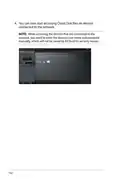
- 102. You Can Now Start Accessing Cloud Disk Files On Devices Connected To The Network.
- 103. Smart Access (Notes)
- 104. Aicloud Sync
- 105. Ipv6 (To Set Up Ipv6)
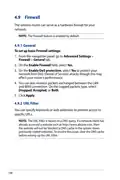
- 106. Firewall (General → Url Filter)
- 107. To Set Up A Url Filter: (Keyword Filter)
- 108. Keyword Filter (Network Services Filter)
- 109. To Set Up A Network Service Filter: (Ipv6 Firewall)
- 110. Administration (Operation Mode)
- 111. Aimesh Node (System)
- 112. Firmware Upgrade (Restore/save/upload Setting)
- 113. System Log (To View Your System Log: → Tabs:)
- 114. Smart Connect (Setting Up Smart Connect)
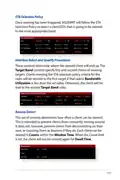
- 115. Smart Connect Rule (Steering Trigger Condition → Sta Selection Policy → Interface Select And Qualify Procedures → Bounce Detect)
- 116. Steering Trigger Condition (Bandwidth Utilization → Enable Load Balance → Rssi → Phy Rate Less / Phy Rate Greater → Vht)
- 117. Sta Selection Policy (Interface Select And Qualify Procedures → Target Band → Bounce Detect)
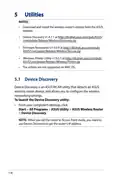
- 118. Utilites (Device Discovery)
- 119. Firmware Restoration (Important → Note)
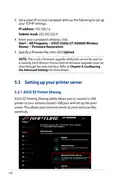
- 120. Set A Static Ip On Your Computer And Use The Following To Set Up Your Tcp/ip Settings (Firmware Restoration → Setting Up Your Printer Server → Asus Ez Printer Sharing)
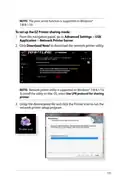
- 121. Note: The Print Server Function Is Supported On Windows 7/8/8.1/10.
- 122. Follow The Onscreen Instructions To Set Up Your Hardware, Then Click Next. Wait A Few Minutes For The Initial Setup To Finish. Click Next. C…
- 123. Follow The Windows Os Instructions To Install The Printer Driver. (After The Printers Driver Installation Is Complete, Network Clients Can Now Use The Printer.)
- 124. Using Lpr To Share Printer (Sharing Your Lpr Printer)
- 125. Create A New Port (Type Of Port → Tcp/ip Port → Hostname Or Ip Address)
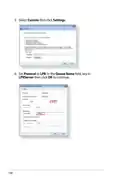
- 126. Select Custom Then Click Settings (Set Protocol To Lpr → Queue Name Field, Key In Lprserver Then Click Ok To Continue)
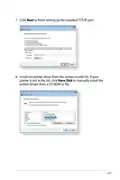
- 127. Click Next To Finish Setting Up The Standard Tcp/ip Port. (Install The Printer Driver From The Vendor-model List.)
- 128. Click Next To Accept The Default Name For The Printer. Click Finish To Complete The Installation.
- 129. Download Master (To Use Download Master: → Add A Download Task → Select A Download Type Such As Bittorrent, Http, Or Ftp)
- 130. Use (Configuring Bit Torrent Download Settings → Speed Limits)
- 131. Nzb Settings
- 132. Troubleshooting (Basic Troubleshooting)
- 133. Check If Your Ethernet Cables Are Plugged Properly. (Check If The Wireless Setting On Your Computer Matches That Of Your Computer. → Check If Your Network Settings Are Correct.)
- 134. Frequently Asked Questions (faqs) (I Cannot Access The Router Gui Using A Web Browser)
- 135. The Client Cannot Establish A Wireless Connection With The Router. (Out Of Range: → Dhcp Server Has Been Disabled: → Positioning Your Router → Advanced Settings)
- 136. Advanced Settings (Wireless → General → Control Channel → Wireless Lan Adapter → Factory Default Settings → Administration)
- 137. Internet Is Not Accessible. (Check If Your Router Can Connect To Your Isps Wan Ip Address. → Restart Your Network In Following Sequence Under Basic Troubleshooting. → Parental Control Function. → Setup A New Ssid And Encryption Key Via A Wired Connection. → Reset Your Router To The Default Settings.)
- 138. How To Restore The System To Its Default Settings? (The Following Are The Factory Default Settings: → Firmware Upgrade Failed.)
- 139. Cannot Access Web Gui (Before Configuring Your Wireless Router, Do The Steps Described In This Section For Your Host Computer And Network Clients.)
- 140. Mac Os (Windows)
- 141. Ethernet Properties (Internet Protocol Version 4 (tcp/ipv4) → Internet Protocol Version 6 (tcp/ipv6) → Obtain An Ip Address Automatically → Obtain An Ipv6 Address Automatically)
- 142. Mac Os (Windows)
- 143. Gnu General Public License (Licensing Information → Preamble)
- 144. When We Speak Of Free Software, We Are Referring To Freedom, Not Price. Our General Public Licenses Are Designed To Make Sure That You Have …
- 145. Terms & Conditions For Copying, Distribution, & Modification (License Applicability → Definition Of The Program → Scope Of Activities Covered By The License → Copying And Distribution Rights)
- 146. You May Charge A Fee For The Physical Act Of Transferring A Copy, And You May At Your Option Offer Warranty Protection In Exchange For A Fee…
- 147. These Requirements Apply To The Modified Work As A Whole. (You May Copy And Distribute The Program (or A Work Based On It, Under Section 2) In Object Code Or Executable Form Under The Terms Of Sections 1 And 2 Above Provided That You Also Do One Of The Following:)
- 148. Accompany (The Source Code For A Work Means The Preferred Form Of The Work For Making Modifications To It. → You May Not Copy, Modify, Sublicense, Or Distribute The Program Except As Expressly Provided Under This License. → You Are Not Required To Accept This License, Since You Have Not Signed It.)
- 149. Therefore, By Modifying Or Distributing The Program (or Any Work Based On The Program), You Indicate Your Acceptance Of This License To Do S…
- 150. Distribution Limitations (Revised Versions Of The License → Incorporating Parts Of The Program)
- 151. No Warranty (End Of Terms And Conditions)
- 152. Service And Support
×
ASUS GT-AX6000 Dual Band WiFi 6 Extendable Gaming Router User Guide

















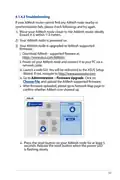


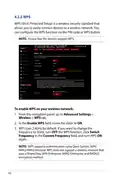


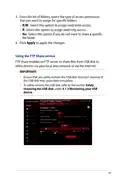


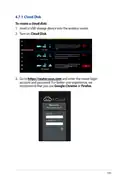



















To monitor your USB device:
1. From the navigation panel, go to Advanced Settings >
Network Map.
2. On the Network Map screen, select the USB Disk Status icon
to display your USB device’s information.
3. On the AiDisk Wizard field, click GO to set up an FTP server for
Internet file sharing.
NOTES:
•
For more details, refer to the section 4.6.2 Using Servers Center
in this user manual.
•
The wireless router works with most USB HDDs/Flash disks (up to
4TB size) and supports read-write access for FAT16, FAT32, NTFS,
and HFS+.
Safely removing the USB disk
IMPORTANT! Incorrect removal of the USB disk may cause data
corruption.
To safely remove the USB disk:
1. From the navigation panel, go to Advanced Settings >
Network Map.
2. In the upper right corner, click
> Eject USB disk. When
the USB disk is ejected successfully, the USB status shows
Unmounted.
53

| General | Details |
|---|---|
| Name | ASUS GT-AX6000 Dual Band WiFi 6 Extendable Gaming Router User Guide |
| Make | Asus |
| Language | English |
| Filetype | PDF (Download) |
| File size | 2.19 MB |
 (1 votes, average: 5.00 out of 5)
 Loading...
If you have any questions regarding ASUS GT-AX6000 Dual Band WiFi 6 Extendable Gaming Router User Guide, please ask here and describe the problem in detail.

ASUS RT-AC86U AC2900 WiFi Gaming Router User Guide

ASUS AC1750 WiFi Dual Band Wireless Internet Router User Guide

ASUS TUF-AX5400 Dual Band WiFi 6 Router User Guide

ASUS ET12 ZenWiFi Pro AXE11000 Tri Band Router User Guide

ASUS RT-AX82U V2 AX5400 Dual Band WiFi Router User Guide

ASUS TUF-AX4200 Dual Band WiFi Router User Guide

ASUS RT-N10U 150 mbps Wireless Router Instructions

ASUS RT-BE96U Tri Band WiFi Router User Guide

ASUS RT-BE88U Dual Band WiFi Router User Guide

ASUS RT-BE7200 Dual Band Wi-Fi Router User Guide


ASUS RT-BE92U Wireless Router User Guide

Red Fox 2 CNC Router Installation Guide

TP-Link Archer NX600 5G CPE Router Installation Guide

FALCON technology 4G Combo Combined Antenna and Router User Manual

HFCL 4XIHMR Home Mesh Router User Guide

TP-Link Archer MR200 Wireless Dual Band 4G LTE Router User Guide

MikroTik Chateau LTE18 ax Dual Band Wireless Router User Manual

GlocalMe U5 Numen Air 5G Mobile WiFi Router User Guide

TELTONIKA RUT955 LTE Router User Guide

D-Link DWR-M930DS 4G Dual SIM LTE Router Installation Guide
Table of Contents
- 1. Gt-ax6000 - Rog Rapture Dual Band Gaming Router →
- 2. Copyright 2023 Asustek Computer Inc. All Rights Reserved. - ... →
- 3. Getting To Know Your Wireless Router - Getting Started →
- 4. Advanced Troubleshooting - Vpn →
- 5. Nat - Using The Usb Application →
- 6. Download Master - Configuring Bit Torrent Download Settings →
- 7. Getting To Know Your Wireless Router - Welcome! →
- 8. Your Wireless Router - Power Led →
- 9. Usb 3.2 Gen 1 Port - Lan 1~4 Ports →
- 10. Positioning Your Router - Keep The Device Away From Metal Ob... →
- 11. Setup - Requirements →
- 12. Getting Started - Router Setup →
- 13. The Web Gui Launches Automatically When You Open A Web Brows... →
- 14. 4g Wi-fi Name (ssid) - G Wi-fi Name (ssid) →
- 15. Quick Internet Setup (qis) With Auto-detection - To Use Qis ... →
- 16. Notes - Assign The Wireless Network Name (ssid) And Security... →
- 17. Login Information Setup - Note →
- 18. Connecting To Your Wireless Network →
- 19. Configuring The General Settings Of Rog Gaming Center - Loggi... →
- 20. Top Command Buttons - Information →
- 21. Dash Board →
- 22. Game Radar →
- 23. Aura Rgb →
- 24. Aiprotection →
- 25. Configuring Aiprotection - Aiprotection Prevents Network Expl... →
- 26. Important - Router Security Assessment →
- 27. Blocking Malicious Sites - To Enable Malicious Sites Blockin... →
- 28. Two-way Ips - To Enable Two-way Ips: →
- 29. Infected Device Prevention And Blocking - To Enable Infected... →
- 30. Setting Up Parental Control - Enabling Two-way Ips →
- 31. Web & Apps Filters - To Configure Web & Apps Filters →
- 32. Time Scheduling - To Configure Time Scheduling: →
- 33. Game - Game Boost →
- 34. Qos - To Enable The Qos Function: →
- 35. Gear Accelerator - To Configure Gear Accelerator: →
- 36. Open Nat - Nat & Game Profile →
- 37. To Configure Open Nat →
- 38. Game Radar →
- 39. Check The Ping Status Of Each Server - For A Smooth Online G... →
- 40. Wi-fi Radar - To Use Wi-fi Radar →
- 41. Start Data Collection - Submit →
- 42. Wireless Channel Statistics - Advanced Troubleshooting →
- 43. Vpn - Note →
- 44. Vpn Fusion - Benefits Of Vpn Fusion →
- 45. To Start, Please Follow The Steps Below: →
- 46. Instant Guard →
- 47. Traffic Analyzer - To Configure The Traffic Analyzer →
- 48. Configuring The Advanced Settings - Using The Network Map →
- 49. Setting Up The Wireless Security Settings - 4ghz Security Se... →
- 50. Wireless Name (ssid) - Authentication Method →
- 51. To Manage Your Network Clients →
- 52. Monitoring Your Usb Device - Using The Usb Application →
- 53. To Monitor Your Usb Device: - Safely Removing The Usb Disk →
- 54. Asus Aimesh - Before Setting →
- 55. Aimesh Router - Quick Start Guide →
- 56. Trouble Shooting →
- 57. Troubleshooting - Aimesh Node Setup →
- 58. Relocation - The Best Performance →
- 59. Follow The Setup Steps To Establish A Connection Between The... →
- 60. Wireless - General →
- 61. Assign A Unique Name For Your Ssid - Hide Ssid →
- 62. Wps - To Enable Wps On Your Wireless Network: →
- 63. In The Wps Method Field, Select Push Button Or Client Pin Co... →
- 64. Bridge - To Set Up The Wireless Bridge: →
- 65. Ap Mode Options - Connect To Aps In List →
- 66. Wireless Mac Filter - To Set Up The Wireless Mac Filter: →
- 67. Radius Setting - To Set Up Wireless Radius Settings: →
- 68. Professional Settings - Band →
- 69. Time Of Day To Enable Radio - Date To Enable Radio (weekend) →
- 70. Dtim Interval - Beacon Interval →
- 71. Universal Beamforming →
- 72. Creating A Guest Network - Guest Network Features →
- 73. To Change A Guests Settings, Click The Guest Settings You Wa... →
- 74. Lan - Lan Ip →
- 75. Dhcp Server - Configuring The Dhcp Server →
- 76. Lease Time - Dns And Server Settings →
- 77. Route - Note →
- 78. Iptv →
- 79. Wan - Internet Connection →
- 80. Enable Wan - Enable Nat →
- 81. Mac Address - Dhcp Query Frequency →
- 82. Dual Wan - Failover Mode →
- 83. Port Trigger - To Set Up Port Trigger →
- 84. Trigger Port - Protocol →
- 85. Virtual Server/port Forwarding - Setting Up Port Forwarding →
- 86. Port Forwarding List - Service Name →
- 87. To Check If Port Forwarding Has Been Configured Successfully... →
- 88. Dmz - Setting Up Dmz On A Network →
- 89. Ddns - Setting Up Ddns →
- 90. Notes: Ddns Service Will Not Work Under These Conditions: Wh... →
- 91. Using The Usb Application - Important! →
- 92. Using Aidisk - Aidisk Overview →
- 93. Create Your Domain Name Via The Asus Ddns Services - Access ... →
- 94. Using Servers Center - Using Media Server →
- 95. Using Network Place (samba) Share - To Use Samba Share →
- 96. Follow The Steps Below To Add, Delete, Or Modify An Account.... →
- 97. From The List Of Folders, Select The Type Of Access Permissi... →
- 98. To Use Ftp Share Service: - Note: →
- 99. G/4g Usb Modems - Set Up 3g/4g Internet Access →
- 100. Using Aicloud 2.0 - To Use Aicloud →
- 101. Cloud Disk →
- 102. You Can Now Start Accessing Cloud Disk Files On Devices Conn... →
- 103. Smart Access - Notes →
- 104. Aicloud Sync →
- 105. Ipv6 - To Set Up Ipv6 →
- 106. Firewall - General →
- 107. To Set Up A Url Filter: - Keyword Filter →
- 108. Keyword Filter - Network Services Filter →
- 109. To Set Up A Network Service Filter: - Ipv6 Firewall →
- 110. Administration - Operation Mode →
- 111. Aimesh Node - System →
- 112. Firmware Upgrade - Restore/save/upload Setting →
- 113. System Log - To View Your System Log: →
- 114. Smart Connect - Setting Up Smart Connect →
- 115. Smart Connect Rule - Steering Trigger Condition →
- 116. Steering Trigger Condition - Bandwidth Utilization →
- 117. Sta Selection Policy - Interface Select And Qualify Procedur... →
- 118. Utilites - Device Discovery →
- 119. Firmware Restoration - Important →
- 120. Set A Static Ip On Your Computer And Use The Following To Se... →
- 121. Note: The Print Server Function Is Supported On Windows 7/8/... →
- 122. Follow The Onscreen Instructions To Set Up Your Hardware, Th... →
- 123. Follow The Windows Os Instructions To Install The Printer Dr... →
- 124. Using Lpr To Share Printer - Sharing Your Lpr Printer →
- 125. Create A New Port - Type Of Port →
- 126. Select Custom Then Click Settings - Set Protocol To Lpr →
- 127. Click Next To Finish Setting Up The Standard Tcp/ip Port. - ... →
- 128. Click Next To Accept The Default Name For The Printer. Click... →
- 129. Download Master - To Use Download Master: →
- 130. Use - Configuring Bit Torrent Download Settings →
- 131. Nzb Settings →
- 132. Troubleshooting - Basic Troubleshooting →
- 133. Check If Your Ethernet Cables Are Plugged Properly. - Check ... →
- 134. Frequently Asked Questions (faqs) - I Cannot Access The Rout... →
- 135. The Client Cannot Establish A Wireless Connection With The R... →
- 136. Advanced Settings - Wireless →
- 137. Internet Is Not Accessible. - Check If Your Router Can Conne... →
- 138. How To Restore The System To Its Default Settings? - The Fol... →
- 139. Cannot Access Web Gui - Before Configuring Your Wireless Rou... →
- 140. Mac Os - Windows →
- 141. Ethernet Properties - Internet Protocol Version 4 (tcp/ipv4) →
- 142. Mac Os - Windows →
- 143. Gnu General Public License - Licensing Information →
- 144. When We Speak Of Free Software, We Are Referring To Freedom,... →
- 145. Terms & Conditions For Copying, Distribution, & Modification... →
- 146. You May Charge A Fee For The Physical Act Of Transferring A ... →
- 147. These Requirements Apply To The Modified Work As A Whole. - ... →
- 148. Accompany - The Source Code For A Work Means The Preferred F... →
- 149. Therefore, By Modifying Or Distributing The Program (or Any ... →
- 150. Distribution Limitations - Revised Versions Of The License →
- 151. No Warranty - End Of Terms And Conditions →
- 152. Service And Support →