
ASUS GT-AX6000 Dual Band WiFi 6 Extendable Gaming Router User Guide










































• Time of Day to Enable Radio: You can specify a time range
when wireless networking is enabled during the week.
• Date to Enable Radio (weekend): You can specify which
days of the weekend wireless networking is enabled.
• Time of Day to Enable Radio: You can specify a time range
when wireless networking is enabled during the weekend.
• Set AP Isolated: The Set AP isolated item prevents wireless
devices on your network from communicating with each
other. This feature is useful if many guests frequently join or
leave your network. Select Yes to enable this feature or select
No to disable.
• Roaming assistant: In network configurations that involve
multiple Access, Points or wireless repeater, wireless clients
sometimes cannot connect automatically to thefts available
AP because they are still connected to the main wireless
router. Enable this setting so that the client will disconnect
from the main wireless router if the signal strength is under a
specific threshold and connect to a stronger signal.
• Enable IGMP Snooping: Enable this function allows
the IGMP ( Internet Group Management Protocol ) to be
monitored among devices and optimizes wireless multicast
traffic.
• Multicast Rate (Mbps): Select the multicast transmission
rate or click Disable to switch off simultaneous single
transmission.
• Preamble Type: Preamble Type defines the length of time
that the router spent for CRC (Cyclic Redundancy Check). CRC
is a method of detecting errors during data transmission.
Select Short for a busy wireless network with high network
traffic. Select Long if your wireless network is composed of
older or legacy wireless devices.
• AMPDU RTS: Enable this function allows to build a group
of frames before they are transmitted and use RTS for every
AMPDU for communication among 802.11g and 802.11b
devices.
• RTS Threshold: Select a lower value for RTS (Request to
Send) Threshold to improve wireless communication in a
69

| General | Details |
|---|---|
| Name | ASUS GT-AX6000 Dual Band WiFi 6 Extendable Gaming Router User Guide |
| Make | Asus |
| Language | English |
| Filetype | PDF (Download) |
| File size | 2.19 MB |
 (1 votes, average: 5.00 out of 5)
 Loading...
If you have any questions regarding ASUS GT-AX6000 Dual Band WiFi 6 Extendable Gaming Router User Guide, please ask here and describe the problem in detail.

ASUS RT-AC86U AC2900 WiFi Gaming Router User Guide

ASUS AC1750 WiFi Dual Band Wireless Internet Router User Guide

ASUS TUF-AX5400 Dual Band WiFi 6 Router User Guide

ASUS ET12 ZenWiFi Pro AXE11000 Tri Band Router User Guide

ASUS RT-AX82U V2 AX5400 Dual Band WiFi Router User Guide

ASUS TUF-AX4200 Dual Band WiFi Router User Guide

ASUS RT-N10U 150 mbps Wireless Router Instructions

ASUS RT-BE96U Tri Band WiFi Router User Guide

ASUS RT-BE88U Dual Band WiFi Router User Guide

ASUS RT-BE7200 Dual Band Wi-Fi Router User Guide


ASUS RT-BE86U, RT-BE6800 Dual Band Wi-Fi Router User Guide

HIKVISION AX1500 Pro WiFi Router User Guide

TP-Link Archer AX10 Dual Band Wi-Fi 6 Router Installation Guide

SEALEY CP20VTR Cordless Trimming Router Instruction Manual

TELTONIKA RUT976 5G Router User Guide

AZORES AX3000 PRO WiFi-6 Wireless Router Instruction Manual

D-Link DIR-X1860 AX1800 Mesh Wi-Fi 6 Router Installation Guide

Iconnect 7621 WiFi 6 Router User Manual

STARLINK Mini Kit Dish With Built In Router User Guide
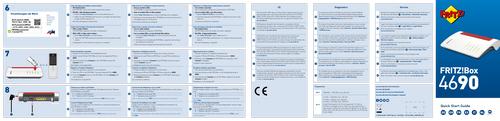
FRITZ 4690 Box Wi-Fi Router User Guide