
ASUS GT-AX6000 Dual Band WiFi 6 Extendable Gaming Router User Guide

















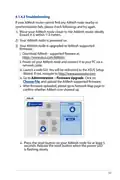


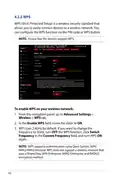


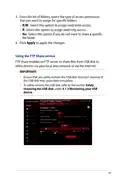


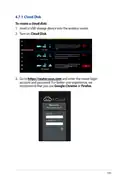



















• AiMesh node: This setup requires at least two ASUS routers
which support AiMesh. Enable AiMesh node, and log in
AiMesh router web UI to search for available AiMesh nodes
nearby to join your AiMesh system. AiMesh system provides
whole-home coverage and centralized management.
3. Click Apply.
NOTE: The router will reboot when you change the modes.
4.10.2 System
The System page allows you to configure your wireless router
settings.
To set up the System settings:
1. From the navigation panel, go to Advanced Settings >
Administration > System tab.
2. You can configure the following settings:
• Change router login password: You can change the
password and login name for the wireless router by entering
a new name and password.
• Time Zone: Select the time zone for your network.
• NTP Server: The wireless router can access a NTP (Network
time Protocol) server in order to synchronize the time.
• Enable Telnet: Click Yes to enable Telnet services on the
network. Click No to disable Telnet.
• Authentication Method: You can select HTTP, HTTPS, or
both protocols to secure router access.
• Enable Web Access from WAN: Select Yes to allow devices
outside the network to access the wireless router GUI
settings. Select No to prevent access.
• Allow only specified IP address: Click Yes if you want to
specify the IP addresses of devices that are allowed access to
the wireless router GUI settings from WAN.
• Client List: Enter the WAN IP addresses of networking
devices allowed to access the wireless router settings. This
list will be used if you clicked Yes in the Only allow specific
IP item.
3. Click Apply.
111

| General | Details |
|---|---|
| Name | ASUS GT-AX6000 Dual Band WiFi 6 Extendable Gaming Router User Guide |
| Make | Asus |
| Language | English |
| Filetype | PDF (Download) |
| File size | 2.19 MB |
 (1 votes, average: 5.00 out of 5)
 Loading...
If you have any questions regarding ASUS GT-AX6000 Dual Band WiFi 6 Extendable Gaming Router User Guide, please ask here and describe the problem in detail.

ASUS RT-AC86U AC2900 WiFi Gaming Router User Guide

ASUS AC1750 WiFi Dual Band Wireless Internet Router User Guide

ASUS TUF-AX5400 Dual Band WiFi 6 Router User Guide

ASUS ET12 ZenWiFi Pro AXE11000 Tri Band Router User Guide

ASUS RT-AX82U V2 AX5400 Dual Band WiFi Router User Guide

ASUS TUF-AX4200 Dual Band WiFi Router User Guide

ASUS RT-N10U 150 mbps Wireless Router Instructions

ASUS RT-BE96U Tri Band WiFi Router User Guide

ASUS RT-BE88U Dual Band WiFi Router User Guide

ASUS RT-BE7200 Dual Band Wi-Fi Router User Guide


MAIYUAN AC1200M Wireless Router User Guide

TP-Link TL-MR3420 3G-4G Wireless Router Installation Guide

DrayTek Vigor2763 VDSL2 Security Router User Guide

Tenda RX12V1.0 Wi-Fi 6 6E Router Installation Guide

ASUS RT-AX57 Go AX3000 Dual Band Wi-Fi 6 Router User Guide

Cudy LT700 4G LTE CAT 6 Wi-Fi Router Installation Guide

D-Link DWR-930M 4G LTE Mobile Router Installation Guide

FALCON 150 Mbps 4G LTE Portable Router User Manual

TELTONIKA RUTX14 CAT12 Cellular IoT Router User Guide

D-Link DIR-836L Wireless N750 Dual Band Gigabit Router Installation Guide